For installing PyCharm in your System go through the following steps:
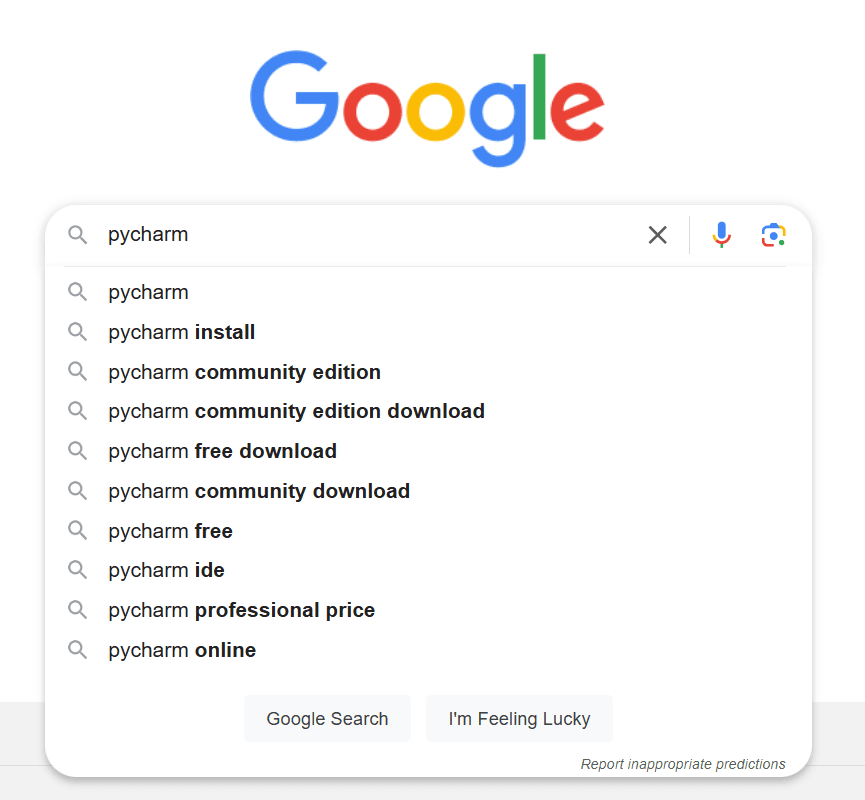
Open a web browser (e.g., Google Chrome, Firefox, or Edge).
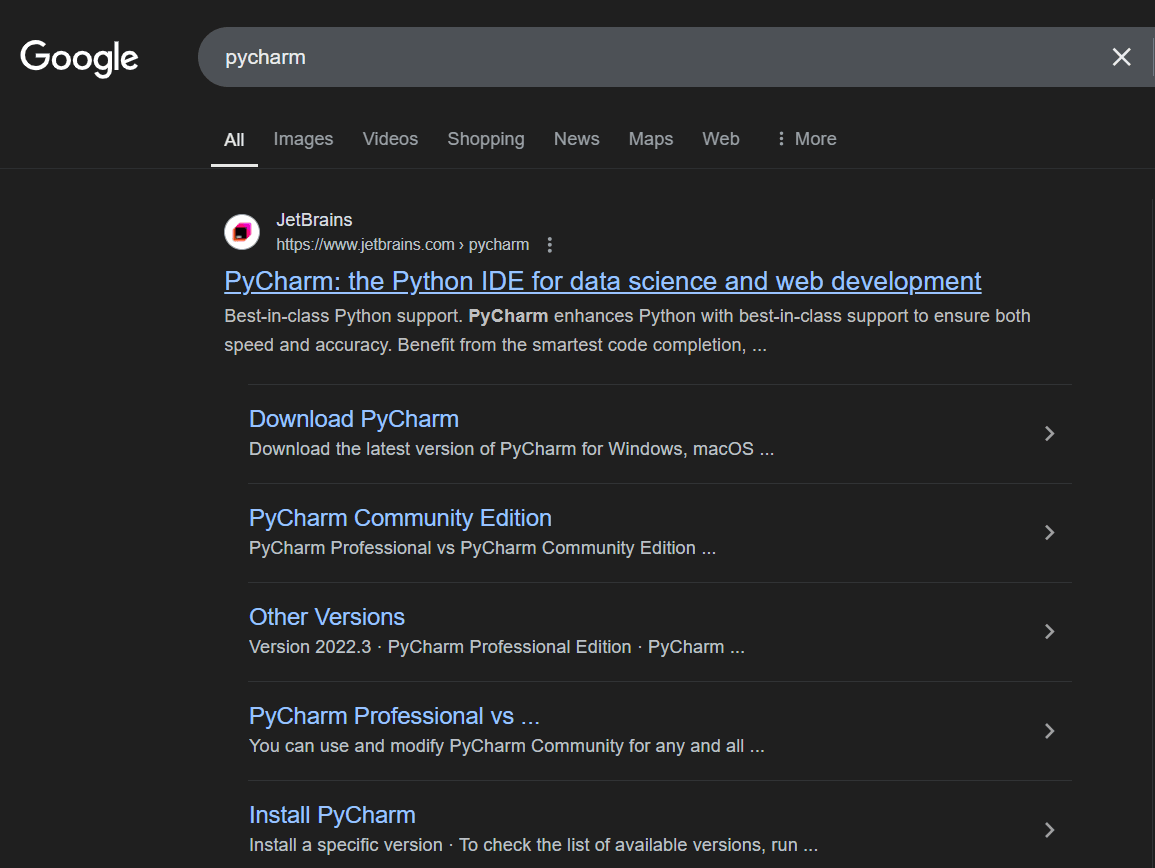
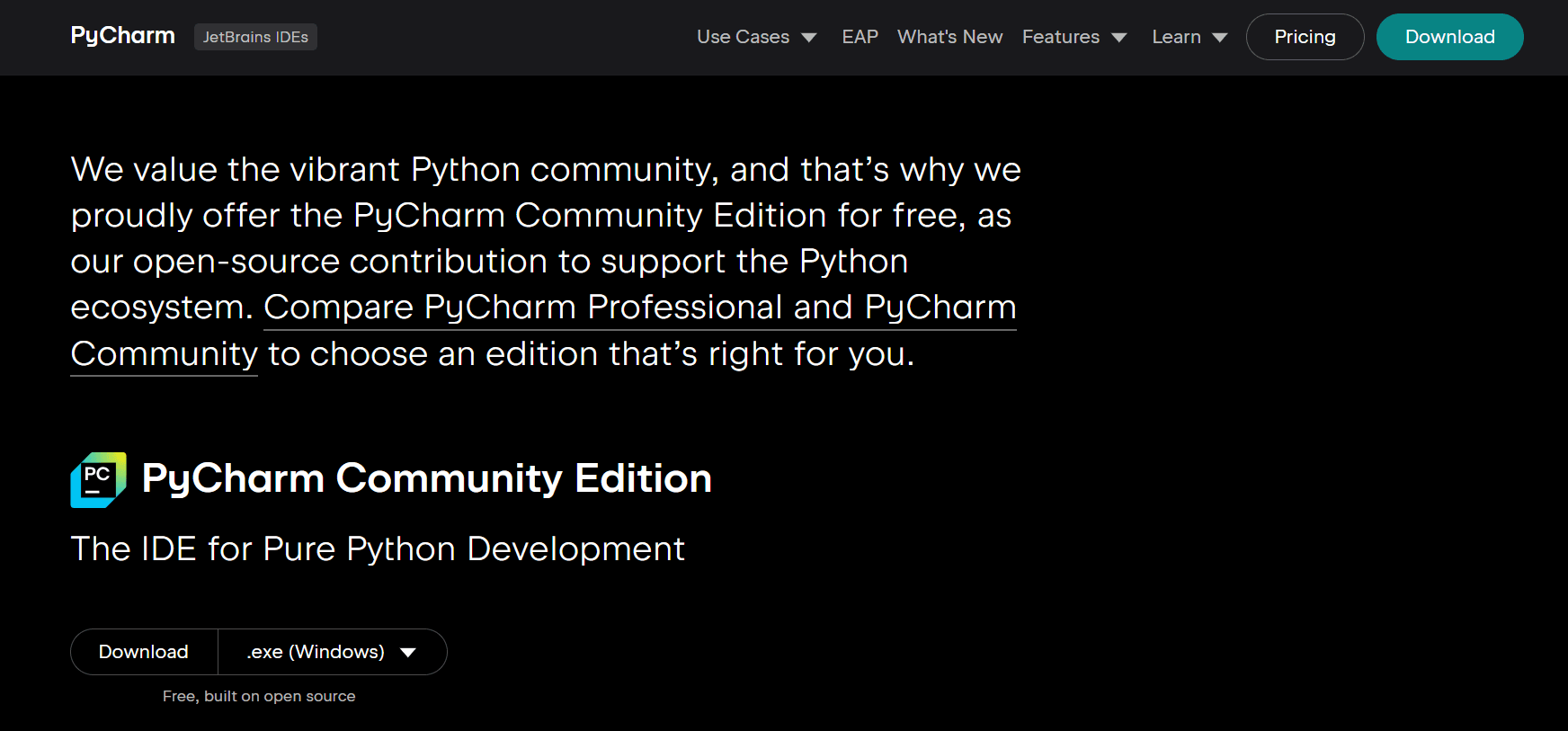
Click on first link as shown in web browser ,go to the official JetBrains PyCharm website,or click Here .
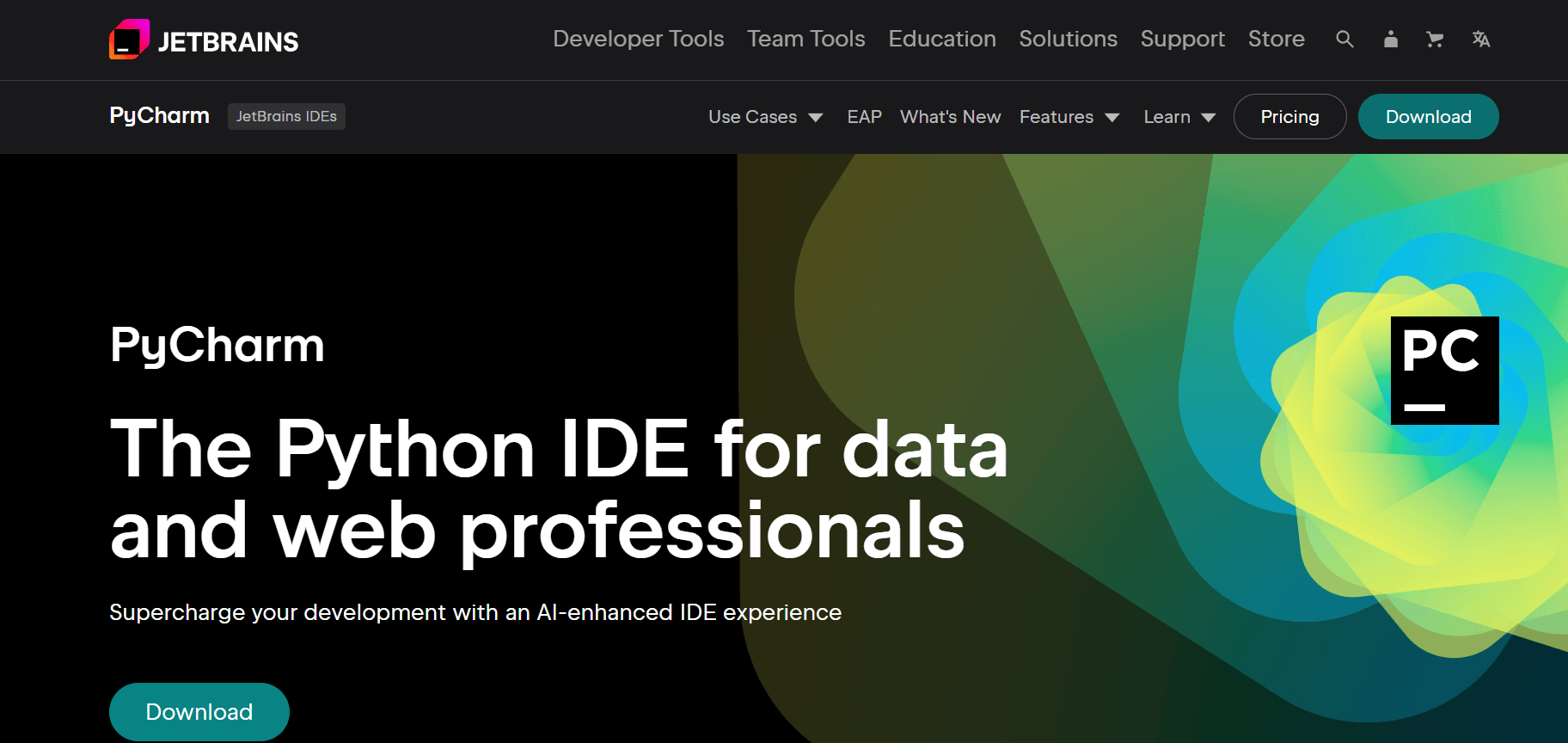
Visit the official PyCharm website at JETBRAINS and this web page will appear
Once the page loads, you’ll see options for different editions of PyCharm.
Professional Edition: Paid version with advanced features.
Community Edition: Free version, ideal for Python programming.
Click the Download button under the Community Edition section.
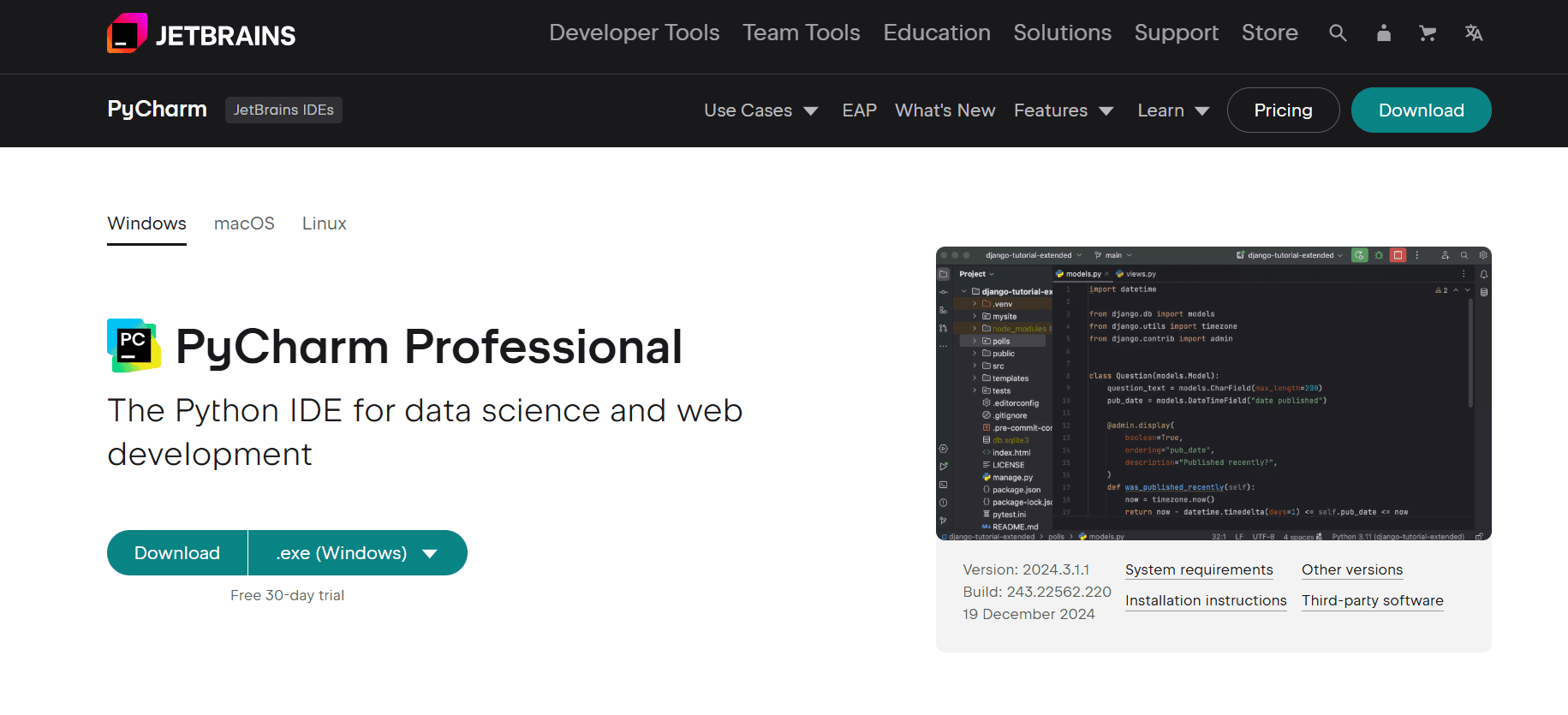
You’ll be redirected to the download page.The website should automatically detect your operating system (Windows) and provide the correct installer.
If not, ensure Windows is selected in the operating system dropdown or button.
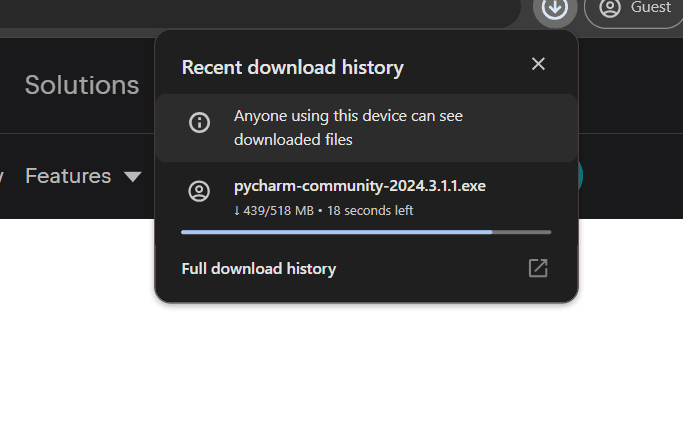
Click the Download button to start downloading the PyCharm Community Edition .exeinstaller.
The installer file will begin downloading. Its name will look something like pycharm-community-<version>.exe.Wait for the download to finish. The file size is usually around 300–400 MB.
Locate the downloaded .exe file (usually in your Downloads folder).
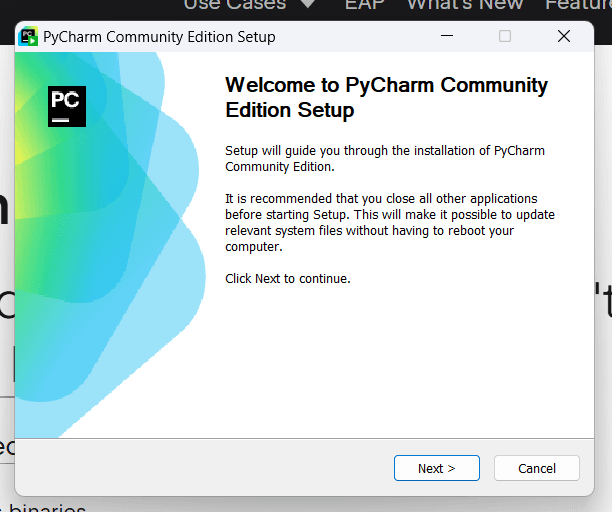
Double-click the file to start the installation process.
A setup wizard will appear. Follow these steps:
Welcome Screen: Click Next.
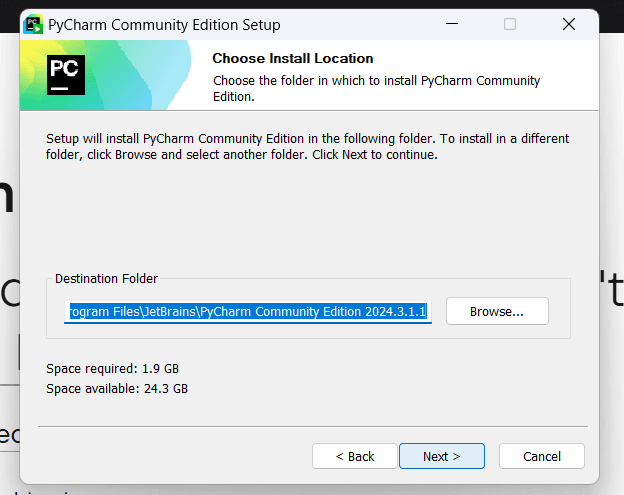
Choose Installation Path: Select or confirm the default location where PyCharm will be installed (e.g., C:\Program Files\JetBrains\PyCharm Community Edition). Then, click Next.
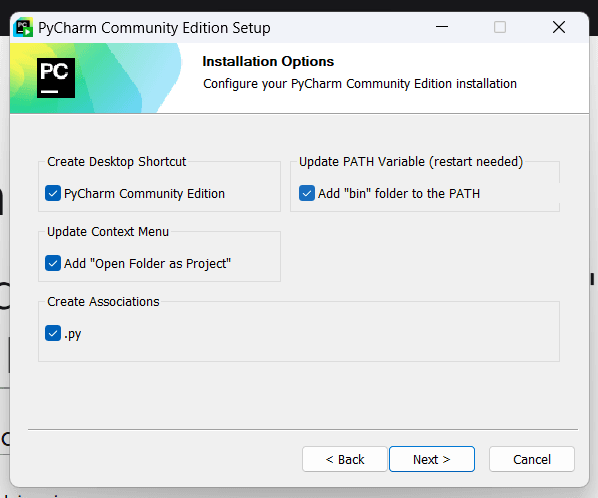
Installation Options:
Check Create Desktop Shortcut (optional).
Check Update PATH variable (optional but recommended for easy access to PyCharm from the command line).
Check Add Open Folder as Project (optional).
Click Next.
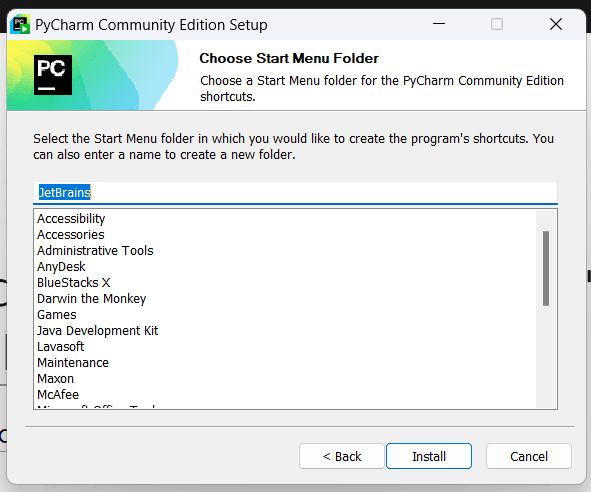
Choose Start Menu Folder: Leave the default or choose a custom folder for shortcuts. Click Install.
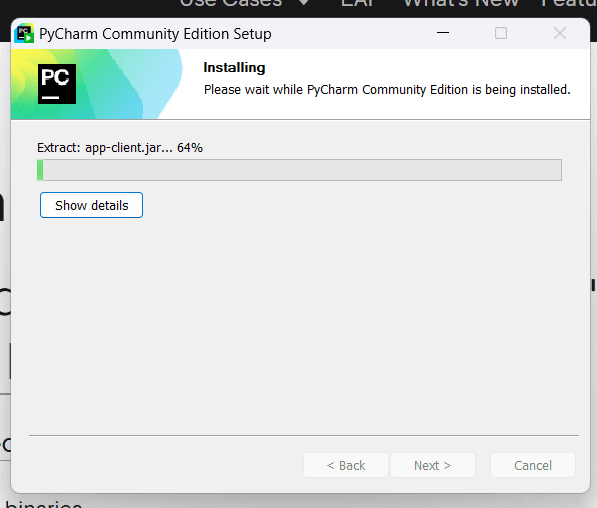
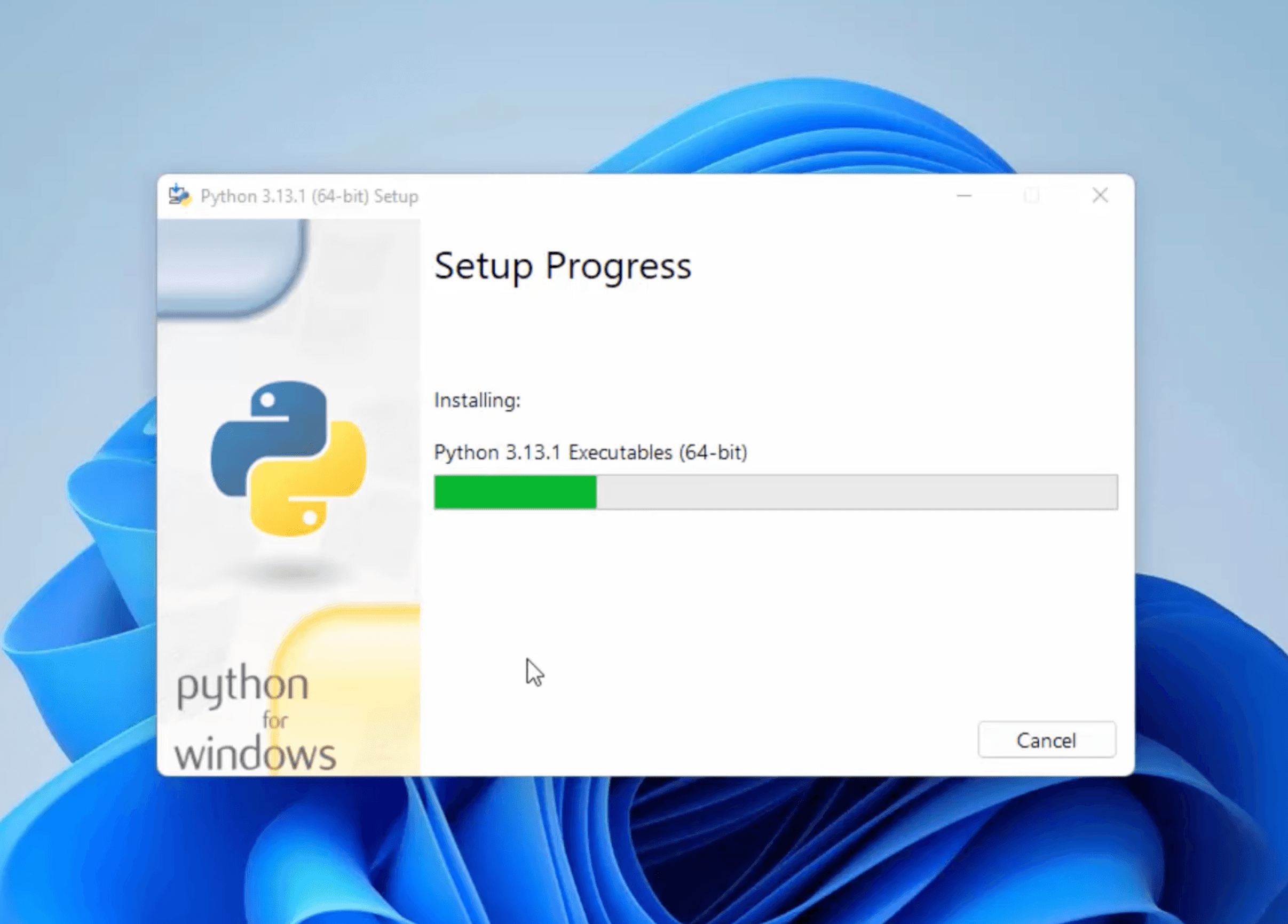
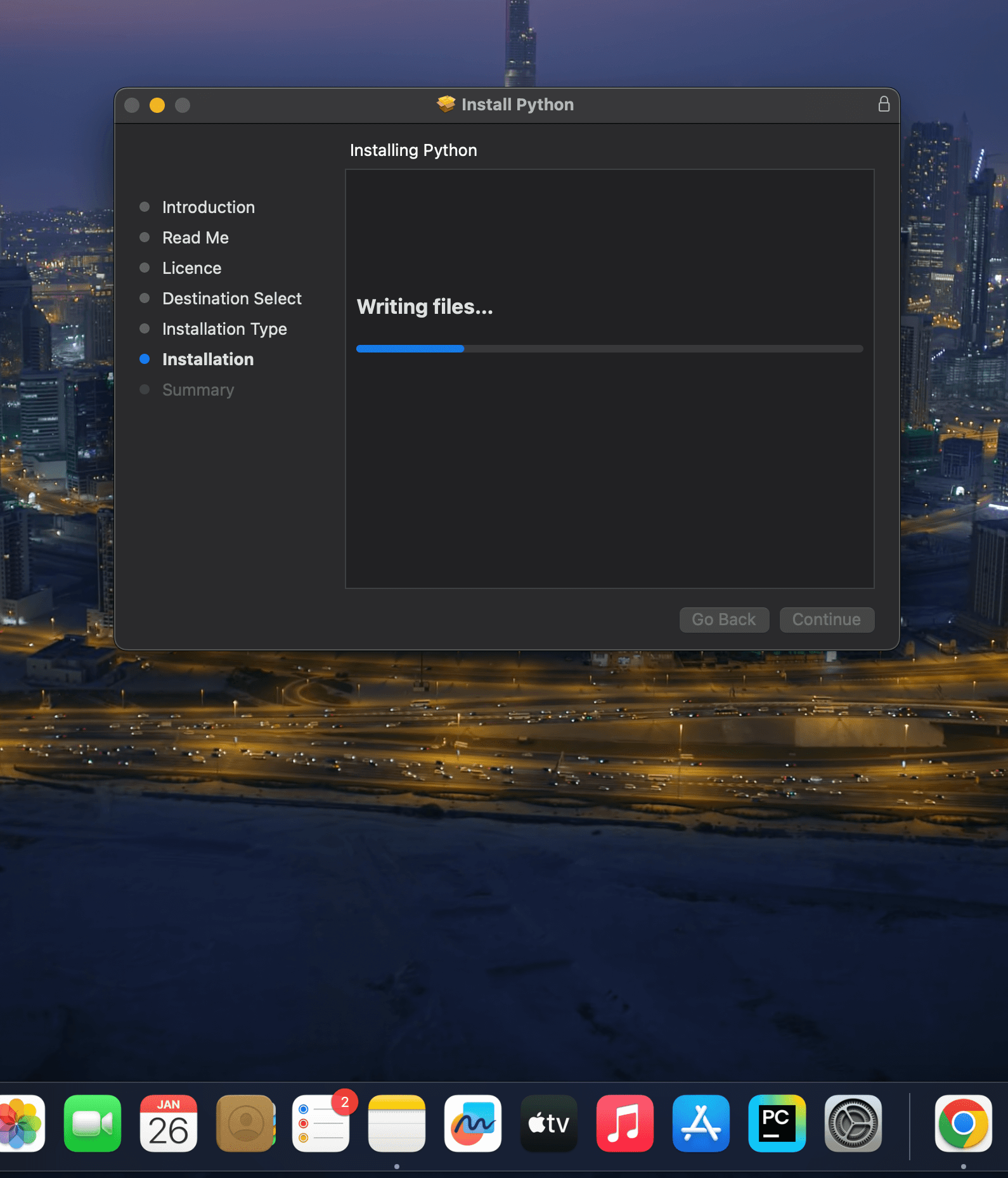
The installation will begin. This might take a few minutes.
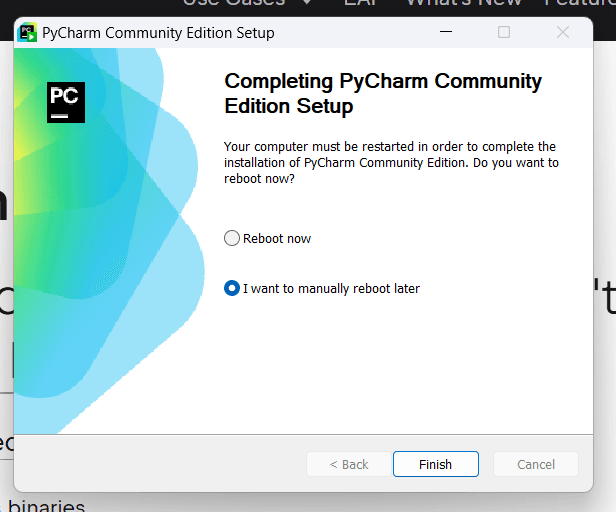
Once the installation is complete, check Run PyCharm Community Edition if you want to open it immediately.
Open desktop and click on PyCharm Logo.
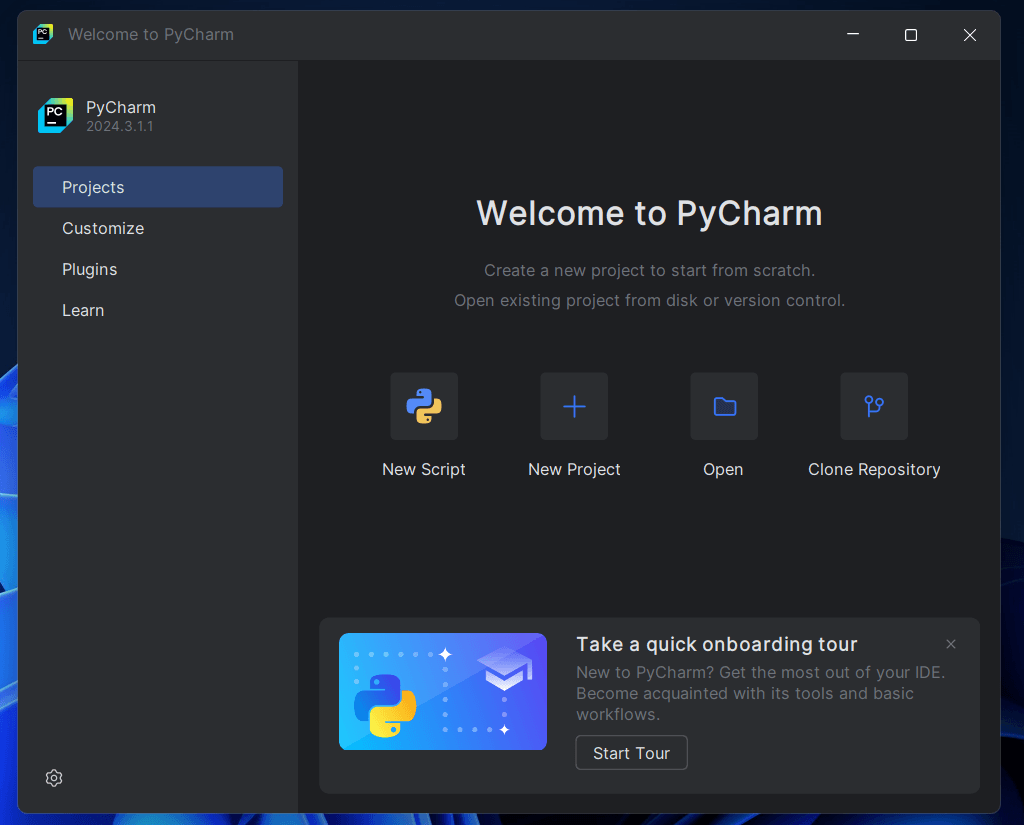
This Dialogue Box will appear, when you click on desktop Shortcut .
After PyCharm opens, create a new project:
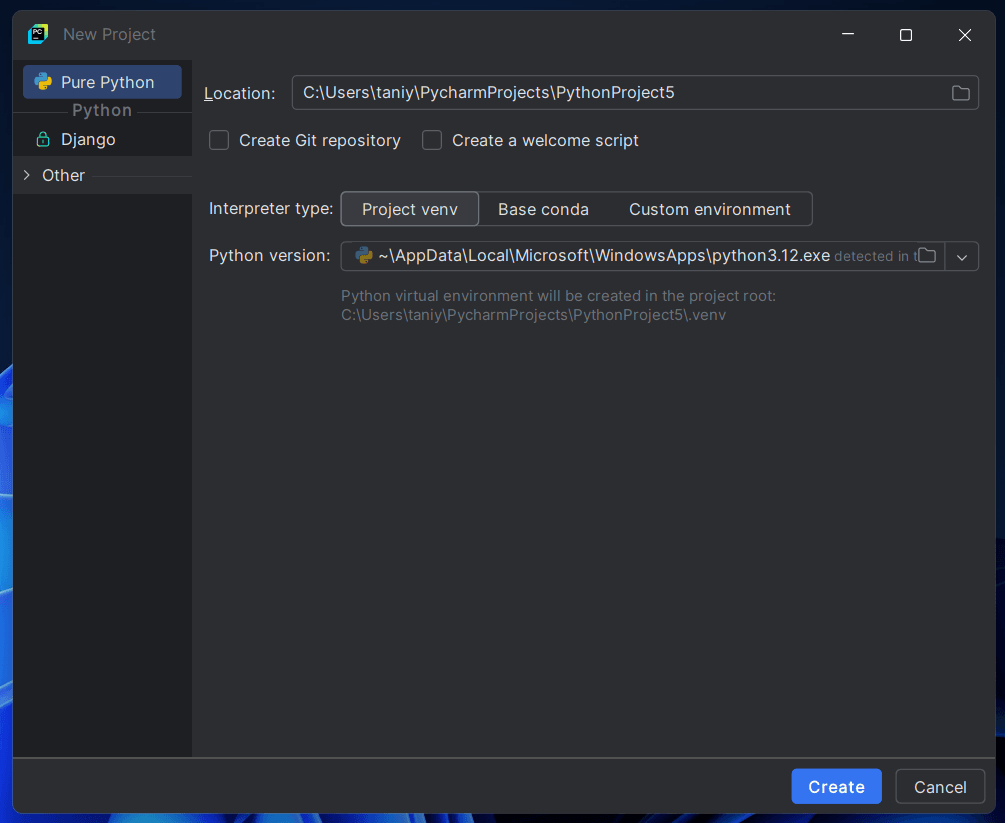
Click New Project.
Choose a location and name for the project.
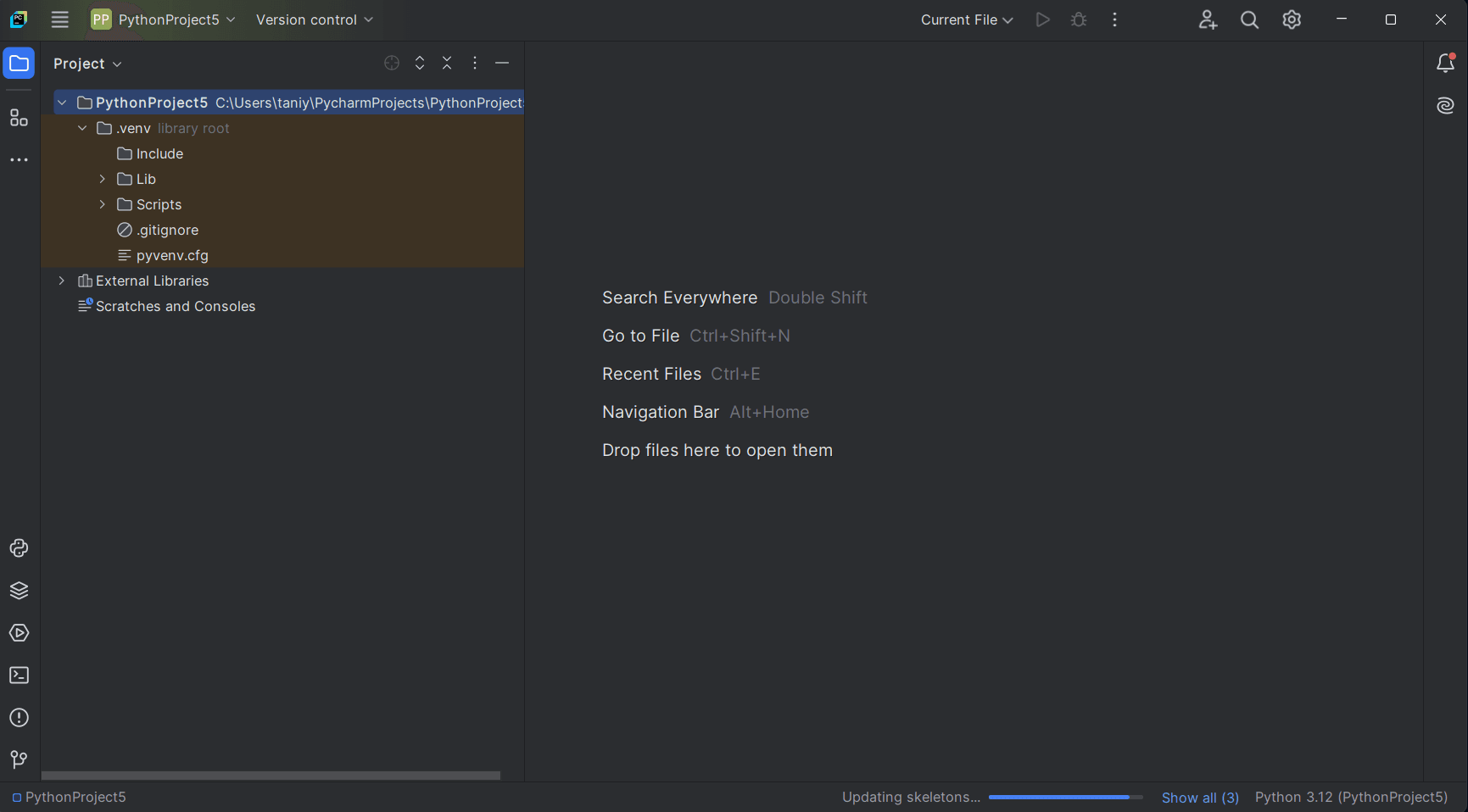
If everything works as expected, your PyCharm setup is complete.
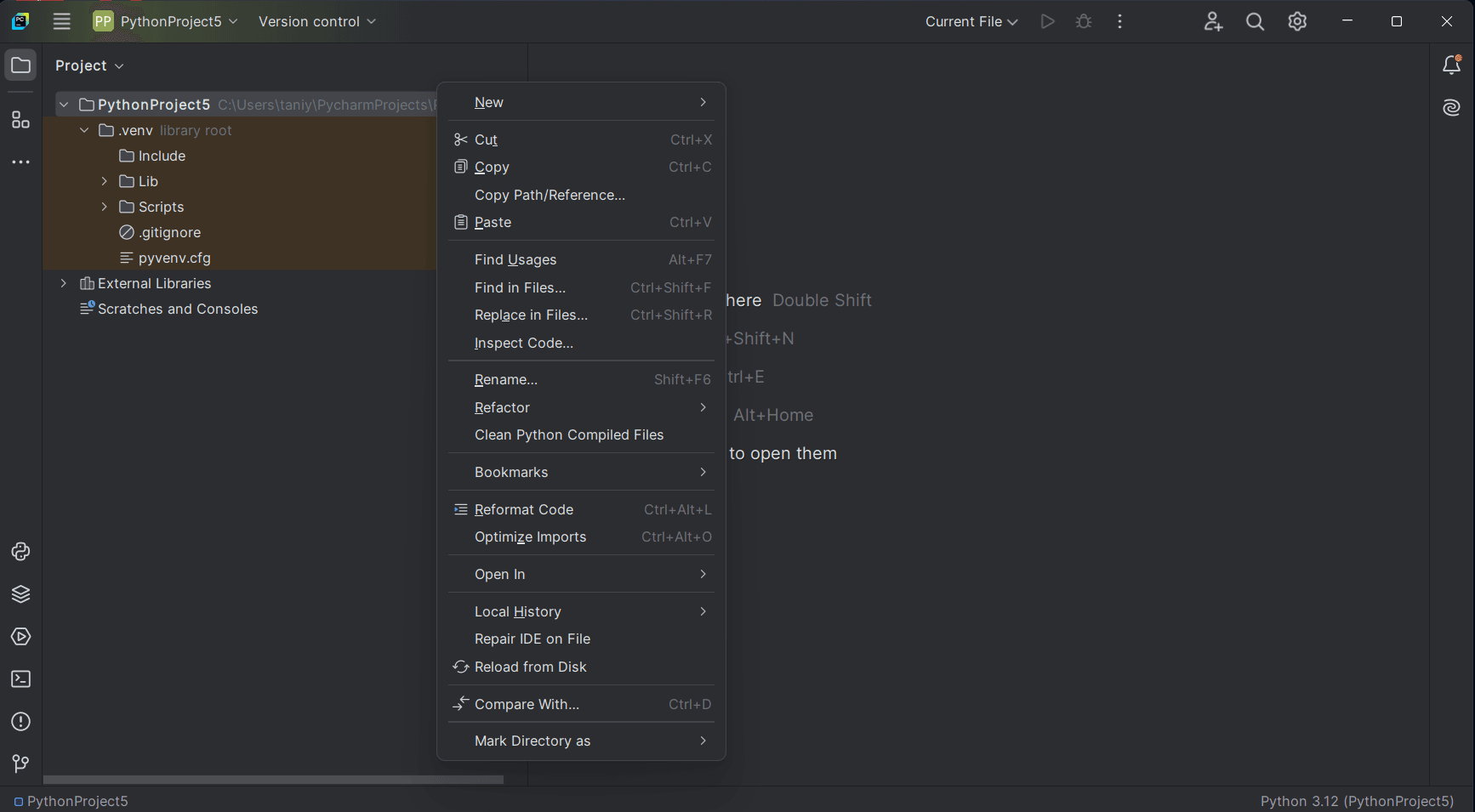
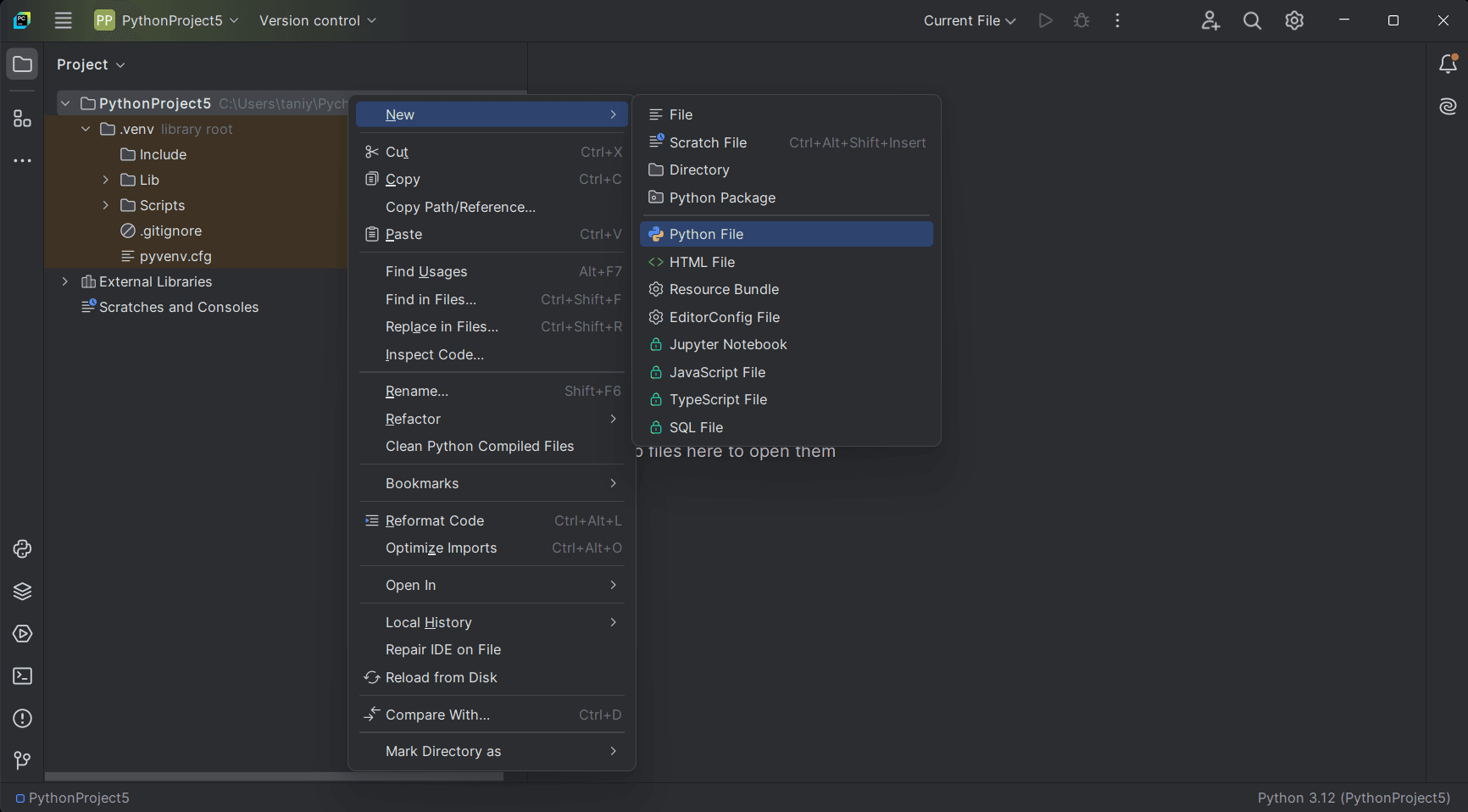
Right Click on your project name and select new.
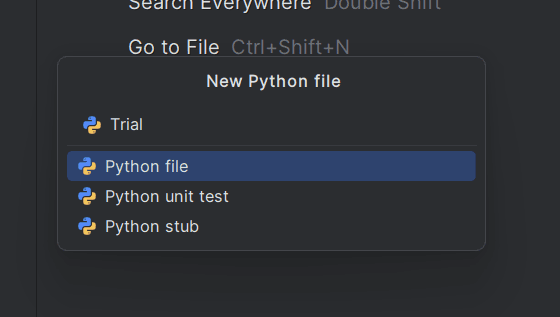
In New select for New file Python file.
Name your Python file , here “Trial”.
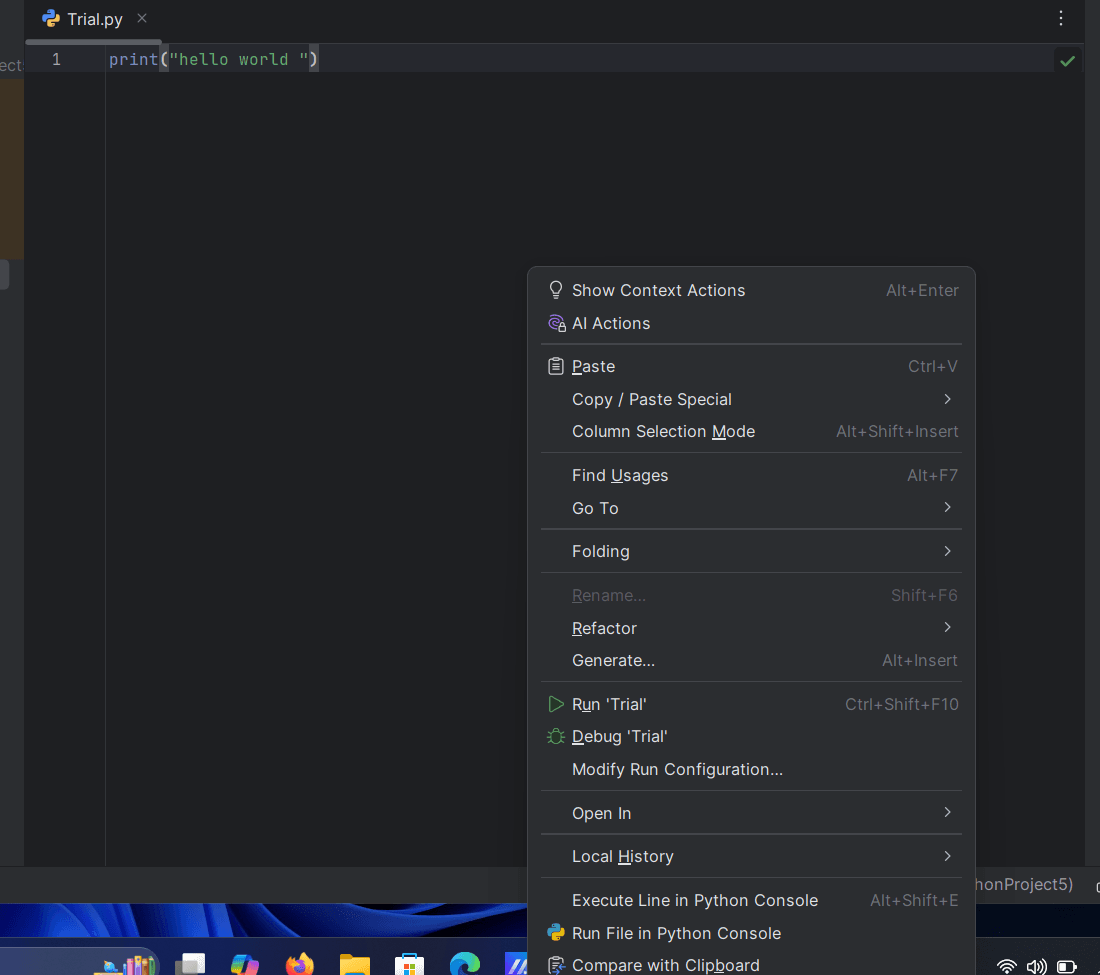
Write a Trial program of printing a “Hello World” ,and to run that script right click on screen & select Run and Debug.
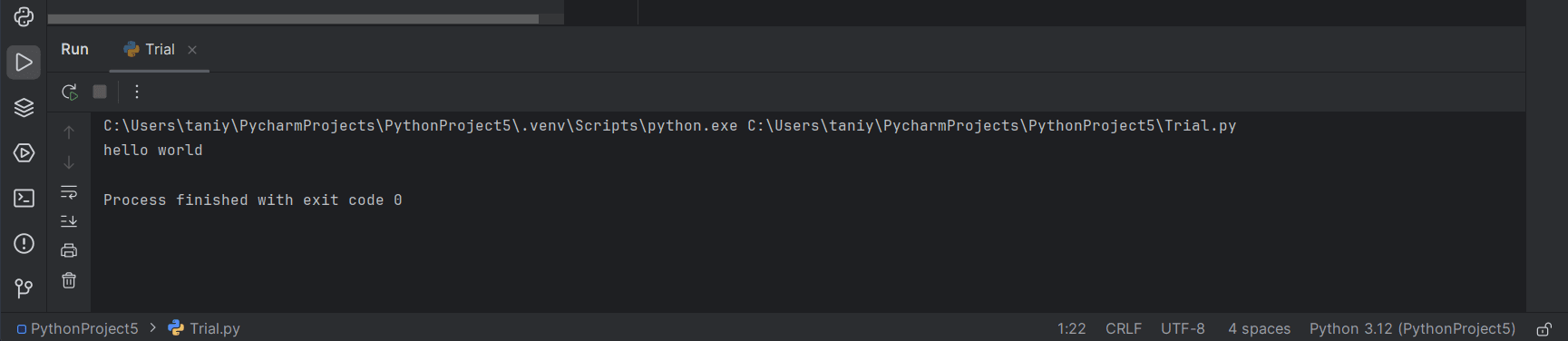
This Will be the output of the “Trial”. # printing “Hello World “
Navigate to the Downloads section and select the latest stable release for Windows.Choose the appropriate installer based on your system architecture:
For 64-bit systems: “Windows installer (64-bit)”
For 32-bit systems: “Windows installer (32-bit)”
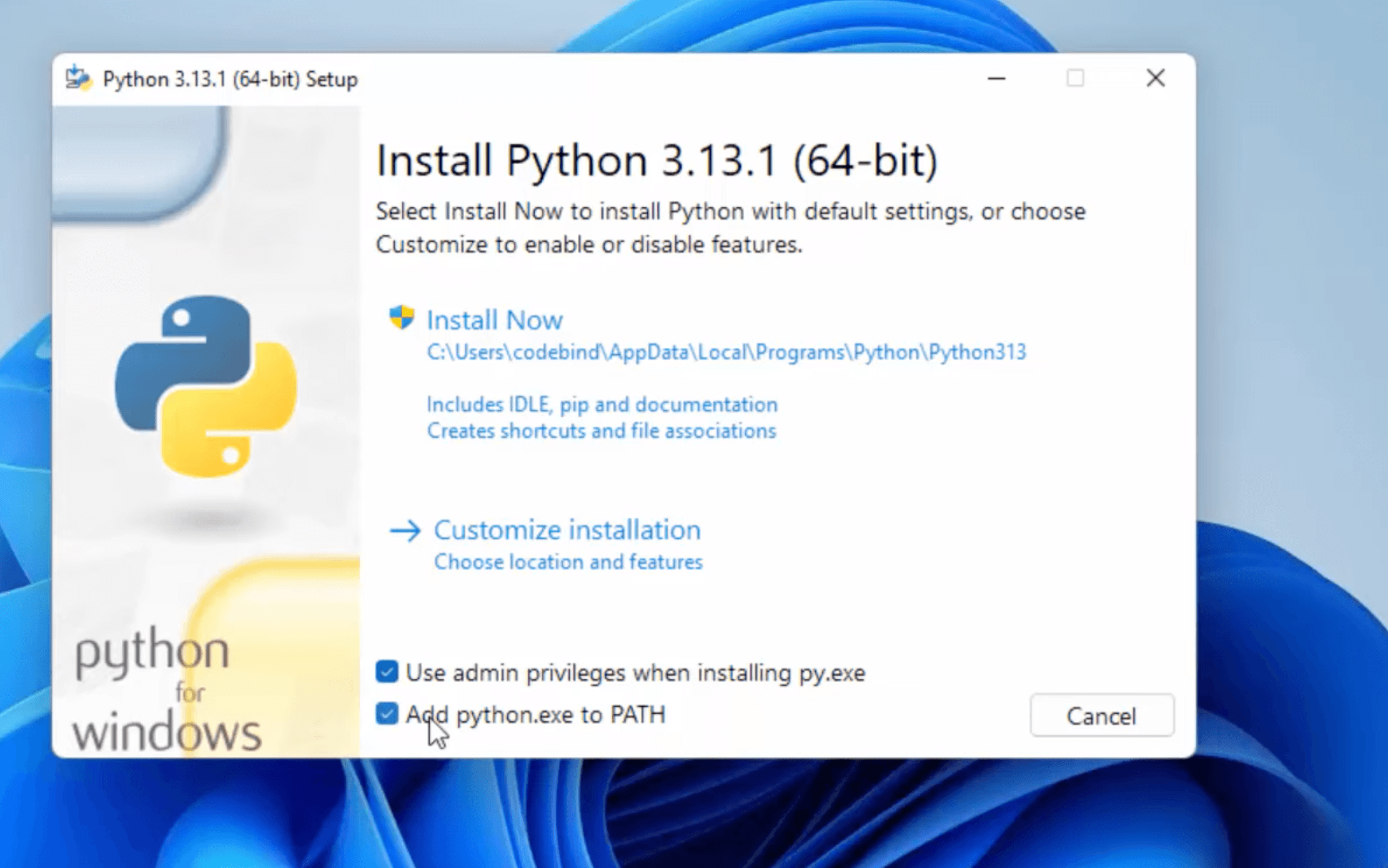
Locate the downloaded installer file (e.g., python-3.x.x-amd64.exe) and double-click to run it.
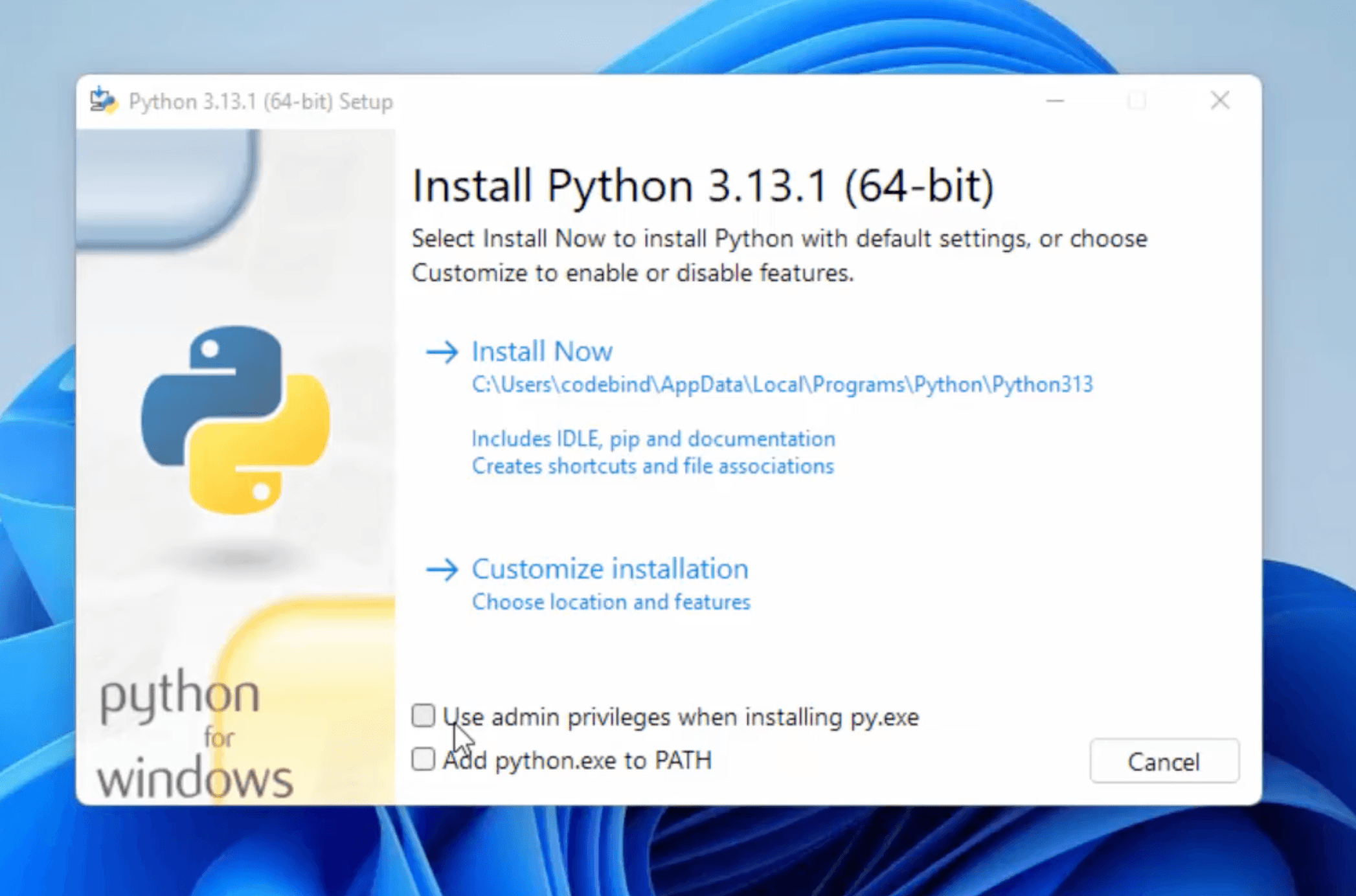
Check the box labeled “Add Python to PATH” to ensure you can run Python from the command line.Click on “Install Now” to proceed with the default installation.
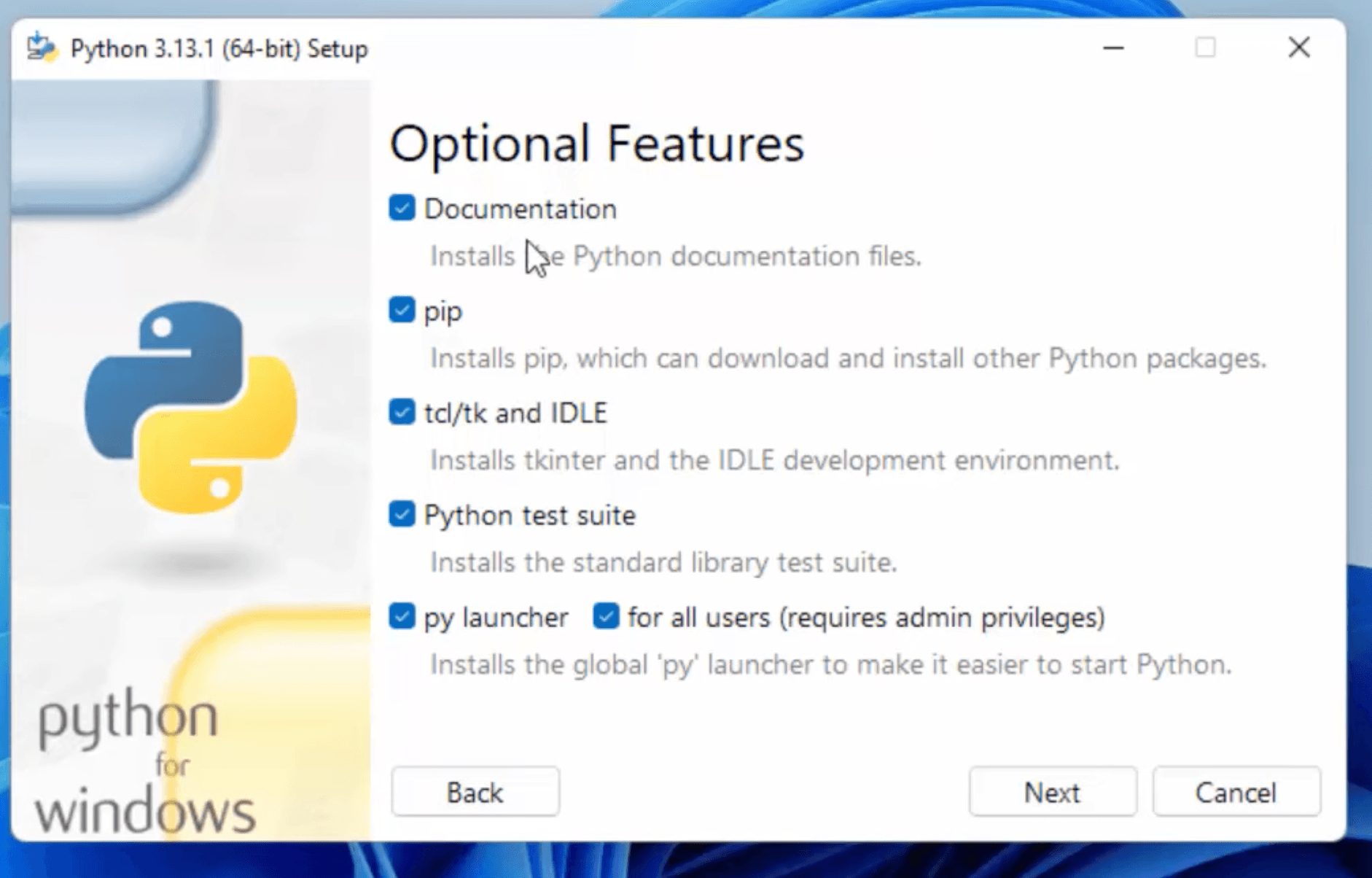
In the “Optional Features” section, you can select additional components like:
Documentation
pip (Python package installer)
tcl/tk and IDLE (Python’s Integrated Development and Learning Environment)
Python test suite
py launcher
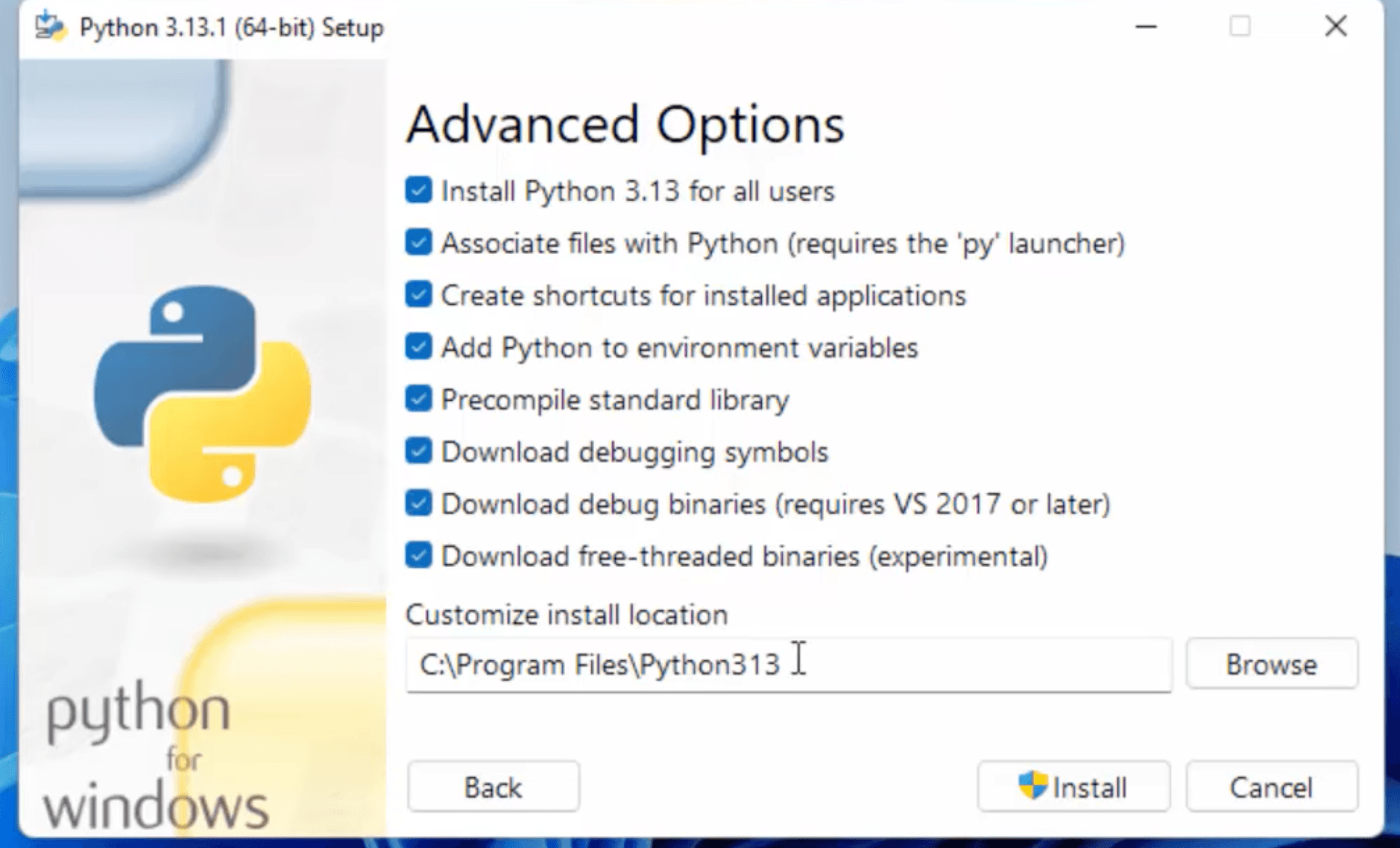
Click “Next” and in the “Advanced Options” section, you can:
Choose the installation location
Add Python to environment variables
Install for all users
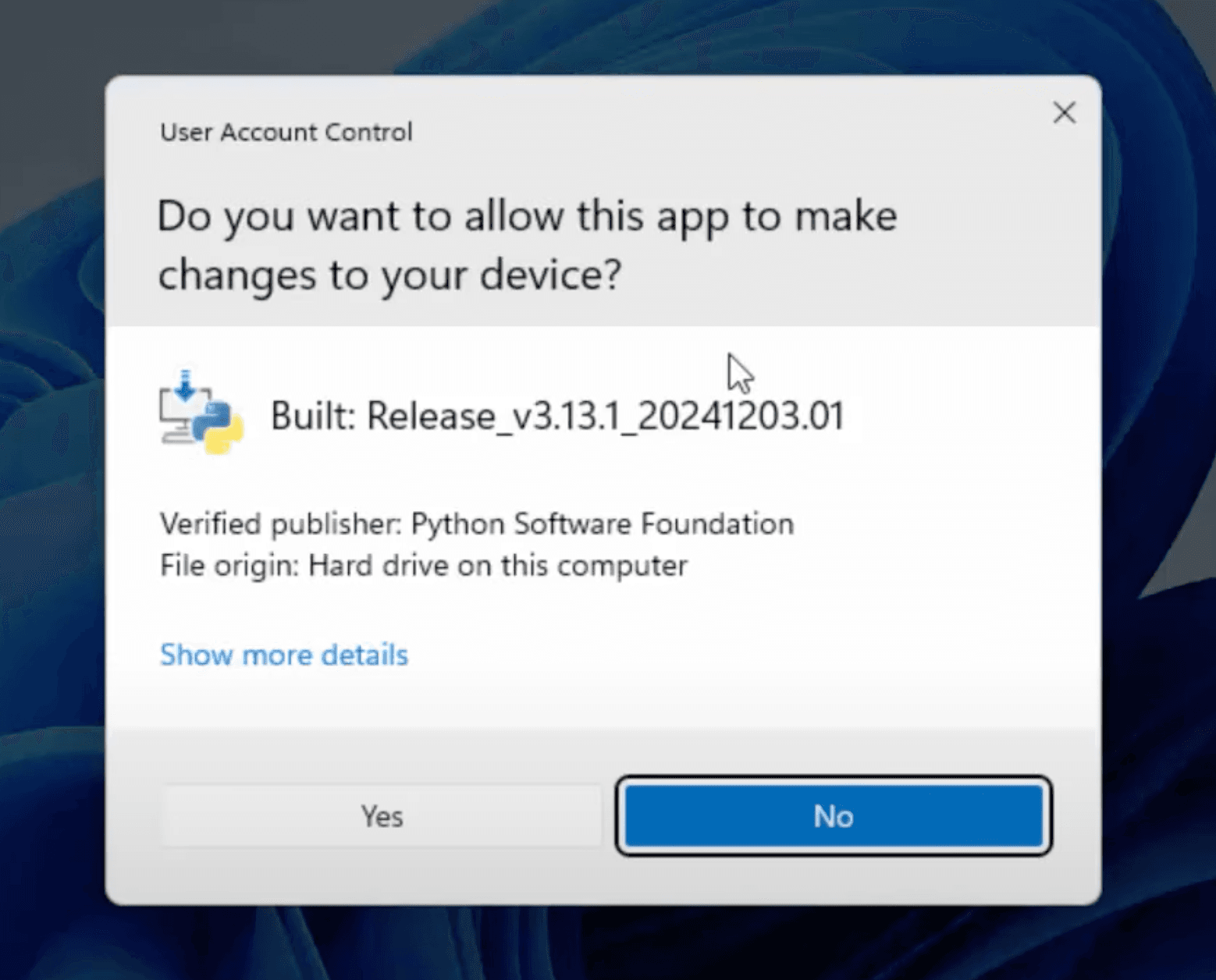
After selecting the desired options, click “Install” to begin the installation.
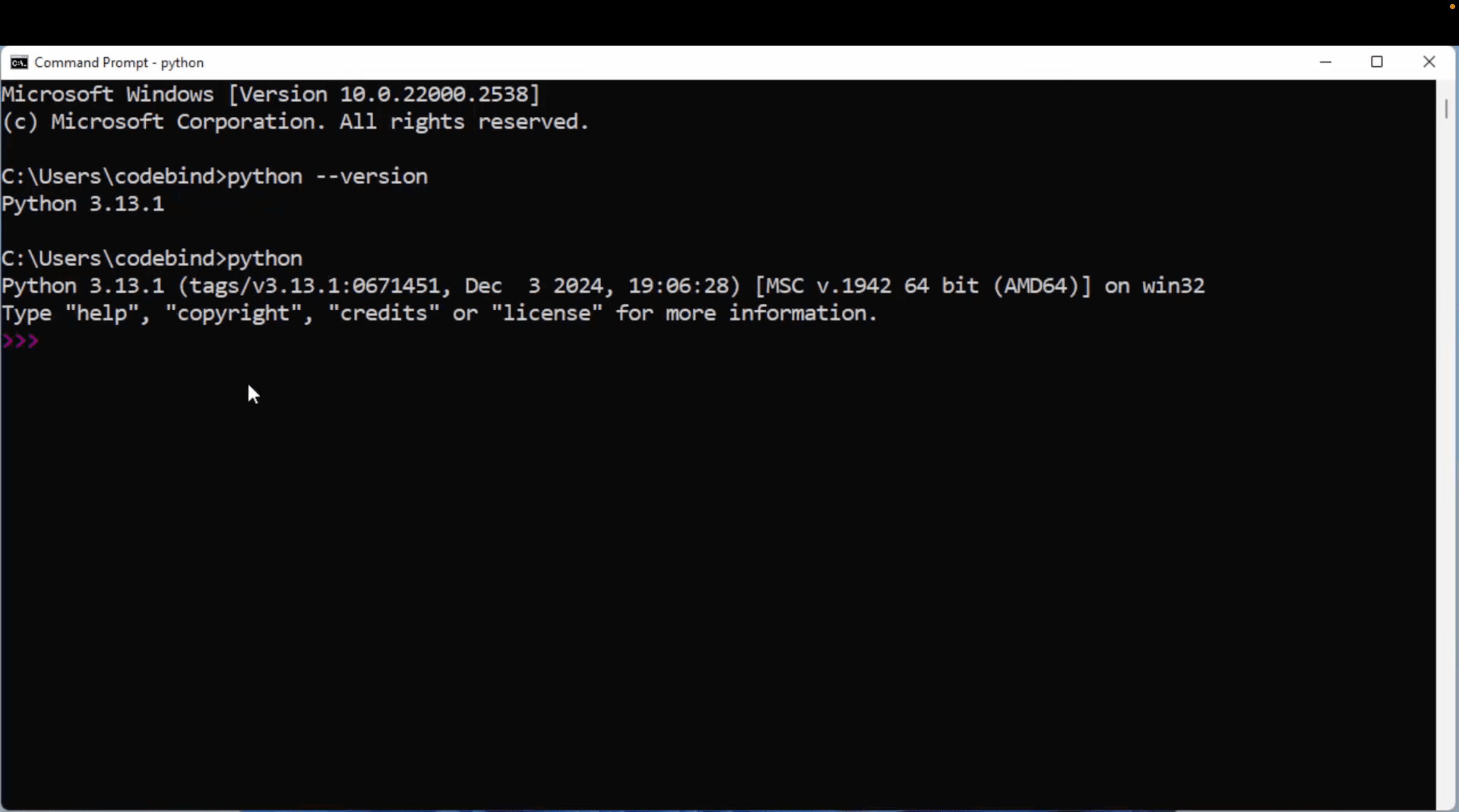
Verify the Installation:
Open the Command Prompt:
Press Win + R, type cmd, and press Enter.
pip --version run in command prompt and python --version.
Check System Requirements: Ensure your macOS version is 10.9 or later.
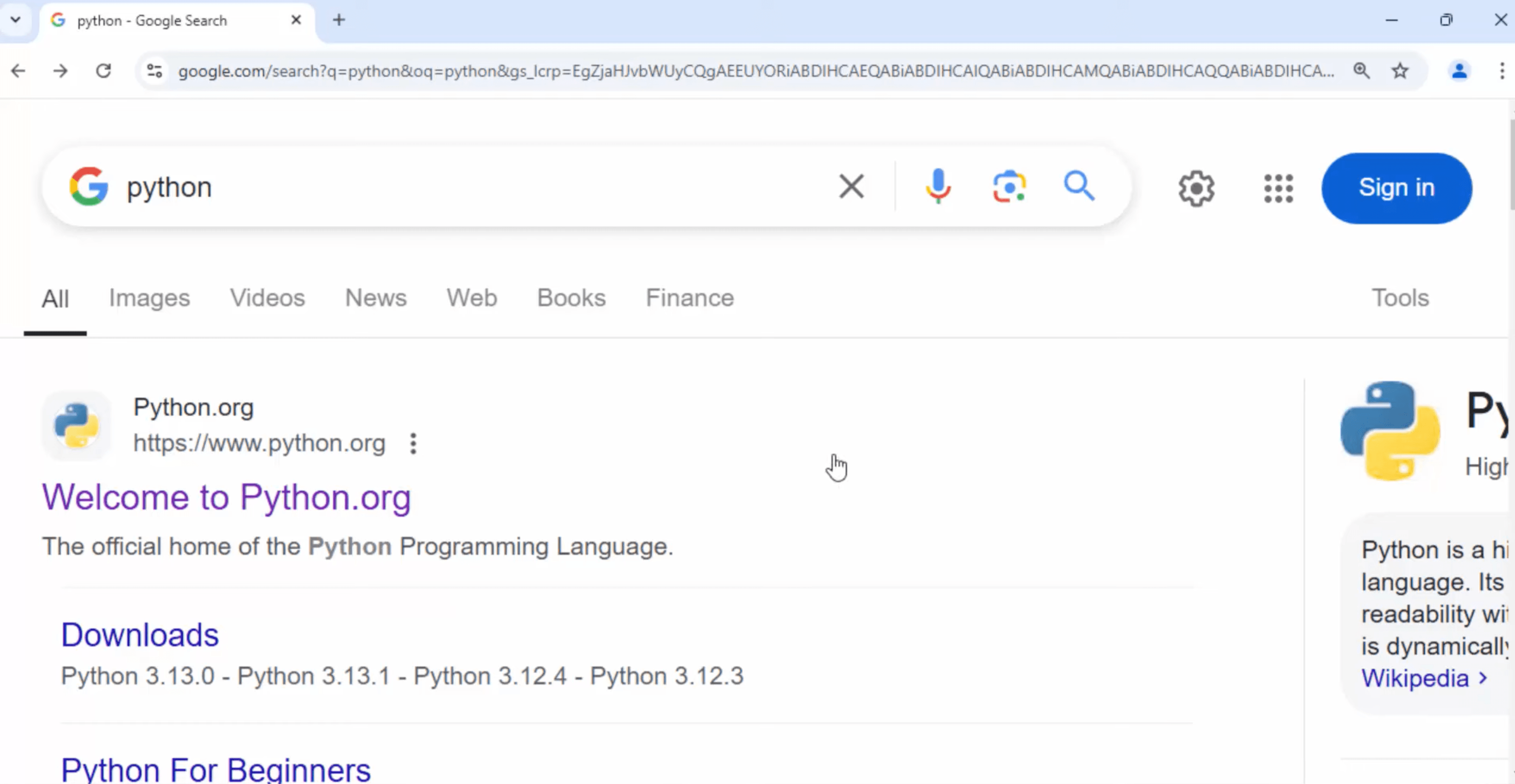
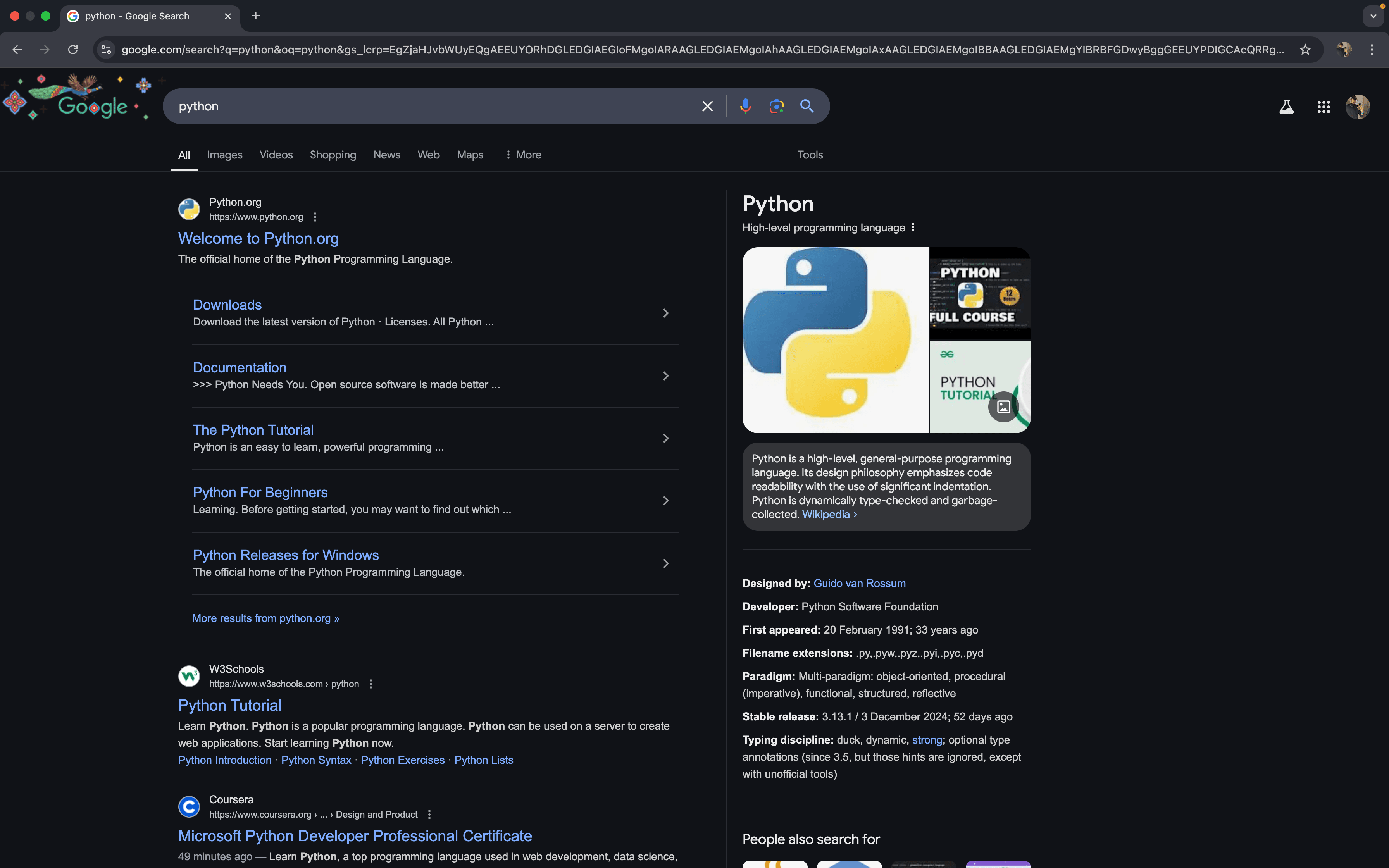
Go To google chrome and search python
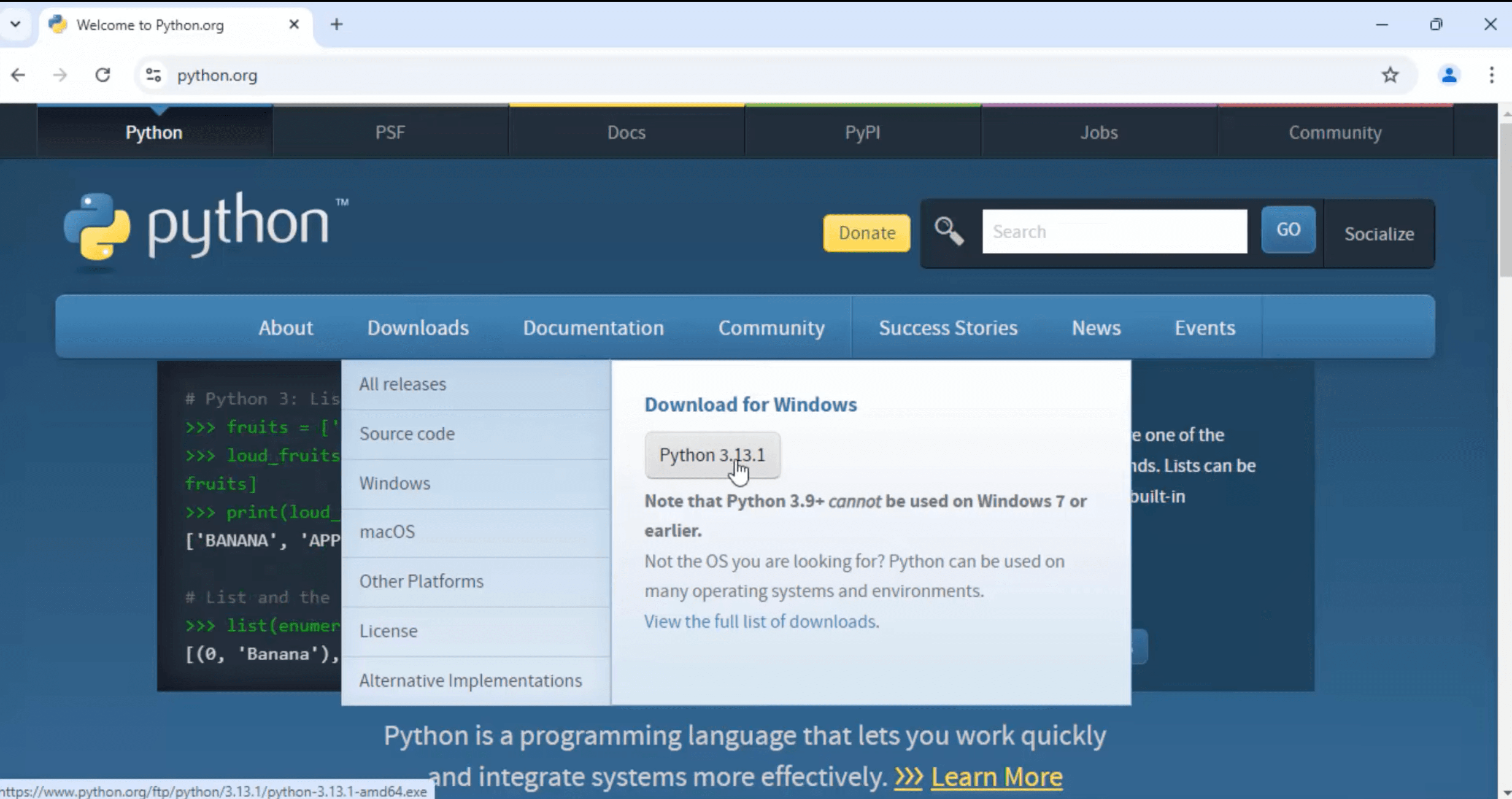
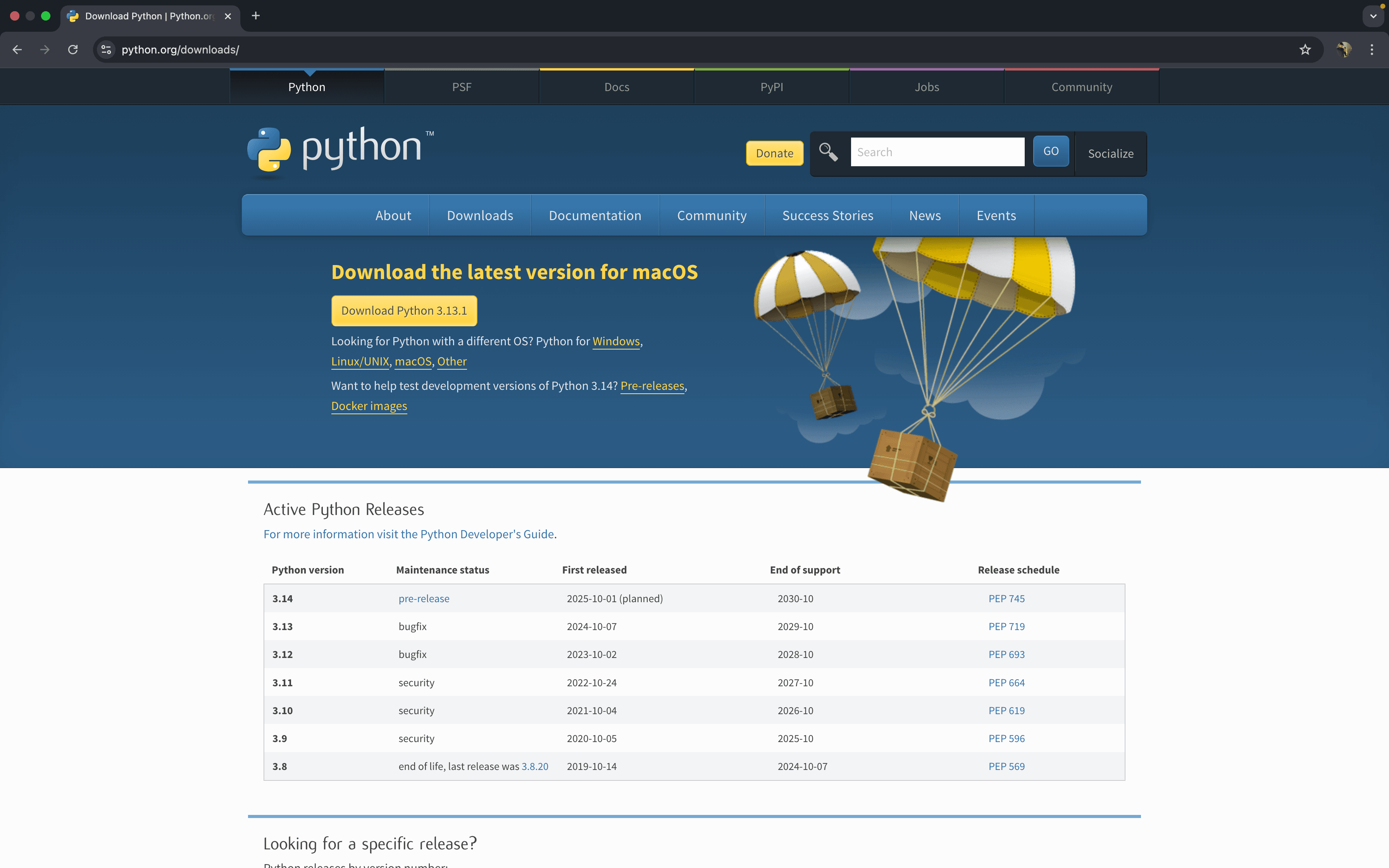
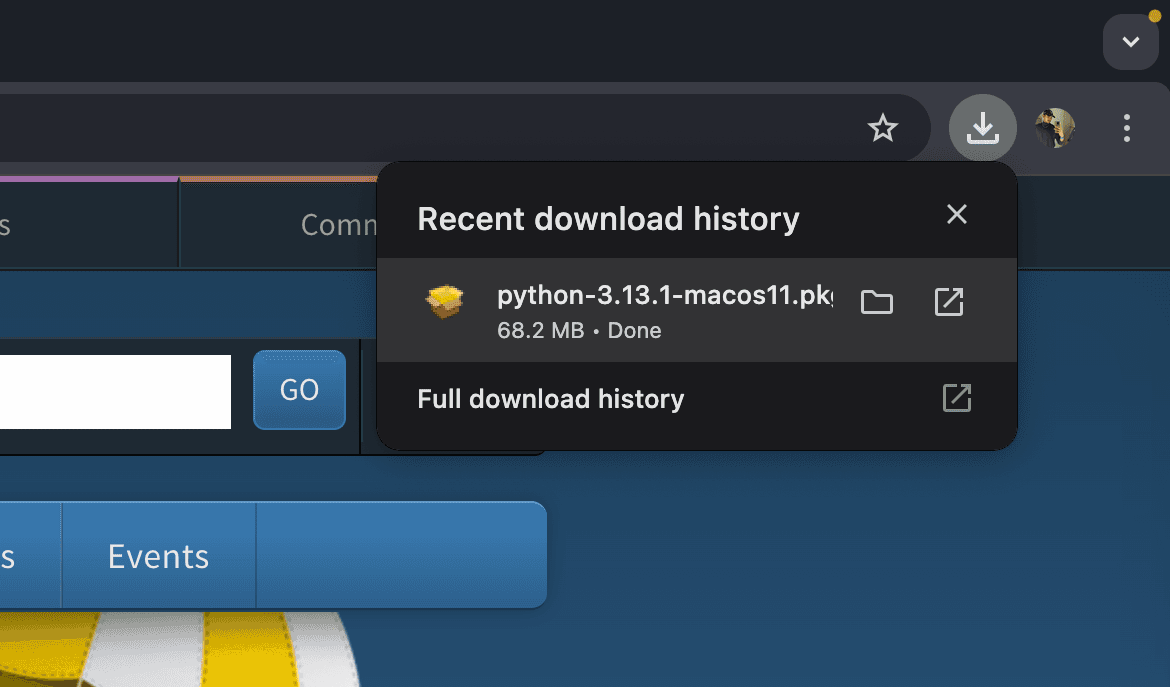
Visit Python’s Official Website: Open https://www.python.org and navigate to the “Downloads” section. The website will auto-detect the appropriate version for macOS.
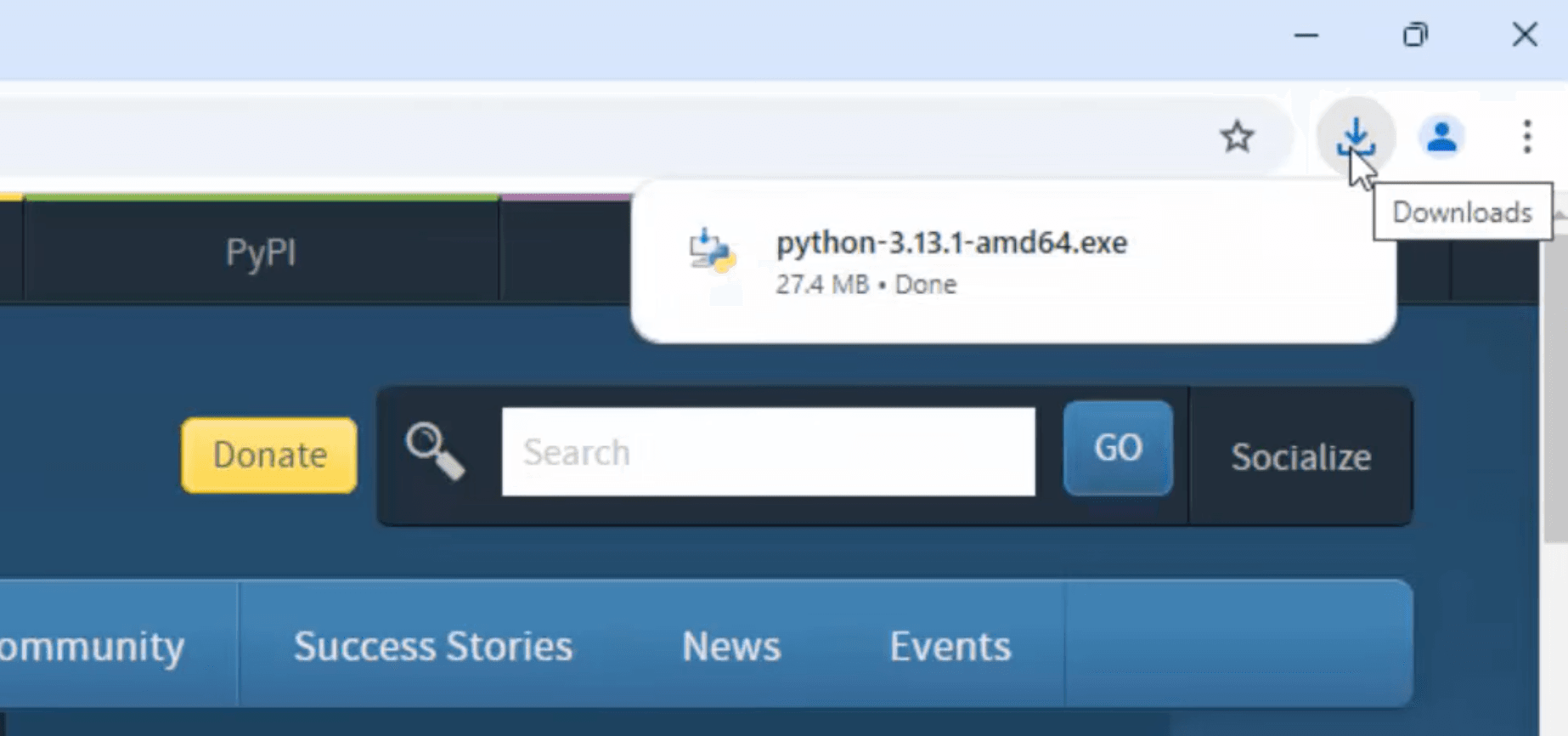
Wait until the installation take place & navigate in download bar.
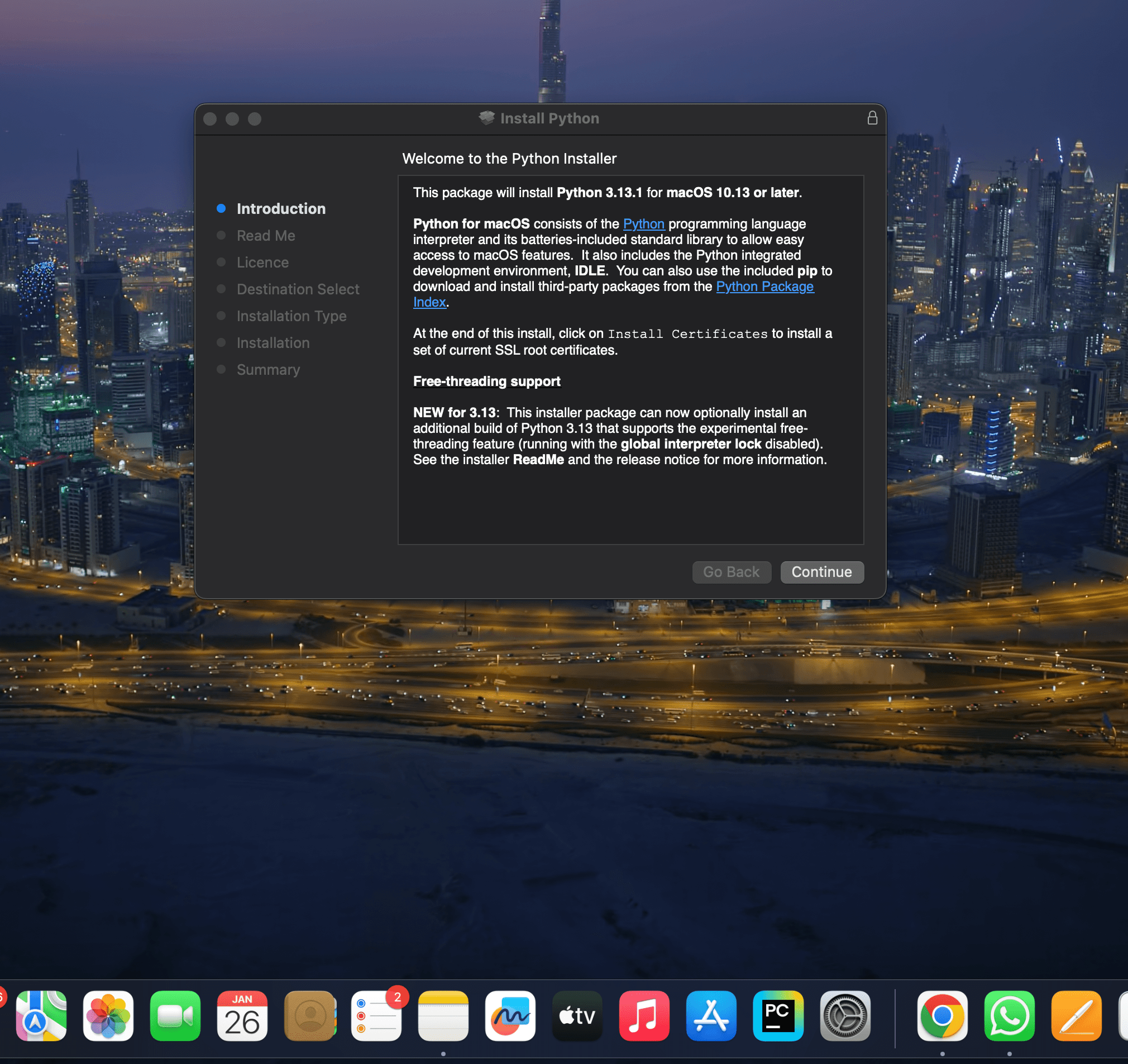
Open the .pkg file.
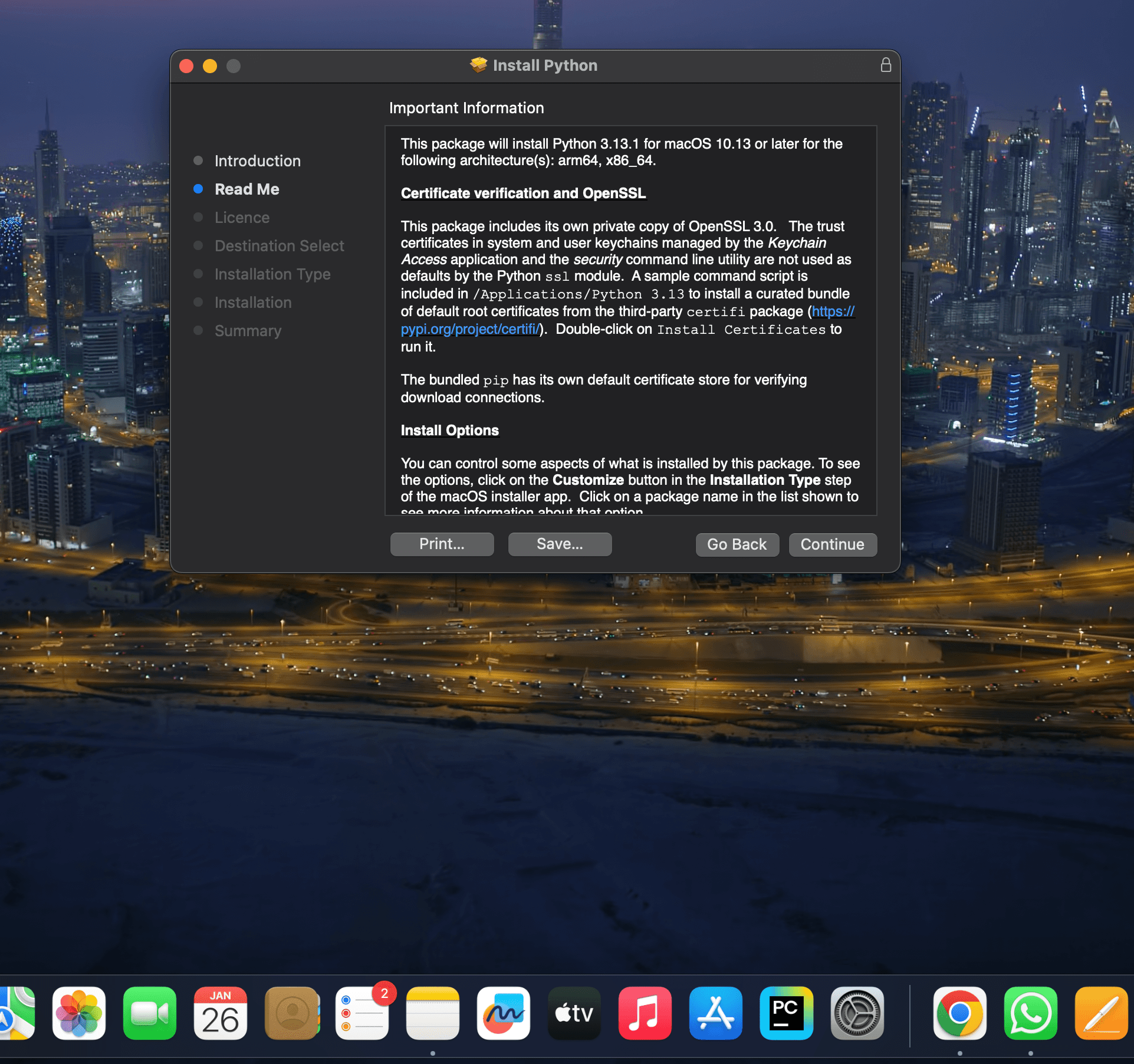
Click to continue.
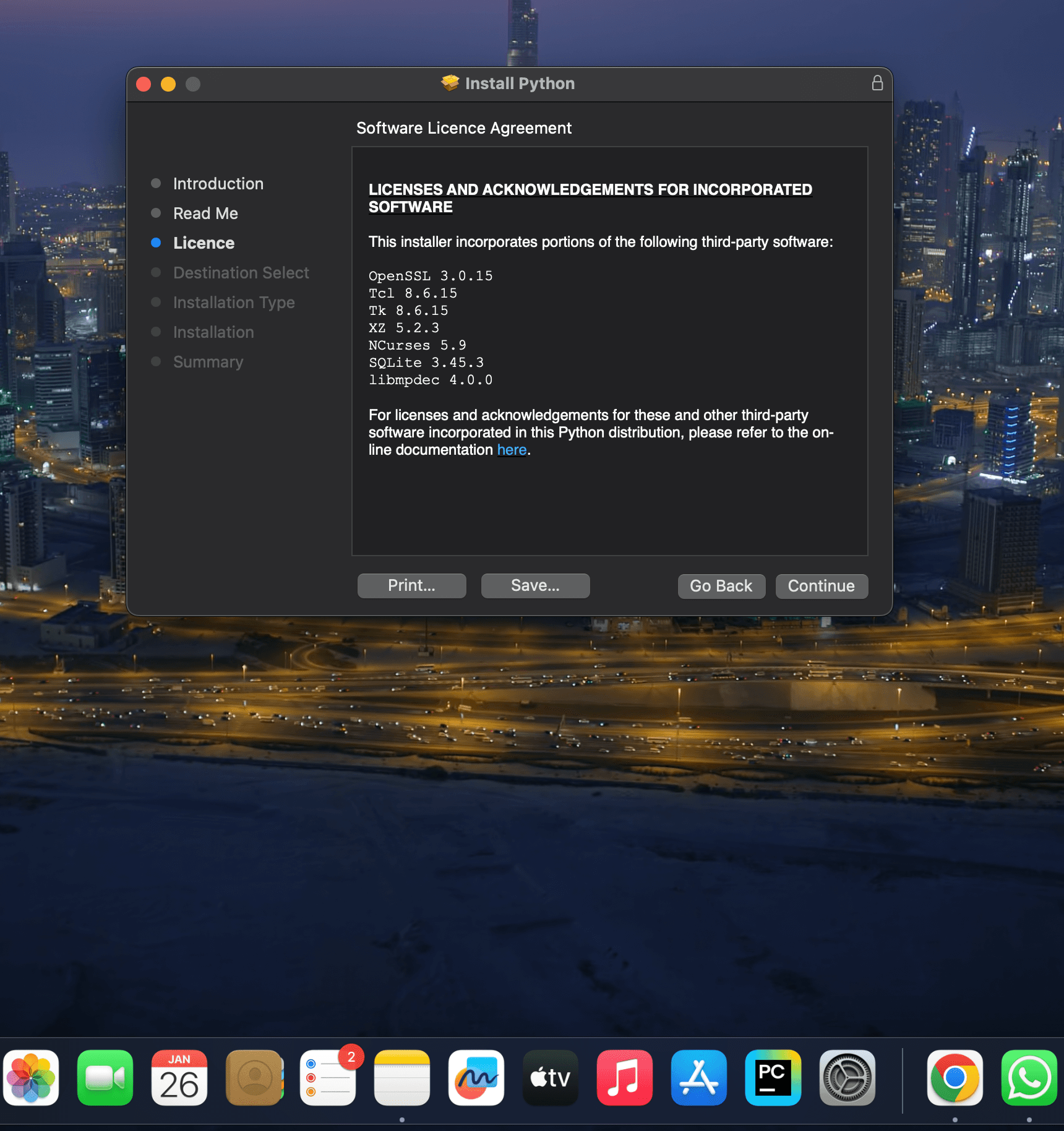
Again click on continue.
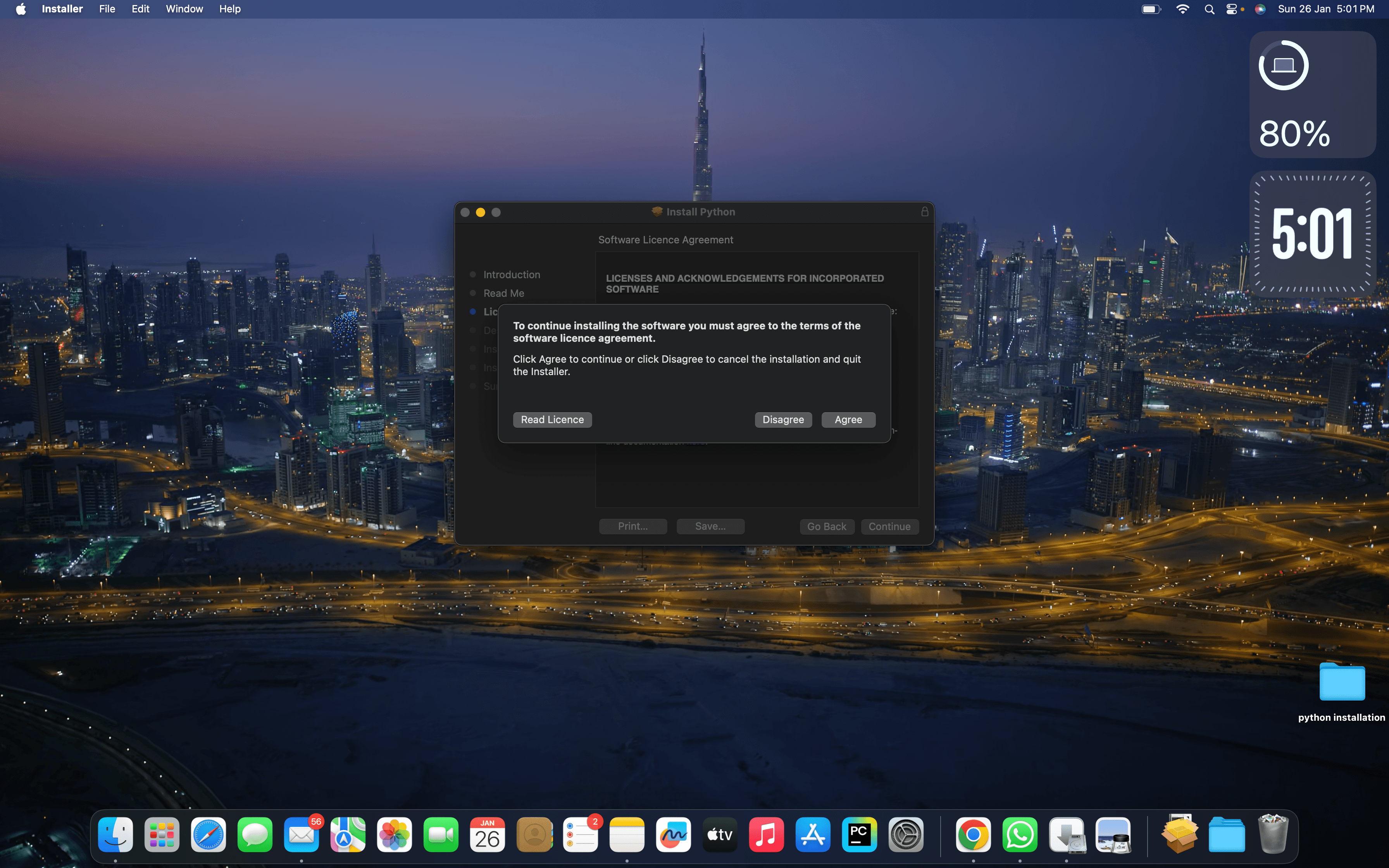
Now click on Agree.
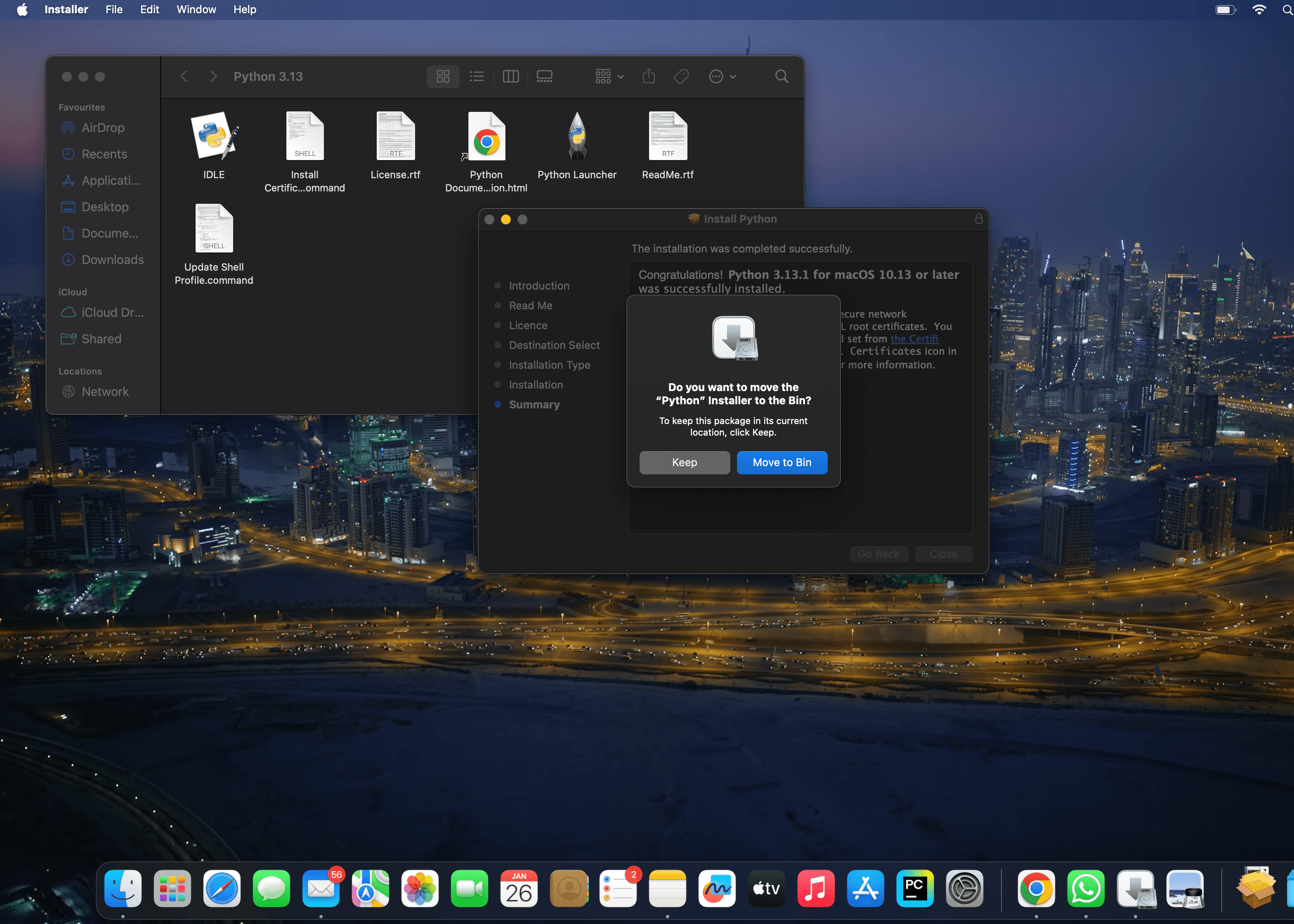
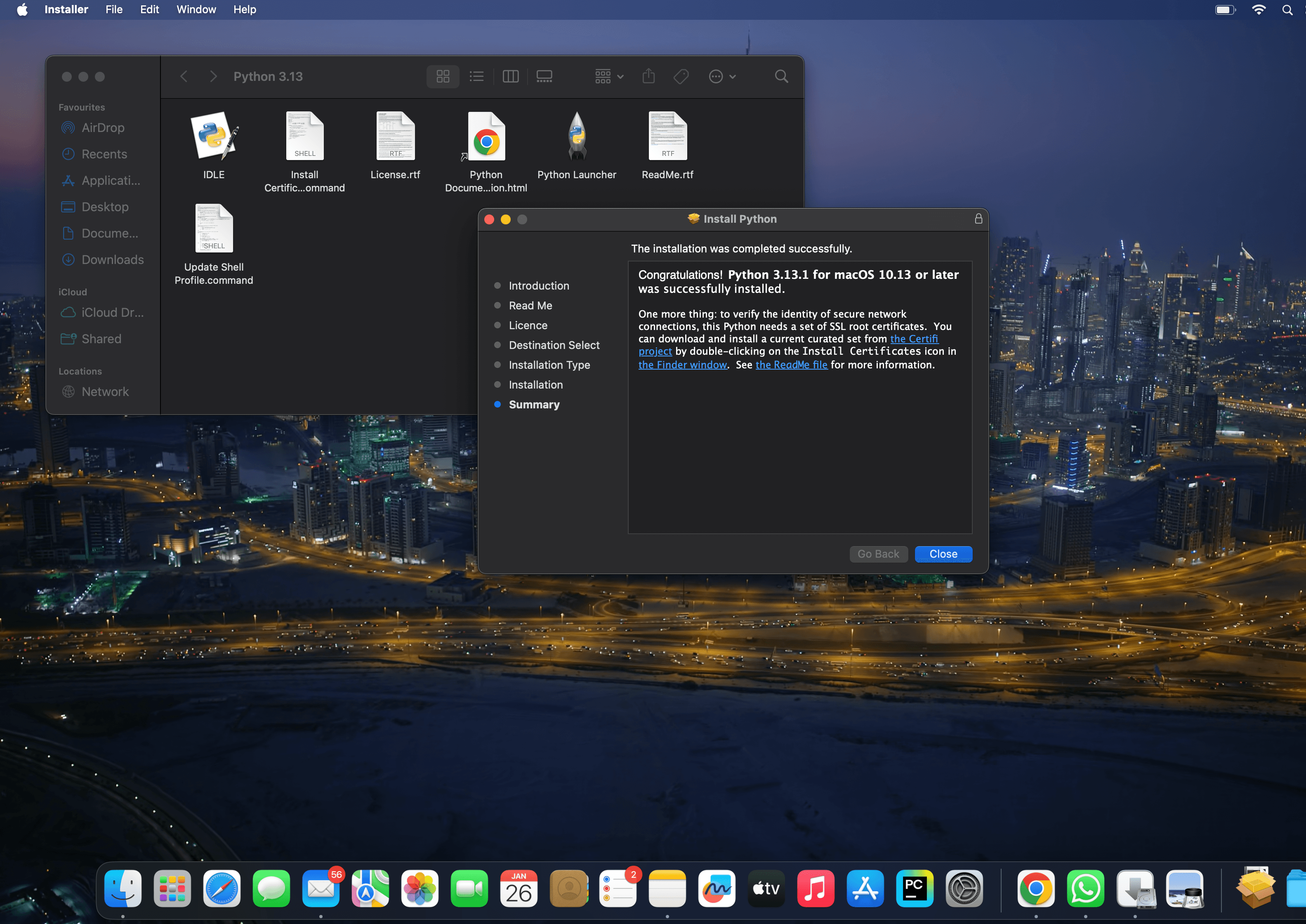
Now complete the processing and click on Install Button.And move the python installer package to bin
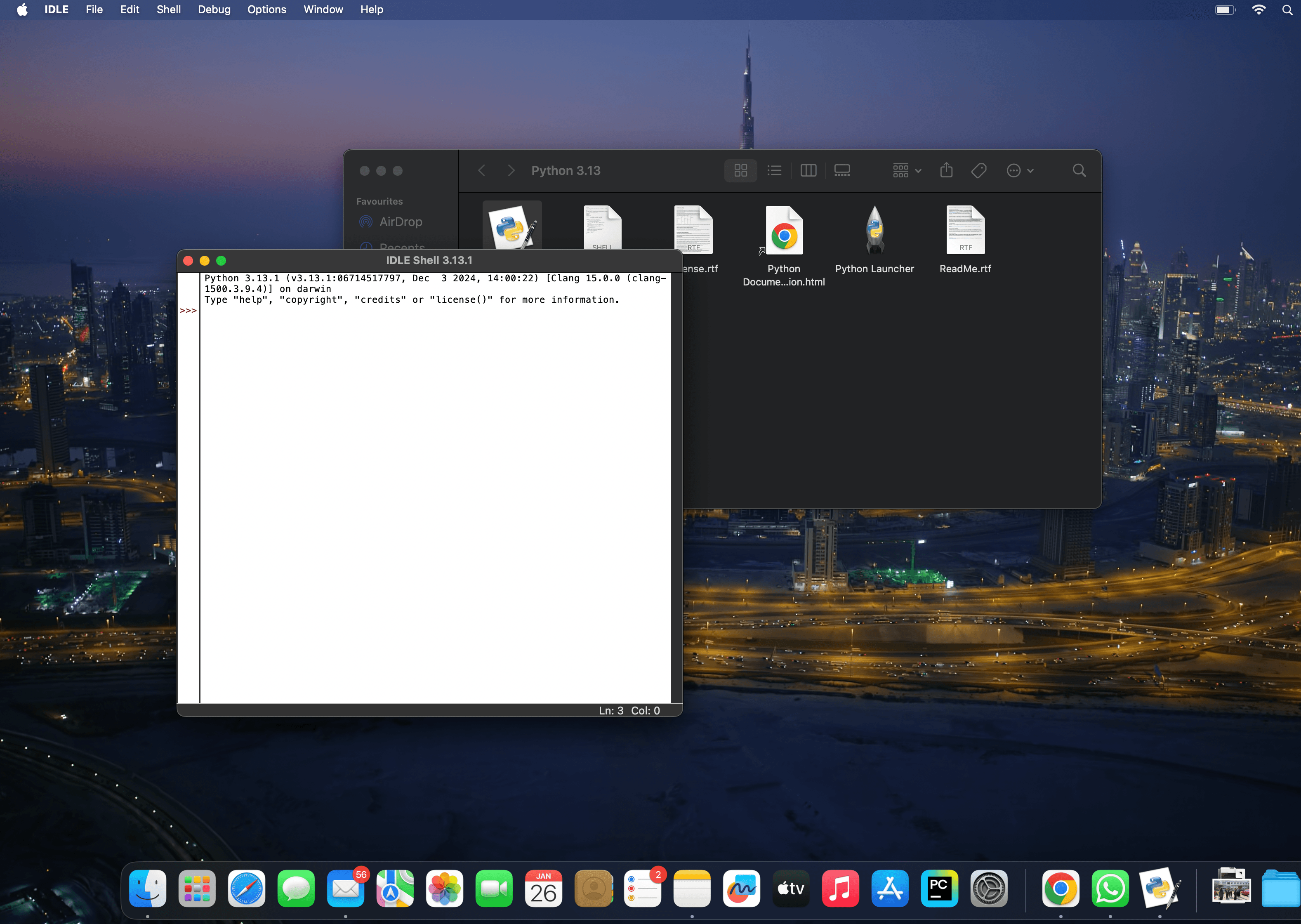
Now close all the tabs and open IDLE python.
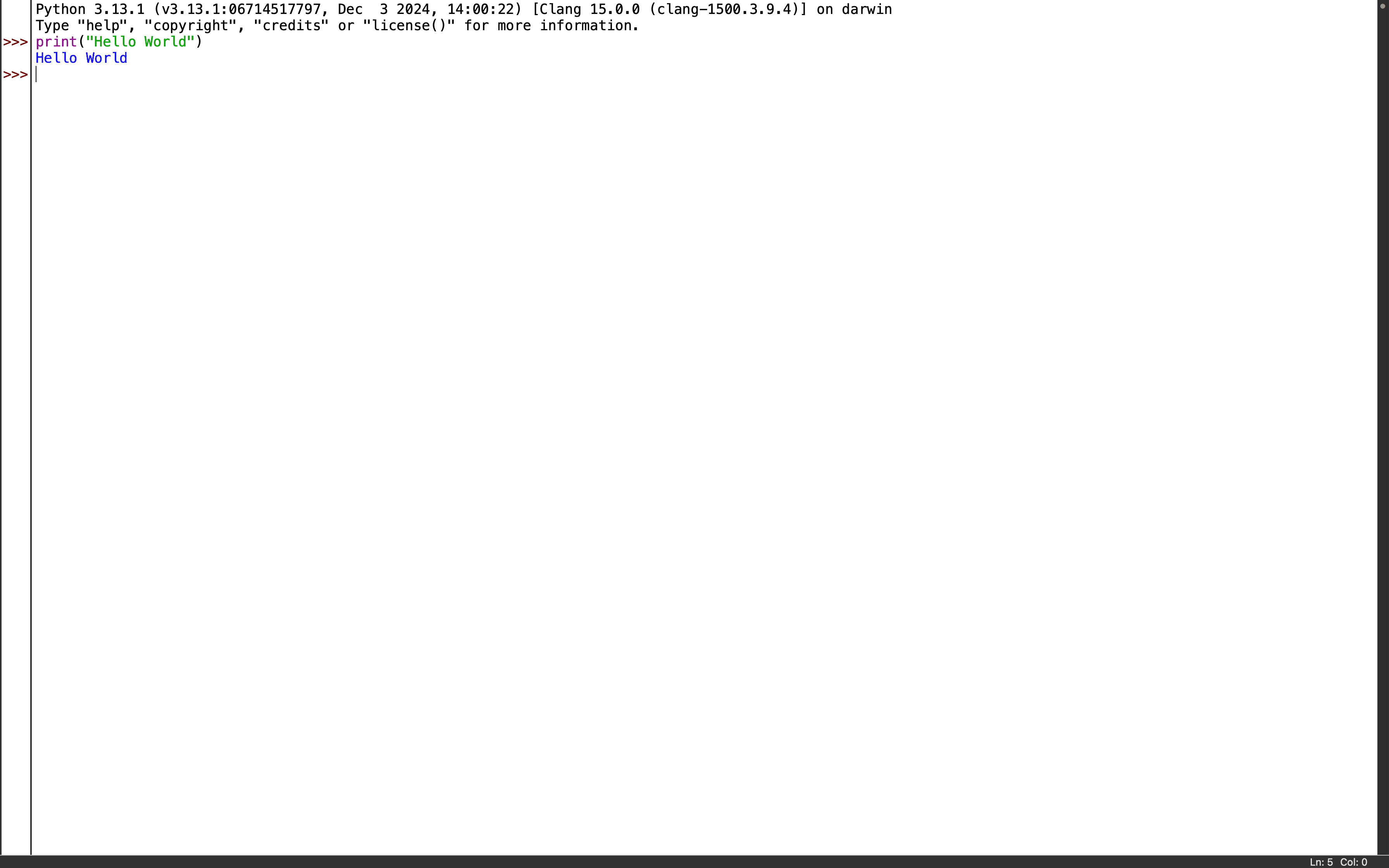
Open IDLE shell and try a hello world Program.
Simple “Hello World” program.You can also check version in Terminal by giving the following command to check the version of python. python3 –version
BeginnerLesson 4 of 479 min read1 runnable examples
An IDE (integrated development environment) gives you autocomplete, error highlighting, a run button and a debugger. This lesson sets up the two most popular free choices, PyCharm and Visual Studio Code.
In this lesson
Create a Python project in PyCharm
Set up VS Code with the Python extension
Select the right interpreter
Run and debug a script with breakpoints
Which editor should you choose?
PyCharm (Community or Pro)
VS Code + Python extension
Made for
Python only
Many languages
Setup
Works out of the box
Install the Python extension
Strengths
Refactoring, inspections, test runner
Lightweight, huge extension library
Best for
Python-focused learners and teams
People who also write JavaScript, YAML, etc.
Both are free for learning. Pick one and stick with it while you learn; the Python you write is the same.
Set up PyCharm
Download PyCharm from jetbrains.com and install it.
Click New Project. Give it a name such as python-practice.
Under Interpreter type choose Project venv. PyCharm creates a virtual environment (a private copy of Python for this project) in a .venv folder.
Click Create. Right-click the project folder, choose New > Python File, and name it first.py.
Paste the program below and click the green Run arrow next to the first line.
Set up VS Code
Install Visual Studio Code from code.visualstudio.com.
Open the Extensions view (Ctrl+Shift+X), search for Python and install the extension published by Microsoft. It also installs Pylance for autocomplete.
Use File > Open Folder to open an empty folder for your practice files.
Press Ctrl+Shift+P, run Python: Create Environment, choose Venv and your installed Python.
Create first.py, paste the program below and press the Run Python File triangle in the top right.
The Run window shows the same output as the terminal. If you see a ModuleNotFoundError for a package you installed, the IDE is using a different interpreter. Check the interpreter name in the bottom-right status bar.
Debug with a breakpoint
A breakpoint pauses the program on a line so you can inspect variables.
Click in the gutter left of the line total = total + price. A red dot appears.
Start the program with Debug (the bug icon) instead of Run.
The program stops at the red dot. The Variables panel shows price and total.
Press Step Over (F8 in PyCharm, F10 in VS Code) to run one line at a time and watch total grow.
Note
Debugging is the fastest way to understand someone else’s code, including the practice program solutions on this site. Step through a solution and watch each variable change.
Useful shortcuts
Action
PyCharm
VS Code
Run current file
Shift+F10
Ctrl+F5
Debug
Shift+F9
F5
Comment / uncomment line
Ctrl+/
Ctrl+/
Reformat code
Ctrl+Alt+L
Shift+Alt+F
Find anything
Shift Shift
Ctrl+P
Check your understanding
Quick quiz
1. What does a virtual environment give your project?
A venv keeps each project’s packages separate, so upgrading a package for one project cannot break another.
2. Where do you set a breakpoint?
Click the gutter left of a line; the debugger pauses there.
3. A package works in the terminal but the IDE says ModuleNotFoundError. What is the likely cause?
Each interpreter has its own packages. Select the same interpreter (or venv) in the IDE.
Program Practice
Create a basic-programs folder in your project and solve each program in its own file.
40 Python Basic Programs
Every program has a step-by-step explanation, colour-coded code and its real output.
Yes. PyCharm has a free tier for Python development, and VS Code with the Python extension is free as well.
Can I use IDLE instead?
Yes. IDLE comes with Python and is fine for small scripts. Move to PyCharm or VS Code when you want a debugger, a test runner and Git support.
What is a Python interpreter in PyCharm?
It is the Python executable PyCharm uses to run your code, usually the one inside the project’s .venv folder. You can change it in Settings > Project > Python Interpreter.
BeginnerLesson 3 of 478 min read1 runnable examples
To write your own Python programs you need the Python interpreter on your computer. This lesson installs it on Windows, macOS or Linux, checks that it works, and runs your first script.
In this lesson
Install Python 3 on your OS
Check the installed version
Use the interactive shell
Run a .py file from the terminal
Check whether Python is already installed
Open a terminal (Command Prompt or PowerShell on Windows, Terminal on macOS and Linux) and run:
Terminal
$ python--versionPython 3.15.1
If you see a version number that starts with 3, Python is ready and you can skip to the interactive shell.
Note
On macOS and Linux the command may be python3 instead of python. On Windows, the py launcher (py --version) is installed alongside Python and picks the newest version for you.
Install Python on Windows
Go to python.org, open Downloads and download the latest Python 3 installer for Windows.
Run the installer. On the first screen tick Add python.exe to PATH. This lets you type python in any terminal.
Click Install Now and wait for it to finish.
Close and reopen your terminal, then run python --version again.
Watch out
If python opens the Microsoft Store instead of printing a version, PATH was not set. Re-run the installer, choose Modify, and tick Add Python to environment variables, or turn off the “App execution aliases” for python.exe in Windows Settings.
Install Python on macOS
Download the macOS installer from python.org and run the .pkg file, or install with Homebrew: brew install python.
Open Terminal and run python3 --version.
Install Python on Linux
Most Linux distributions already include Python 3. If yours does not, install it with the package manager:
Ubuntu or Debian: sudo apt install python3 python3-pip python3-venv
Fedora: sudo dnf install python3
The interactive shell (REPL)
Type python on its own to start the interactive shell. It shows a >>> prompt, runs each line as soon as you press Enter and prints the result:
Python shell
>>> 2+35>>> "py"*3'pypypy'>>> exit()
The shell is perfect for trying one line. For anything longer, write a file.
Run your first Python file
Create a file called hello.py in any folder with this content:
hello.py
print("Hello from a Python file!")print("2 to the power 10 is",2**10)
Output
Hello from a Python file!
2 to the power 10 is 1024
Then run it from a terminal opened in that folder:
Terminal
$ pythonhello.pyHello from a Python file!2 to the power 10 is 1024
Tip
Python files always end in .py. Keep each practice program in its own file with a descriptive name such as list_sum.py, so you can find and re-run it later.
Install packages with pip
pip installs extra packages from PyPI, the Python Package Index. It comes with Python. Check that it works:
Terminal
$ python-mpip--versionpip 26.2.2 from C:\Python3\Lib\site-packages\pip (python 3.15)
You install a package with python -m pip install <name>, for example python -m pip install requests. The Modules & pip lesson covers this in detail, including virtual environments.
Check your understanding
Quick quiz
1. Which installer option lets you type python in any Windows terminal?
PATH is the list of folders Windows searches for commands. Adding Python to it makes python work everywhere.
2. What does the >>> prompt mean?
>>> is the REPL prompt. Each line you type there runs immediately.
3. Which command installs a package?
pip install (run through python -m pip to be sure it uses the right Python) downloads the package from PyPI.
Program Practice
With Python installed, write each basic program in its own .py file and run it from the terminal.
40 Python Basic Programs
Every program has a step-by-step explanation, colour-coded code and its real output.
Install the newest Python 3 release from python.org. Libraries add support for new versions quickly, and every example in this tutorial works on current Python 3.
What is the difference between python and python3?
They are names for the interpreter. On Windows the command is usually python (or py). On macOS and many Linux systems python3 is the Python 3 interpreter and python may not exist.
Do I need an IDE to write Python?
No. Any text editor and a terminal are enough. An IDE such as PyCharm or VS Code adds autocomplete, debugging and a run button. See PyCharm & VS Code Setup.
How do I uninstall Python on Windows?
Open Settings > Apps > Installed apps, find Python 3.x and click Uninstall. Remove the Python Launcher the same way if you want it gone too.
IntermediateLesson 36 of 4712 min read11 runnable examples
Dates and times appear in almost every real program: log timestamps, expiry dates, report periods, test data. The datetime module handles creating, formatting, parsing and calculating with them.
In this lesson
Create date, time and datetime objects
Format dates with strftime
Parse text into dates with strptime
Add, subtract and compare dates with timedelta
The main classes
Class
Holds
Example
date
year, month, day
date(2026, 11, 2)
time
hour, minute, second, microsecond
time(9, 30)
datetime
date and time together
datetime(2026, 11, 2, 9, 30)
timedelta
a duration
timedelta(days=7)
timezone
a fixed UTC offset
timezone.utc
Python
fromdatetimeimportdate,time,datetimed=date(2026,11,2)t=time(9,30,15)dt=datetime(2026,11,2,9,30,15)print(d,t,dt)print(d.year,d.month,d.day,d.weekday())# Monday is 0print(dt.date(),dt.time())
Traceback (most recent call last):
  File "main.py", line 2, in <module>
    datetime.strptime("2026-11-02", "%d/%m/%Y")
    ~~~~~~~~~~~~~~~~~^^^^^^^^^^^^^^^^^^^^^^^^^^
  File "C:\Python3\Lib\_strptime.py", line 844, in _strptime_datetime_datetime
    tt, fraction, gmtoff_fraction = _strptime(data_string, format)
                                    ~~~~~~~~~^^^^^^^^^^^^^^^^^^^^^
  File "C:\Python3\Lib\_strptime.py", line 574, in _strptime
    raise ValueError("time data %r does not match format %r" %
                     (data_string, format))
ValueError: time data '2026-11-02' does not match format '%d/%m/%Y'
Date arithmetic with timedelta
Python
fromdatetimeimportdate,timedeltastart=date(2026,11,2)print(start+timedelta(days=30))print(start-timedelta(weeks=2))deadline=date(2026,12,31)remaining=deadline-start# subtracting dates gives a timedeltaprint(remaining,remaining.days)
fromdatetimeimportdatedefage_on(birth,on_day):years=on_day.year-birth.yearif(on_day.month,on_day.day)<(birth.month,birth.day):years-=1# birthday not reached yet this yearreturnyearsprint(age_on(date(1995,12,20),date(2026,11,2)))print(age_on(date(1995,6,1),date(2026,11,2)))
Output
30
31
Time zones
A datetime without time zone information is “naive”. Attach a zone to make it “aware”. zoneinfo (Python 3.9+) uses the IANA time zone names.
2024 is a leap year, so the day after 28 February is the 29th, and two days later is 1 March, a Friday.
Quick quiz
1. Which method turns a datetime into formatted text?
f for format. strptime (p for parse) goes the other way.
2. What is the type of date(2026, 12, 31) - date(2026, 11, 2)?
Subtracting two dates gives a duration.
3. What does %B produce?
%b gives the short name.
Exercise: days until a deadline
Given today’s date and a deadline, print how many days are left and the deadline’s weekday name. Use fixed dates so the output is repeatable.
Input
today = 2026-11-02, deadline = 2027-01-15
Expected output
74 days left
Deadline is on a Friday
Hint 1
Subtract the dates and use .days.
Python
fromdatetimeimportdatetoday=date(2026,11,2)deadline=date.fromisoformat("2027-01-15")left=(deadline-today).daysprint(f"{left} days left")print("Deadline is on a",deadline.strftime("%A"))
Output
74 days left
Deadline is on a Friday
Subtracting two date objects returns a timedelta, and .days gives the whole number of days. %A prints the full weekday name.
Program Practice
20 Python Datetime Programs
Every program has a step-by-step explanation, colour-coded code and its real output.
IntermediateLesson 39 of 479 min read6 runnable examples
The sys module gives your program access to the Python interpreter itself: the command-line arguments it was started with, the version and platform, where it looks for modules, and the standard input and output streams.
In this lesson
Read command-line arguments with sys.argv
Stop a program with sys.exit and an exit code
Inspect the Python version and module search path
Write to stdout and stderr
Command-line arguments: sys.argv
sys.argv is a list of the words typed after python. Item 0 is the script name, and the rest are the arguments, always as strings.
A ModuleNotFoundError means none of these folders contains the module. Usually the package was installed into a different Python or virtual environment; see Modules & pip.
stdin, stdout and stderr
print() writes to sys.stdout. Error messages belong on sys.stderr, so they stay visible even when normal output is redirected to a file.
Python
importsyssys.stdout.write("normal output\n")print("also normal output",file=sys.stdout)print("number of bytes written:",sys.stdout.write("abc\n"))
Output
normal output
also normal output
abc
number of bytes written: 4
Reading all input lines from sys.stdin is the fastest way to read large input, which is common in coding challenges:
Any non-zero code signals an error to the shell or CI.
Exercise: sum the arguments
Write add.py that prints the sum of all numbers passed on the command line, or exits with code 1 and a message if any argument is not a number.
Input
python add.py 3 4.5 10
Expected output
sum = 17.5
Hint 1
Wrap the conversion in try/except ValueError and call sys.exit(1) on failure.
add.py
importsysargs=sys.argv[1:]or["3","4.5","10"]# sample values when run without argumentstry:numbers=[float(a)forainargs]exceptValueErrorase:print("Error:",e,file=sys.stderr)sys.exit(1)print("sum =",sum(numbers))
Output
sum = 17.5
sys.argv[1:] skips the script name. Converting inside try means one bad argument stops the program with a clear message and a non-zero exit code.
Program Practice
20 Python sys Module Programs
Every program has a step-by-step explanation, colour-coded code and its real output.
IntermediateLesson 37 of 4711 min read9 runnable examples
The collections module adds specialised containers that solve common problems in one line: counting items, grouping values, building fast queues and giving names to tuple fields. Interview questions love them.
In this lesson
Count anything with Counter
Group values with defaultdict
Build queues with deque
Name tuple fields with namedtuple
Counter: count items
Counter takes any iterable and counts how many times each item appears.
Python
fromcollectionsimportCounterwords="the cat and the hat and the bat".split()counts=Counter(words)print(counts)print(counts["the"],counts["dog"])# missing items count as 0print(counts.most_common(2))
A defaultdict creates a default value the first time a missing key is used. Pass the type of the default: list, int, set…
Python
fromcollectionsimportdefaultdictemployees=[("qa","Asha"),("dev","Ravi"),("qa","Meena"),("ops","John")]teams=defaultdict(list)forteam,nameinemployees:teams[team].append(name)# no need to check if the key existsprint(dict(teams))letters=defaultdict(int)forchin"banana":letters[ch]+=1print(dict(letters))
A deque (“deck”) adds and removes items quickly at both ends. Removing from the front of a list is slow for big lists; a deque does it instantly.
Python
fromcollectionsimportdequequeue=deque(["task1","task2"])queue.append("task3")# join at the backqueue.appendleft("urgent")# jump the queueprint(queue)print(queue.popleft())# serve from the frontprint(queue.pop())# remove from the backprint(queue)
Normal dicts keep insertion order since Python 3.7. OrderedDict still adds move_to_end() and an order-sensitive ==, which is handy for simple caches:
Python
fromcollectionsimportOrderedDictcache=OrderedDict(a=1,b=2,c=3)cache.move_to_end("a")print(list(cache))cache.popitem(last=False)# remove the oldestprint(list(cache))
Output
['b', 'c', 'a']
['c', 'a']
ChainMap
ChainMap looks up keys in several dicts in order, without copying them. It is a neat way to layer settings:
“hello” has two ls and no z (a Counter returns 0 for missing keys). The defaultdict creates x with int() = 0, then adds 5.
Quick quiz
1. Which container counts items automatically?
Counter(iterable) maps each item to its count.
2. What does defaultdict(list) give for a missing key?
The factory list() creates the default value.
3. Which is fastest for removing items from the front?
A deque is designed for fast operations at both ends.
Exercise: most frequent words
Print the three most common words in the text, ignoring case and punctuation.
Input
"Test early. Test often! Automate the test, then test again."
Expected output
test 4
early 1
often 1
Hint 1
Lower-case the text, replace punctuation with spaces, then use Counter(words).most_common(3).
Python
fromcollectionsimportCountertext="Test early. Test often! Automate the test, then test again."formarkin".,!":text=text.replace(mark," ")words=text.lower().split()forword,countinCounter(words).most_common(3):print(word,count)
Output
test 4
early 1
often 1
Removing punctuation first makes “test,” and “Test” count as the same word. most_common(3) returns (word, count) pairs, highest first; ties keep their first-seen order.
Program Practice
20 Python Collections Programs
Every program has a step-by-step explanation, colour-coded code and its real output.
IntermediateLesson 34 of 4713 min read10 runnable examples
An exception is Python’s way of saying “something went wrong here”: a file is missing, a number cannot be parsed, a key does not exist. Handling exceptions lets your program recover, retry or report the problem clearly instead of crashing.
In this lesson
Read a traceback
Catch specific exceptions with try/except
Use else and finally correctly
Raise your own and define custom exceptions
What an exception looks like
When an error is not handled, Python stops and prints a traceback. Read it from the bottom: the last line names the exception and the message, and the lines above show where it happened.
15.0
Traceback (most recent call last):
  File "main.py", line 5, in <module>
    print(average([]))
          ~~~~~~~^^^^
  File "main.py", line 2, in average
    return sum(values) / len(values)
           ~~~~~~~~~~~~^~~~~~~~~~~~~
ZeroDivisionError: division by zero
Common built-in exceptions
Exception
Typical cause
ValueError
Right type, wrong value: int("abc")
TypeError
Wrong type: "2" + 2
KeyError
Missing dict key
IndexError
List index out of range
ZeroDivisionError
Division by zero
FileNotFoundError
Opening a file that does not exist
AttributeError
Object has no such attribute or method
NameError
Using a name that was never defined
try and except
Put the risky code in try. If an exception happens, Python jumps to the matching except block and continues after it.
Python
text="12a"try:number=int(text)print("Parsed",number)exceptValueError:print(f"{text!r} is not a number")print("program continues")
Output
'12a' is not a number
program continues
Catch specific exceptions
Catch only the errors you expect and know how to handle. Use several except blocks, or a tuple, for different errors. as e gives you the exception object.
Python
defsafe_divide(a,b):try:returna/bexceptZeroDivisionError:return"cannot divide by zero"exceptTypeErrorase:returnf"bad input: {e}"print(safe_divide(10,4))print(safe_divide(10,0))print(safe_divide(10,"2"))
Output
2.5
cannot divide by zero
bad input: unsupported operand type(s) for /: 'int' and 'str'
IndexError list index out of range
KeyError 'users'
Watch out
Avoid a bare except: or except Exception: that swallows every error silently. It hides real bugs, including typos. If you must catch broadly, log the error.
else and finally
else runs only if the try block raised no exception.
finally runs always, error or not. Use it for clean-up such as closing a connection.
For files and connections, a with statement does the clean-up for you, so you rarely need finally for that. See File Handling.
Raise an exception
Use raise to signal that something is wrong in your own code. Choose the built-in exception that fits best and write a helpful message.
Python
defset_age(age):ifnotisinstance(age,int):raiseTypeError(f"age must be an int, got {type(age).__name__}")ifage<0:raiseValueError("age cannot be negative")returnageforvaluein[30,-1,"30"]:try:print("ok",set_age(value))except(TypeError,ValueError)ase:print("rejected:",e)
Output
ok 30
rejected: age cannot be negative
rejected: age must be an int, got str
A bare raise inside except re-raises the same exception after you have logged it:
Python
try:{}["missing"]exceptKeyError:print("logging the error, then passing it on")raise
Output
logging the error, then passing it on
Traceback (most recent call last):
  File "main.py", line 2, in <module>
    {}["missing"]
    ~~^^^^^^^^^^^
KeyError: 'missing'
Custom exceptions
Create your own exception classes by inheriting from Exception. They make errors easy to recognise and catch.
Python
classInsufficientFundsError(Exception):def__init__(self,balance,amount):super().__init__(f"need {amount}, only {balance} available")self.balance=balanceself.amount=amountdefwithdraw(balance,amount):ifamount>balance:raiseInsufficientFundsError(balance,amount)returnbalance-amounttry:withdraw(500,800)exceptInsufficientFundsErrorase:print("Declined:",e)print("Short by",e.amount-e.balance)
Output
Declined: need 800, only 500 available
Short by 300
Exception chaining
raise ... from ... keeps the original error attached, so the traceback shows both:
Traceback (most recent call last):
  File "main.py", line 3, in load_port
    return int(config["port"])
ValueError: invalid literal for int() with base 10: 'eighty'

The above exception was the direct cause of the following exception:

Traceback (most recent call last):
  File "main.py", line 7, in <module>
    load_port({"port": "eighty"})
    ~~~~~~~~~^^^^^^^^^^^^^^^^^^^^
  File "main.py", line 5, in load_port
    raise RuntimeError("invalid config: port") from e
RuntimeError: invalid config: port
Retry pattern
Python
attempts=iter(["timeout","timeout","ok"])defcall_api():result=next(attempts)ifresult=="timeout":raiseTimeoutError("server did not answer")return"200 OK"forattemptinrange(1,4):try:print(call_api(),"on attempt",attempt)breakexceptTimeoutErrorase:print(f"attempt {attempt}: {e}")
Output
attempt 1: server did not answer
attempt 2: server did not answer
200 OK on attempt 3
finally runs even when try returns, just before the function actually hands back its value.
Quick quiz
1. When does the else block of a try statement run?
else is for code that should run only when the try block succeeded.
2. Which exception does int("abc") raise?
The type (str) is acceptable, but the value cannot be converted.
3. How do you create a custom exception?
class MyError(Exception): pass is enough.
4. Why is a bare except: discouraged?
Catch only the exceptions you can handle.
Exercise: safe average
Write safe_average(items) that converts every item to float, skips items that cannot be converted (printing a warning), and returns 0 for an empty result.
Input
["10", "abc", "20.5", None, "30"]
Expected output
skipping 'abc'
skipping None
20.166666666666668
0
Hint 1
Catch both ValueError (bad text) and TypeError (None).
float("abc") raises ValueError and float(None) raises TypeError, so both are caught. Checking if not numbers before dividing avoids a ZeroDivisionError.
Program Practice
20 Python Exception Handling Programs
Every program has a step-by-step explanation, colour-coded code and its real output.
What is the difference between an error and an exception in Python?
In everyday use they mean the same thing. Technically, syntax errors stop the file from running at all, while exceptions happen while the program runs and can be caught.
Can I catch multiple exceptions in one except?
Yes. Use a tuple: except (ValueError, TypeError) as e:.
What is the purpose of finally in Python?
finally holds clean-up code that must run whether or not an exception happened, such as closing a connection.
How do I print the full traceback of a caught exception?
Use the traceback module: traceback.print_exc() inside the except block, or logging.exception("message").
Python, renowned for its simplicity and versatility, owes a significant part of its power to modules. Modules are an essential concept in Python programming, enabling developers to organize code, enhance reusability, and maintain a clean project structure. In this tutorial, we’ll delve into the world of Python modules, exploring their significance, creation, unique features, and diverse applications.
Importance of Modules
Modules serve as building blocks that encapsulate code, variables, and functions, making it easier to manage and scale projects. By grouping related functionalities together, modules facilitate code readability, reduce redundancy, and enable collaborative development. This modular approach enhances the maintainability and extensibility of Python applications.
Creating a Module
Creating a module is a straightforward process. To begin, save a collection of related functions and variables in a .py file. This file name becomes the module name. For instance, let’s create a simple module named math_operations:
					# math_operations.py
def add(a, b):
    return a + b

def subtract(a, b):
    return a - b

def multiply(a, b):
    return a * b
Features
Python modules offer a range of features that streamline development and optimize code organization:
Namespace Isolation: Modules create separate namespaces, preventing naming conflicts between variables and functions.
Reusability: Code encapsulated within modules can be easily reused in multiple projects.
Modularity: Modules support a modular architecture, enhancing code separation and maintainability.
Information Hiding: By controlling what is exposed in a module’s interface, you can encapsulate implementation details.
Standard Library: Python’s standard library provides a plethora of pre-built modules, saving time and effort in coding common functionalities.
Different Python Modules
Math Module: The math module offers a suite of mathematical functions. Let’s calculate the factorial of a number using the math module:
					import math
num = 5
factorial = math.factorial(num)
print(f"The factorial of {num} is {factorial}")
Datetime Module: The datetime module simplifies date and time manipulation. Here’s an example of getting the current date and time:
					import datetime
current_datetime = datetime.datetime.now()
print(f"Current date and time: {current_datetime}")
Random Module: The random module facilitates random number generation. Let’s generate a random integer between 1 and 100:
					import random
random_number = random.randint(1, 100)
print(f"Random number: {random_number}")
JSON Module: The json module simplifies JSON encoding and decoding. Here, we’ll encode a Python dictionary as a JSON string:


 The installation will begin. This might take a few minutes.

 And move the python installer package to bin
 You can also check version in Terminal by giving the following command to check the version of python.
