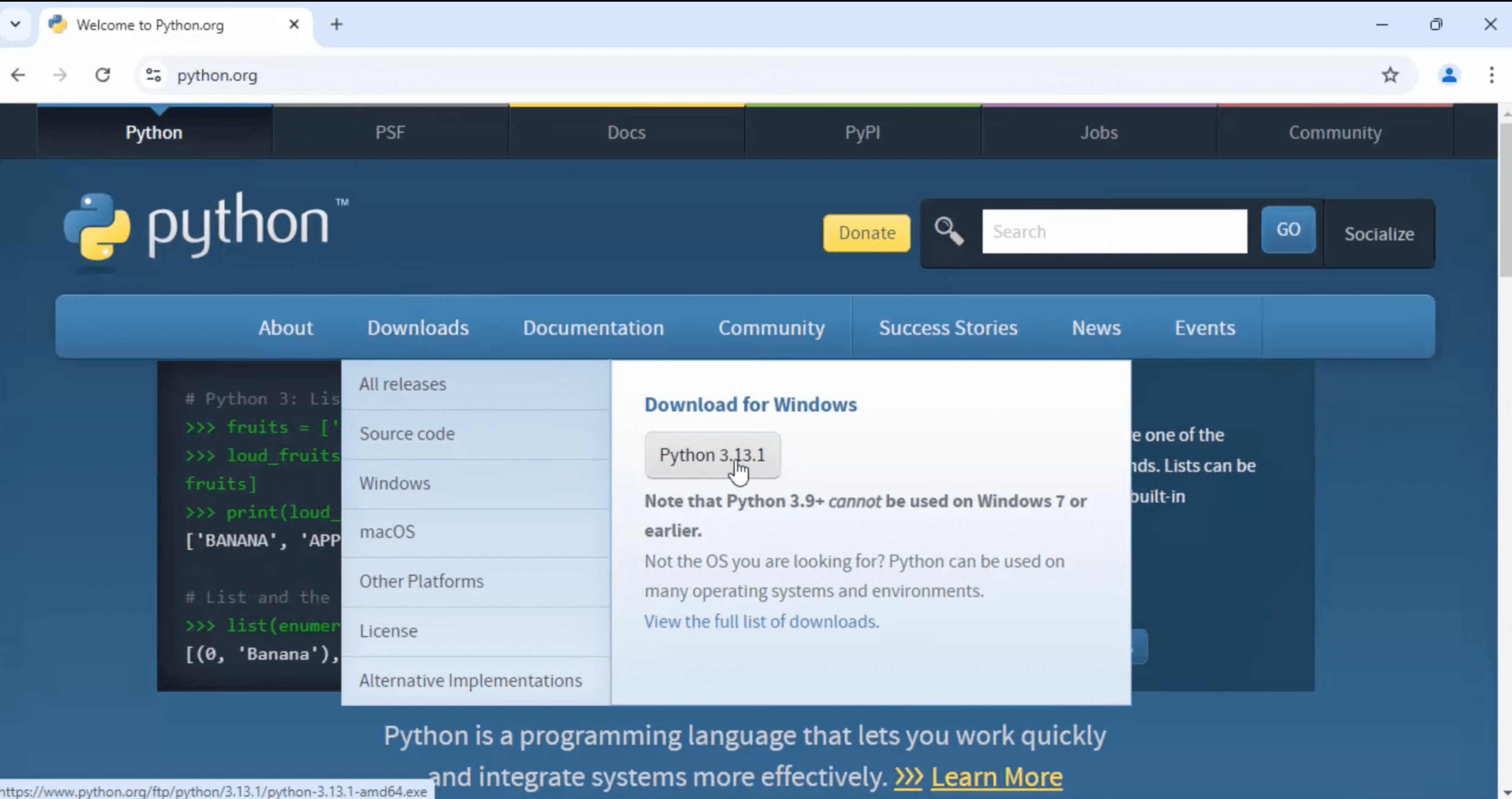
Navigate to the Downloads section and select the latest stable release for Windows.Choose the appropriate installer based on your system architecture:
For 64-bit systems: “Windows installer (64-bit)”
For 32-bit systems: “Windows installer (32-bit)”
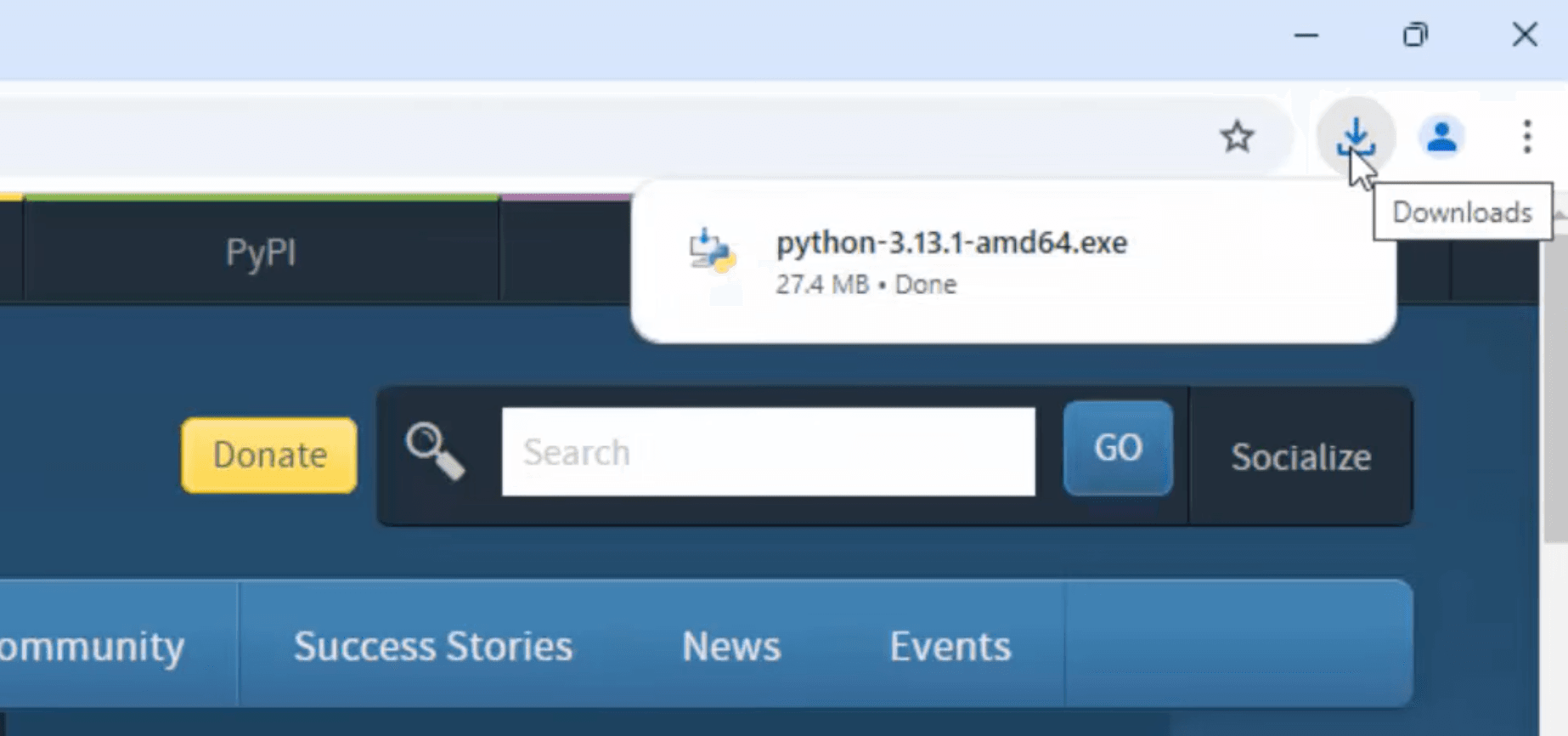
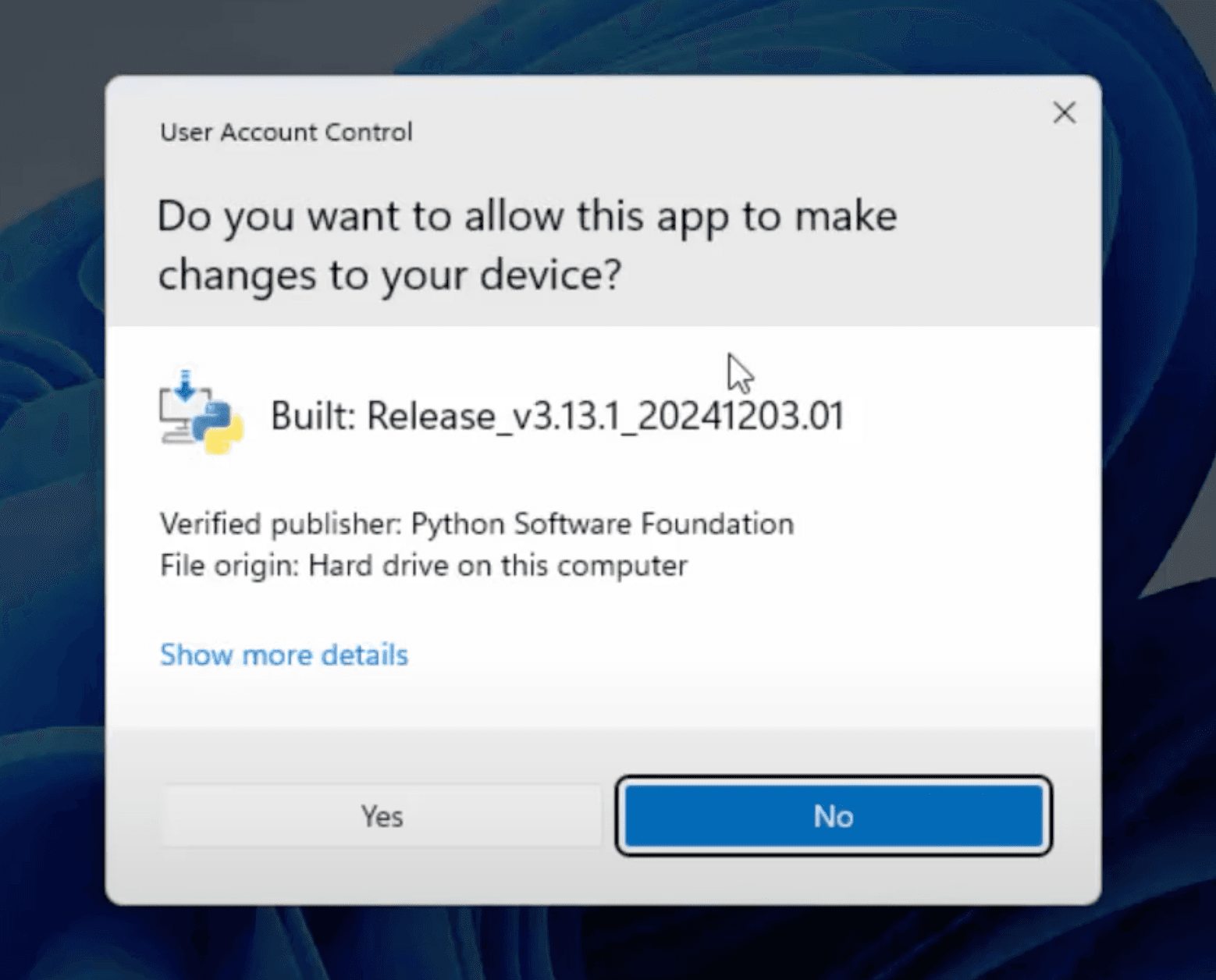
Locate the downloaded installer file (e.g., python-3.x.x-amd64.exe) and double-click to run it.
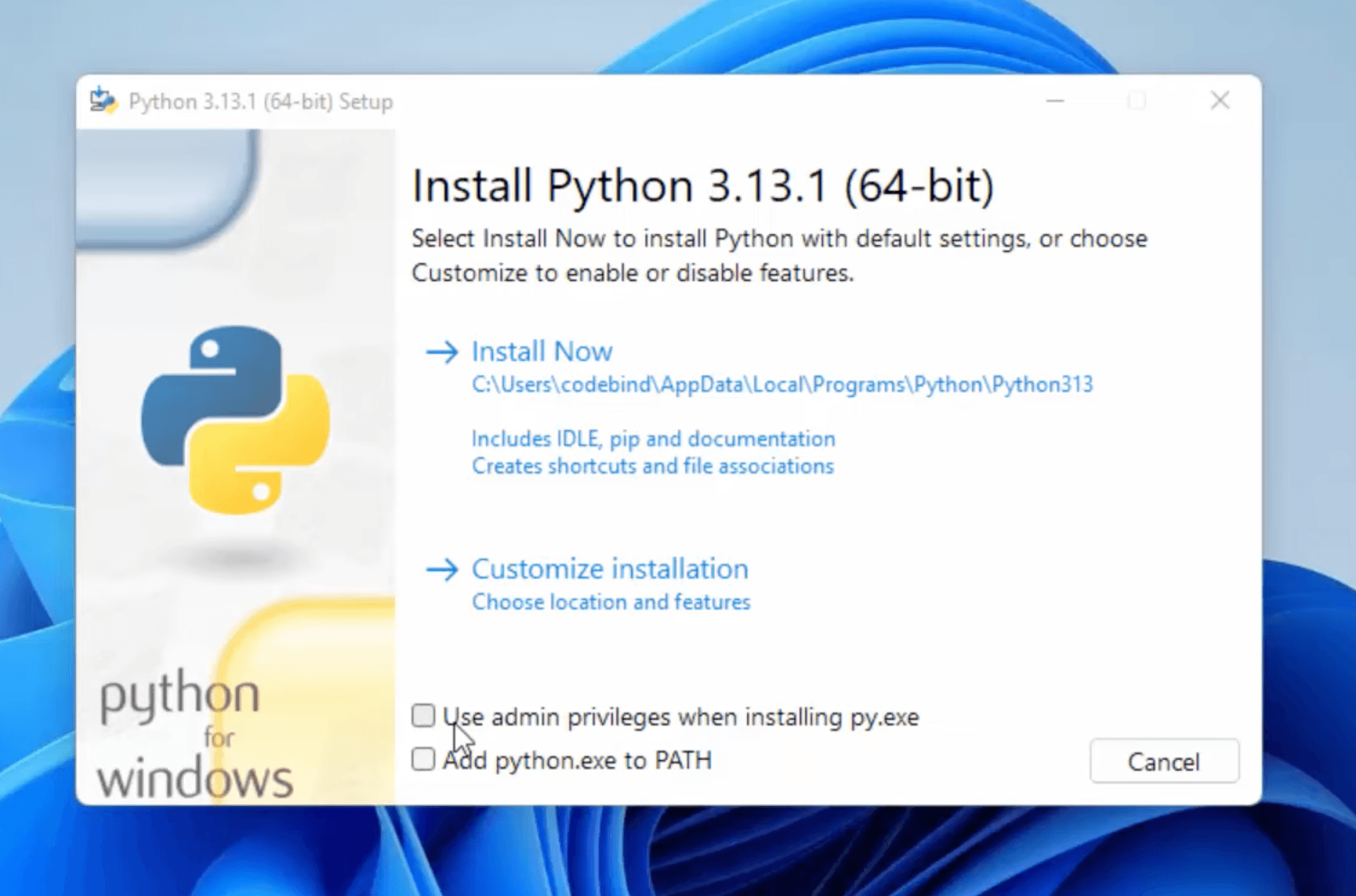
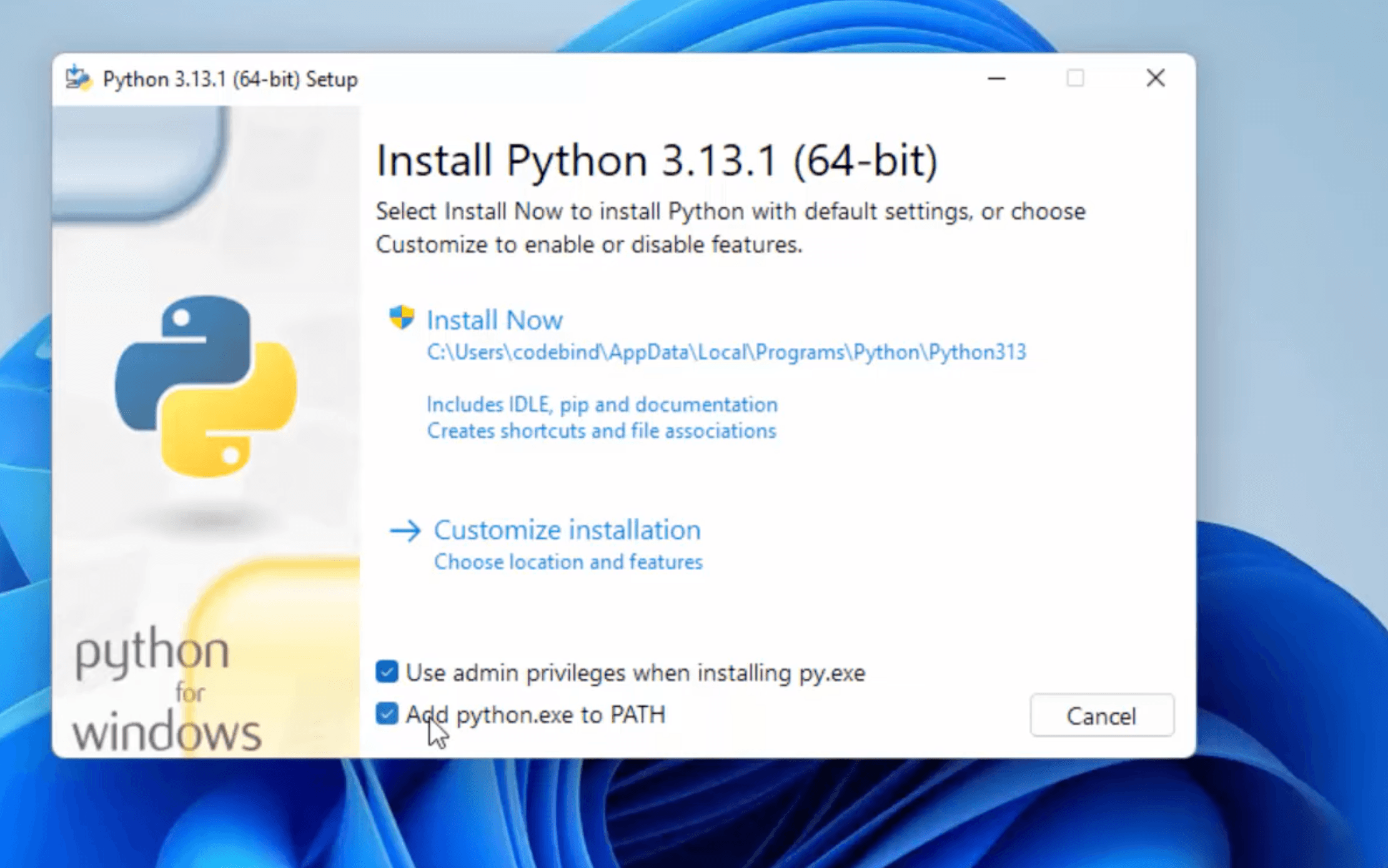
Check the box labeled “Add Python to PATH” to ensure you can run Python from the command line.Click on “Install Now” to proceed with the default installation.
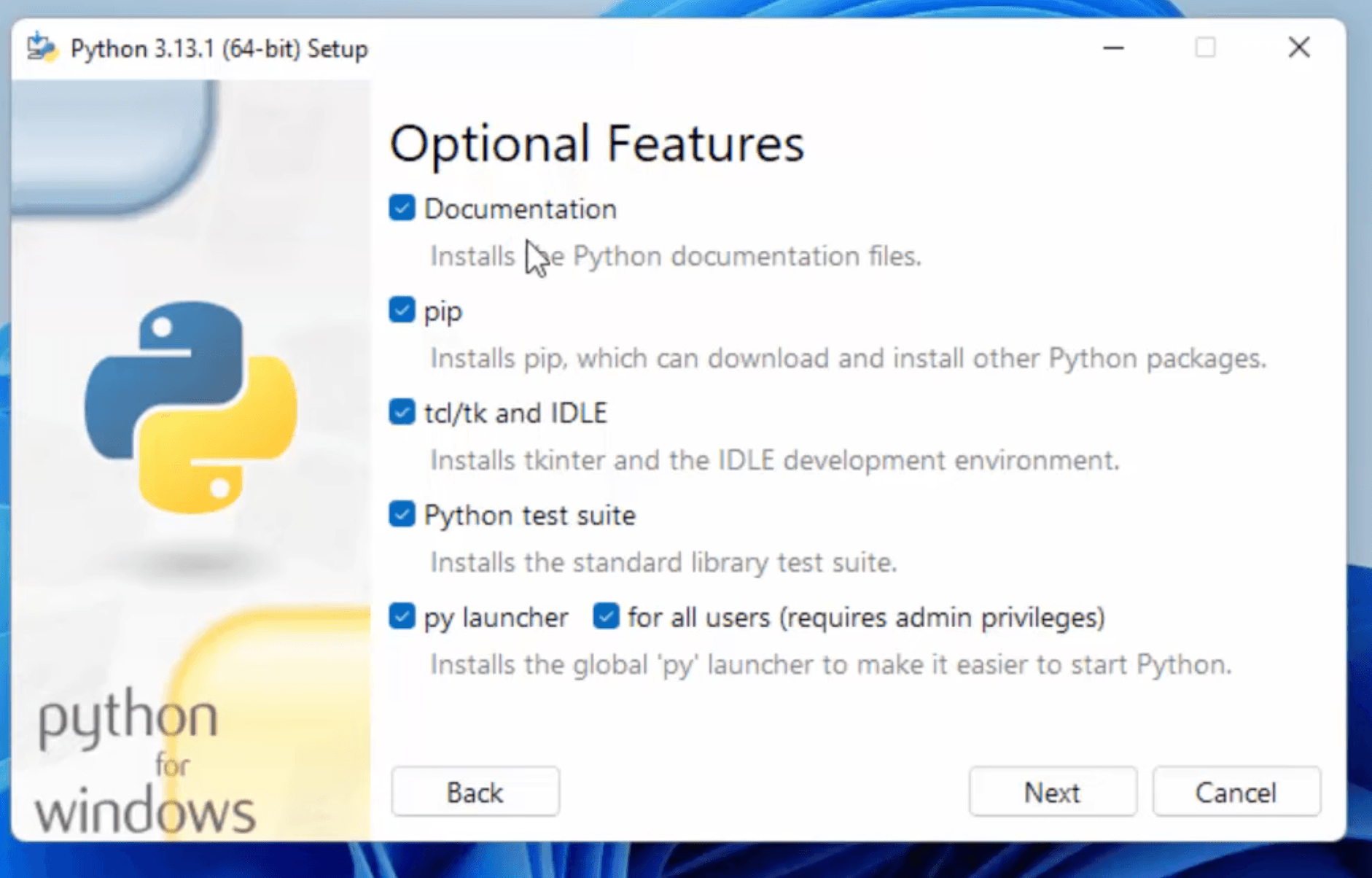
In the “Optional Features” section, you can select additional components like:
Documentation
pip (Python package installer)
tcl/tk and IDLE (Python’s Integrated Development and Learning Environment)
Python test suite
py launcher
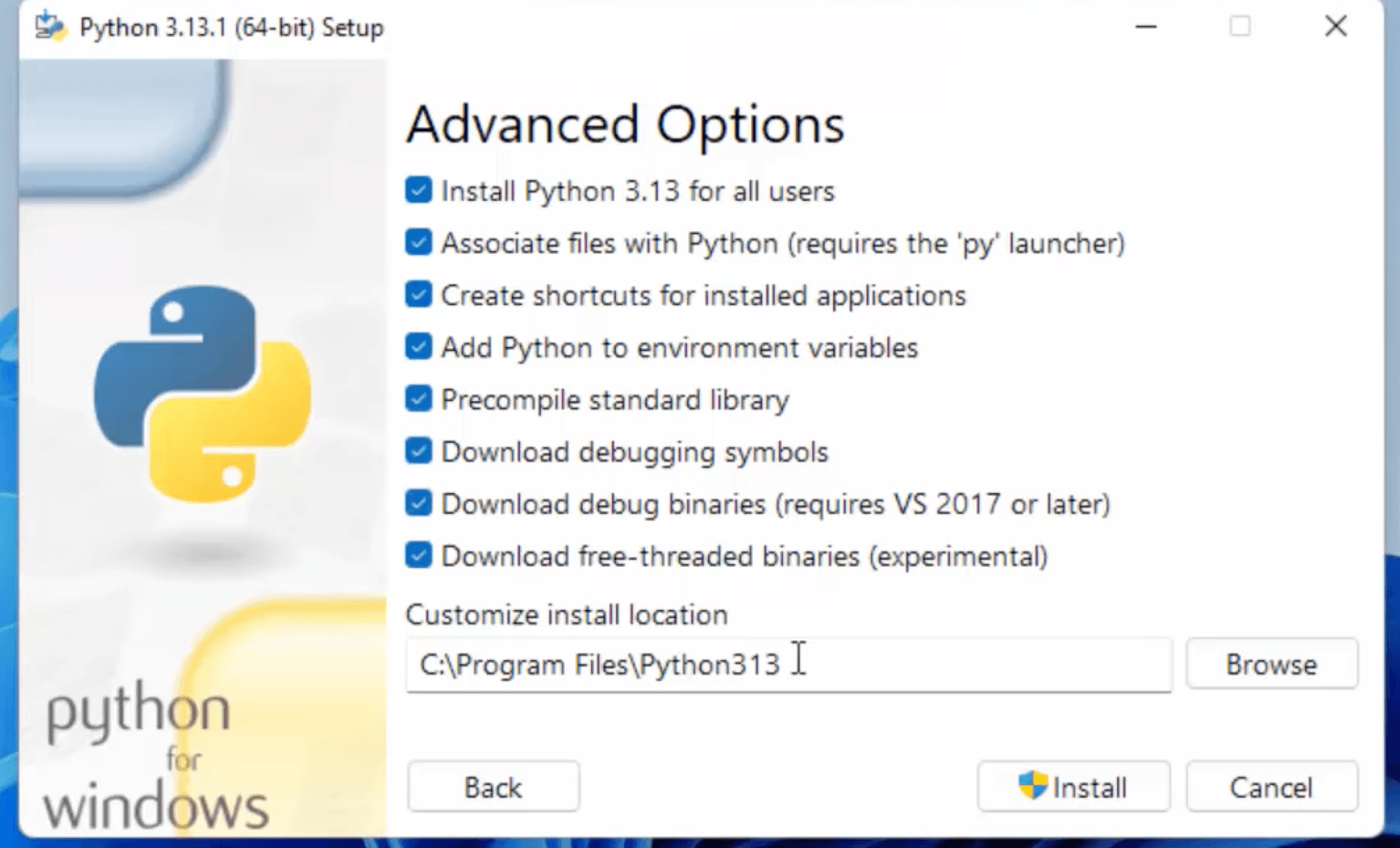
Click “Next” and in the “Advanced Options” section, you can:
Choose the installation location
Add Python to environment variables
Install for all users
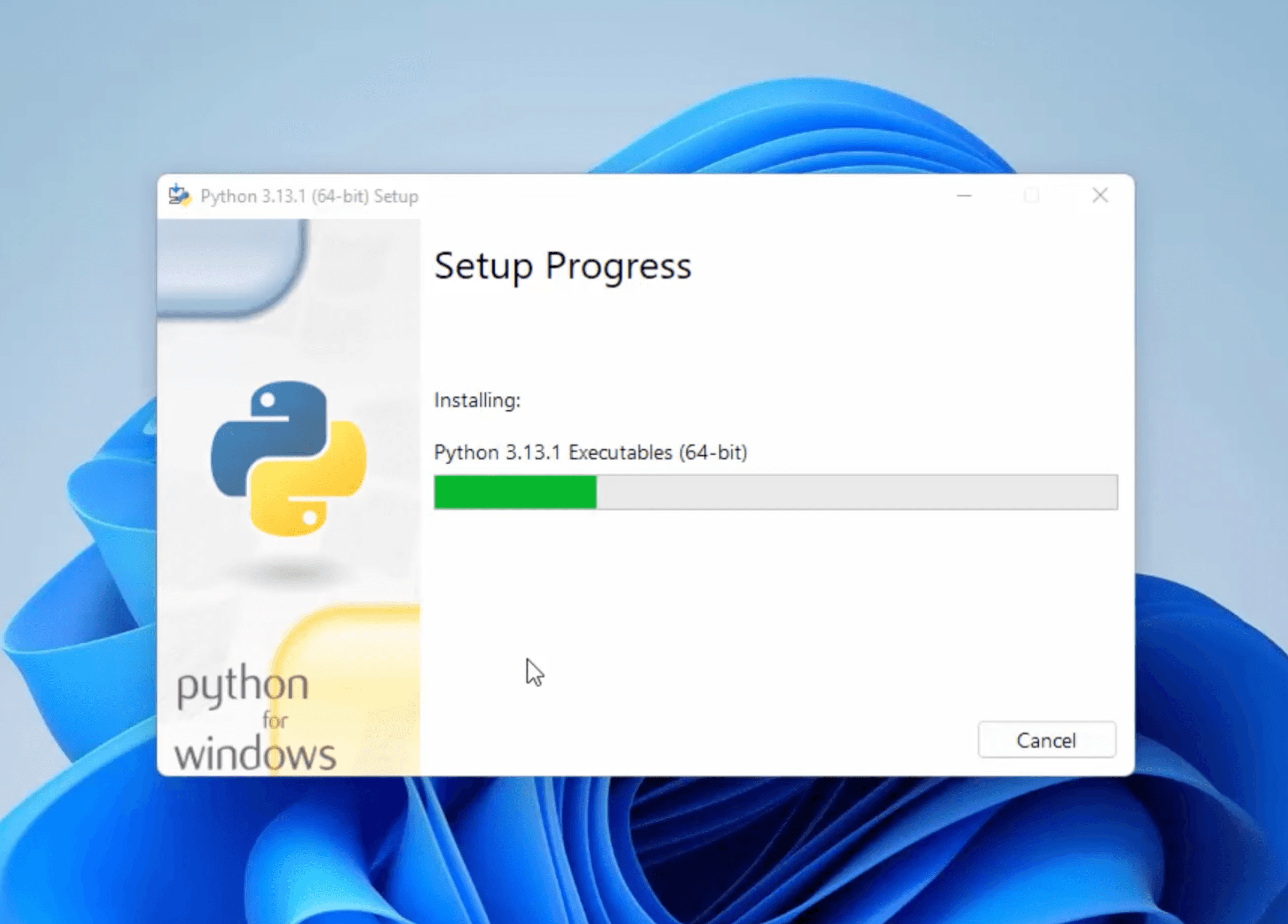
After selecting the desired options, click “Install” to begin the installation.
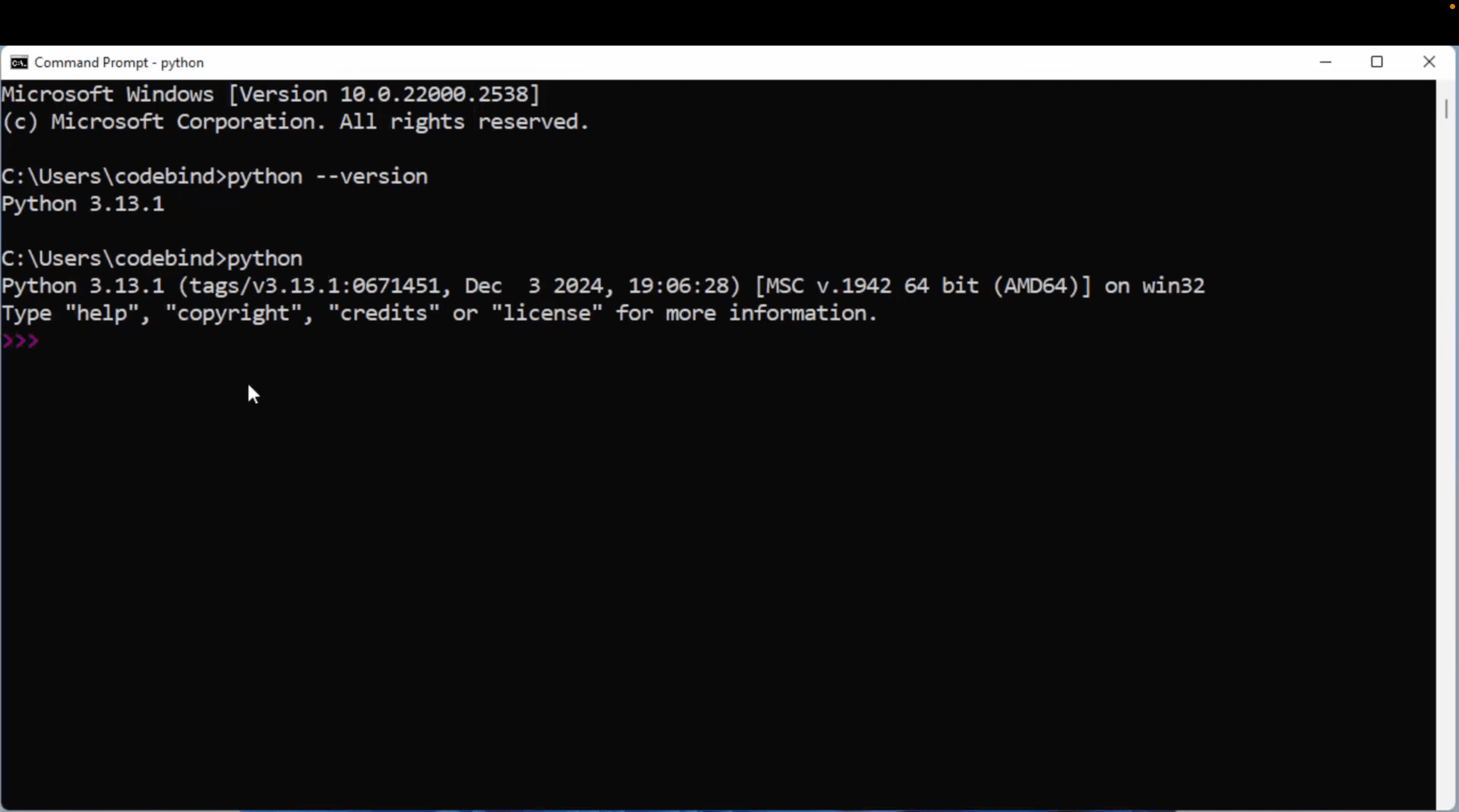
Verify the Installation:
Open the Command Prompt:
Press Win + R, type cmd, and press Enter.
pip --version run in command prompt and python --version.
Check System Requirements: Ensure your macOS version is 10.9 or later.
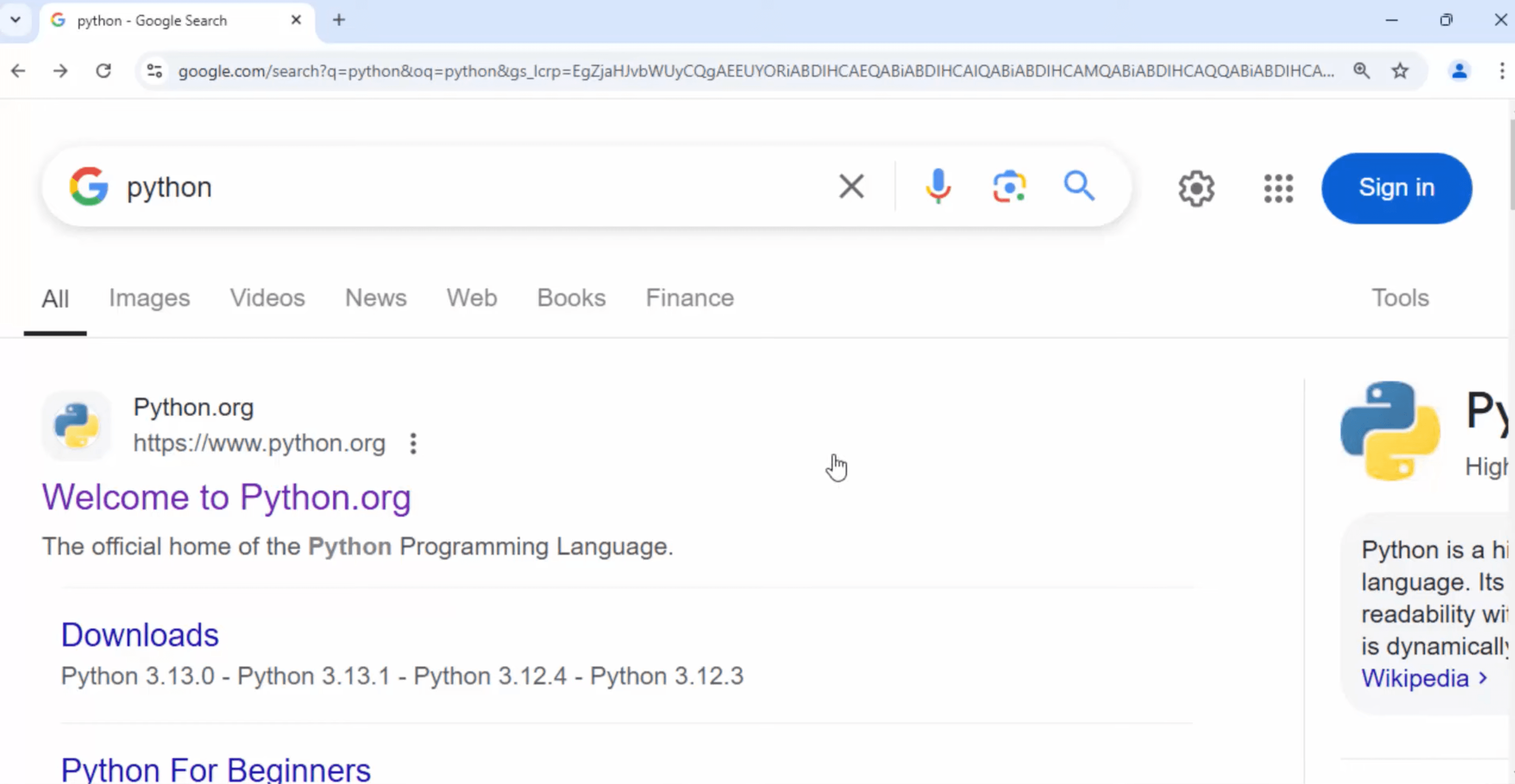
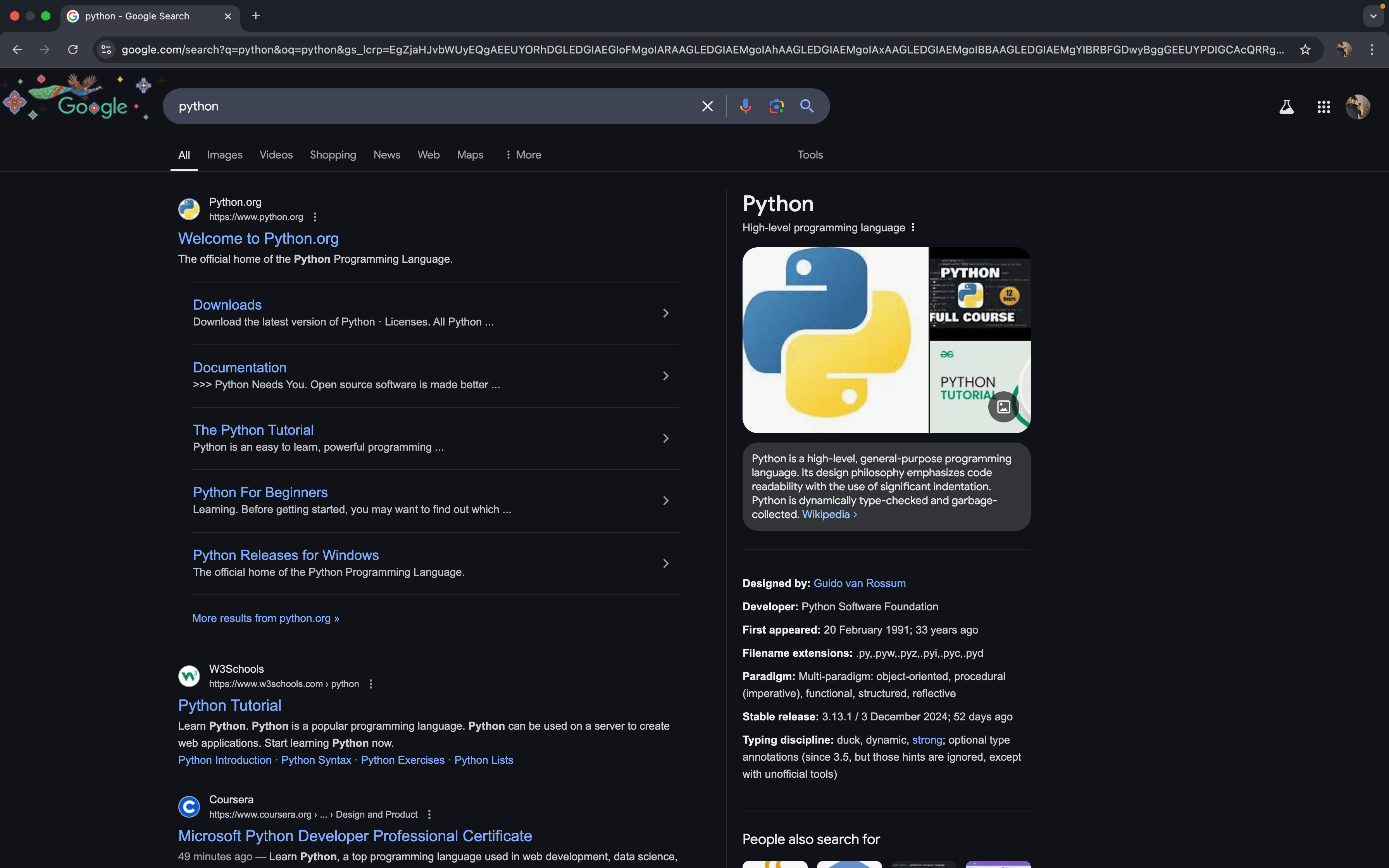
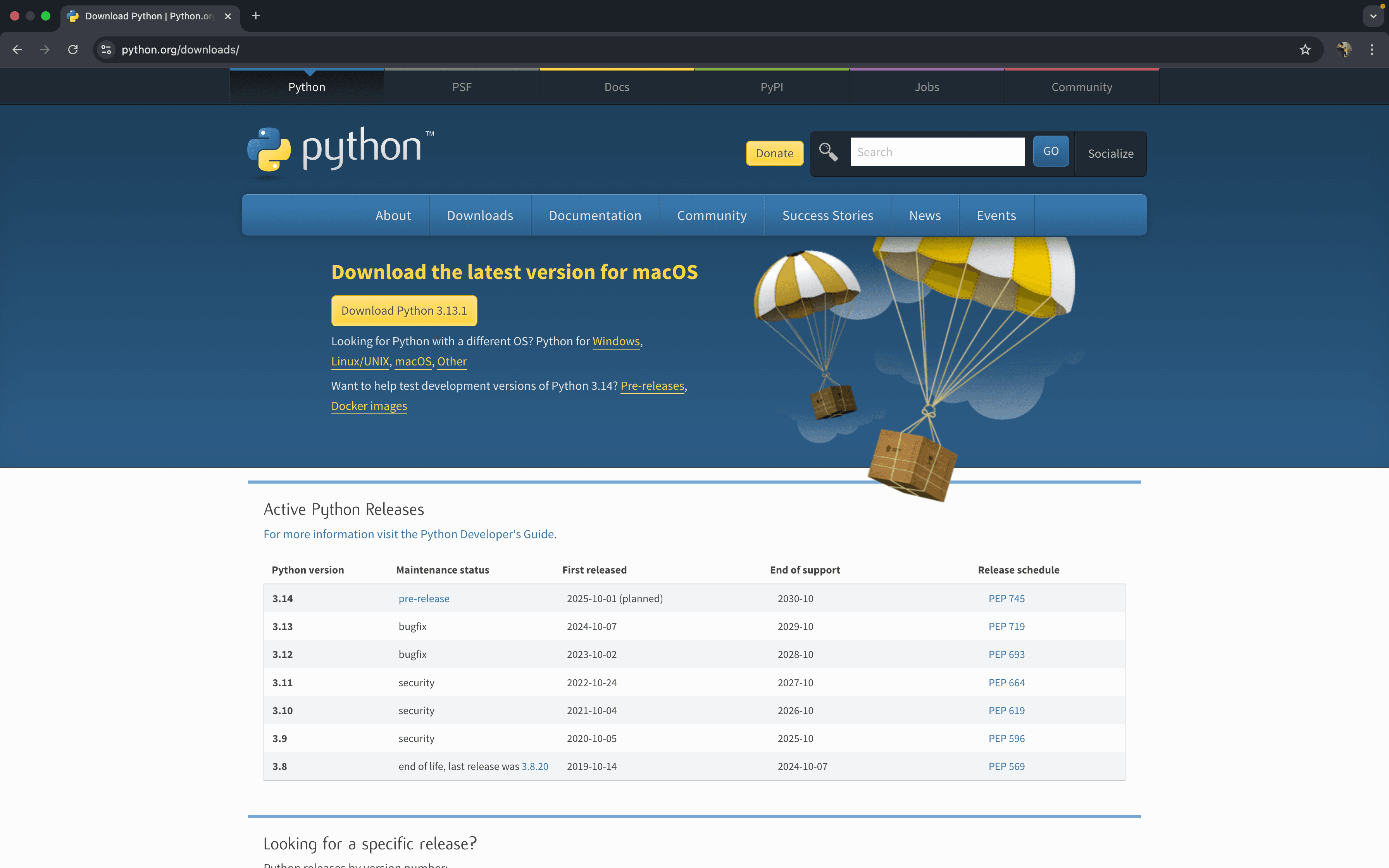
Go To google chrome and search python
Visit Python’s Official Website: Open https://www.python.org and navigate to the “Downloads” section. The website will auto-detect the appropriate version for macOS.
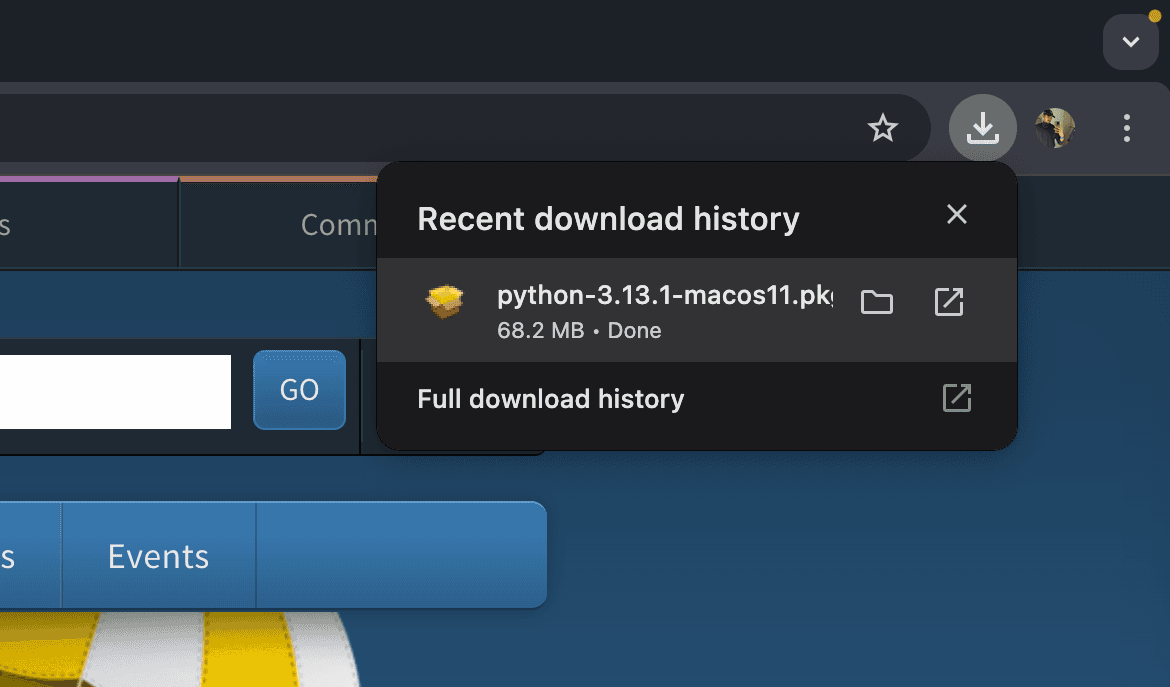
Wait until the installation take place & navigate in download bar.
Open the .pkg file.
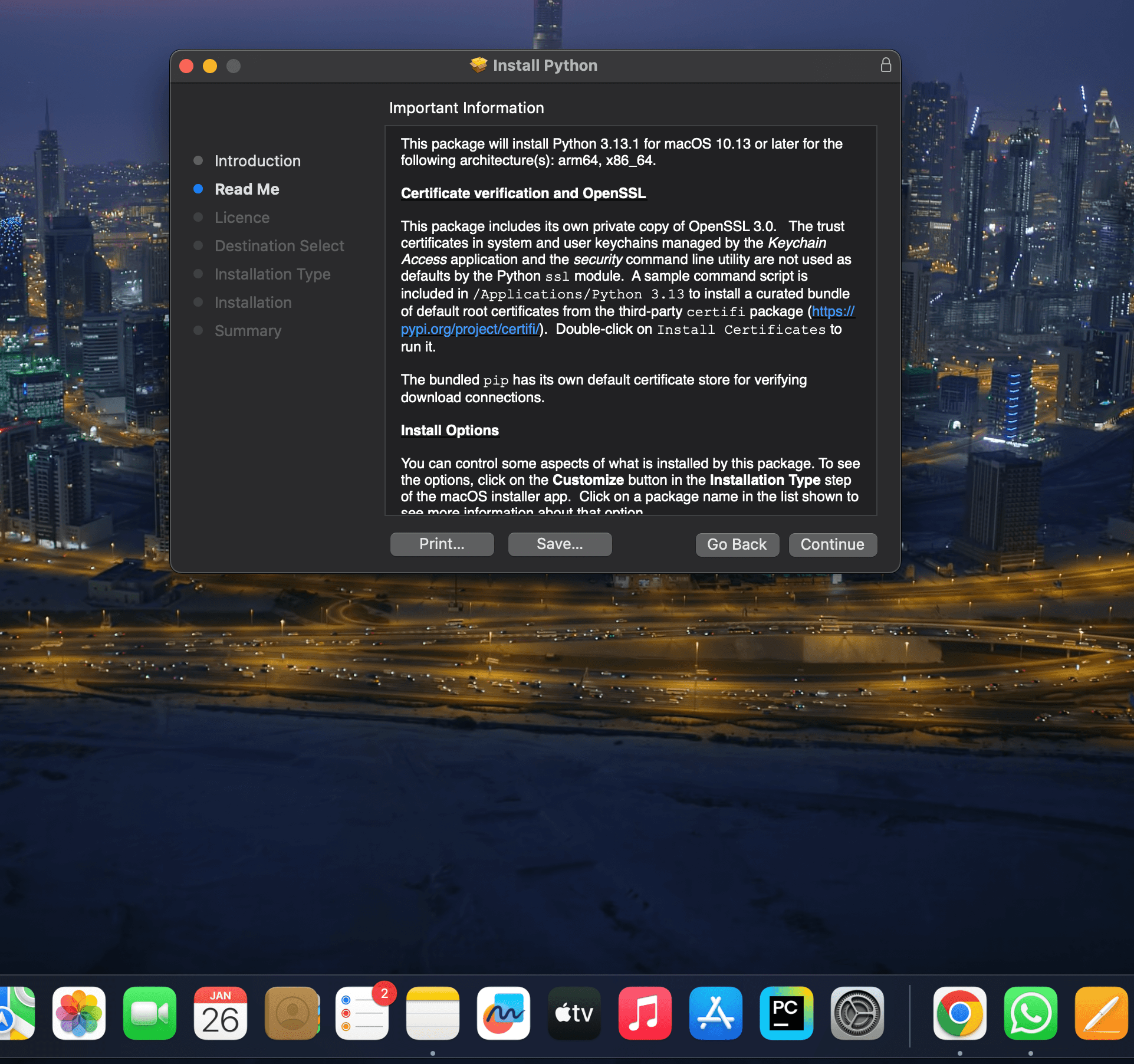
Click to continue.
Again click on continue.
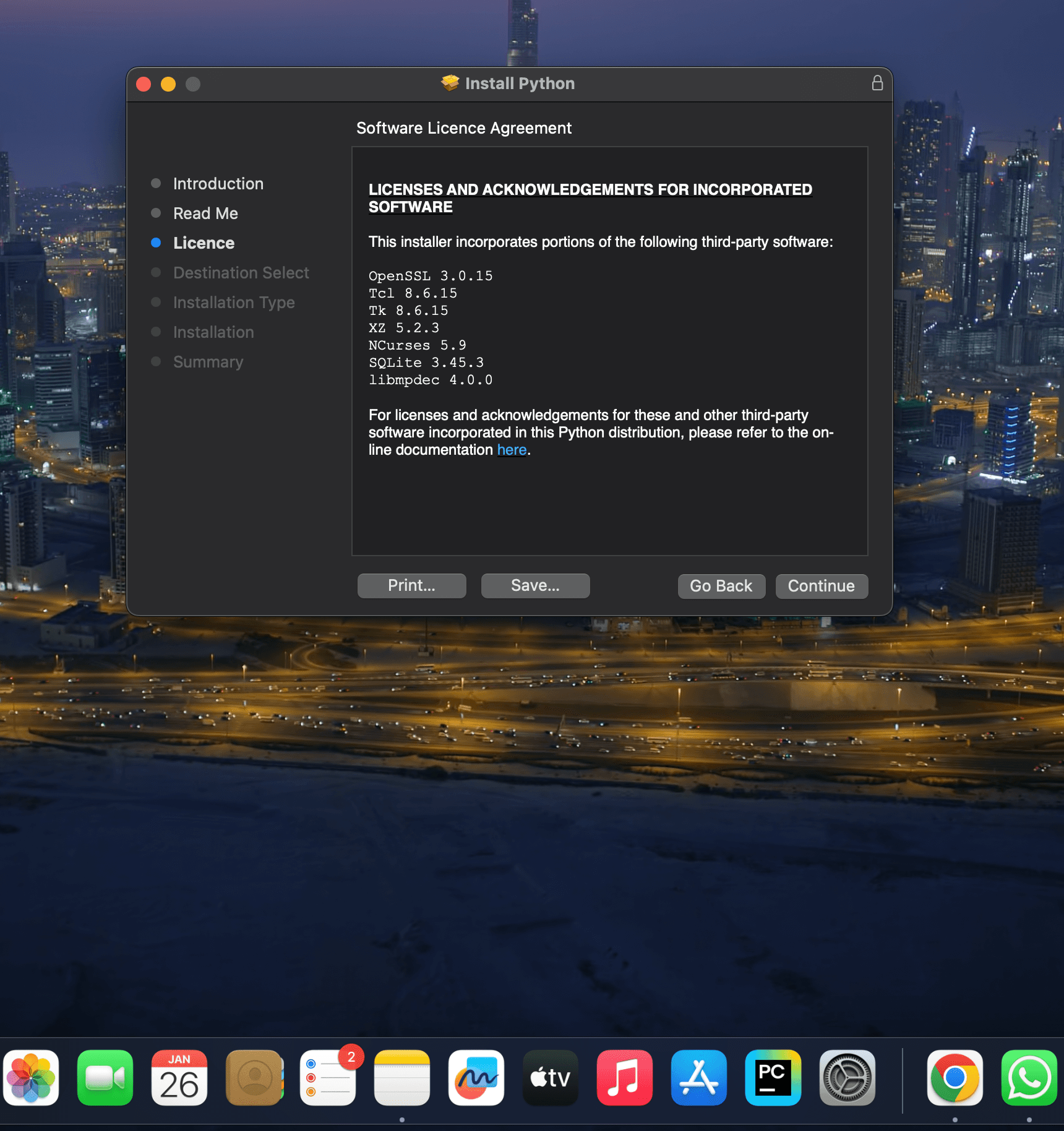
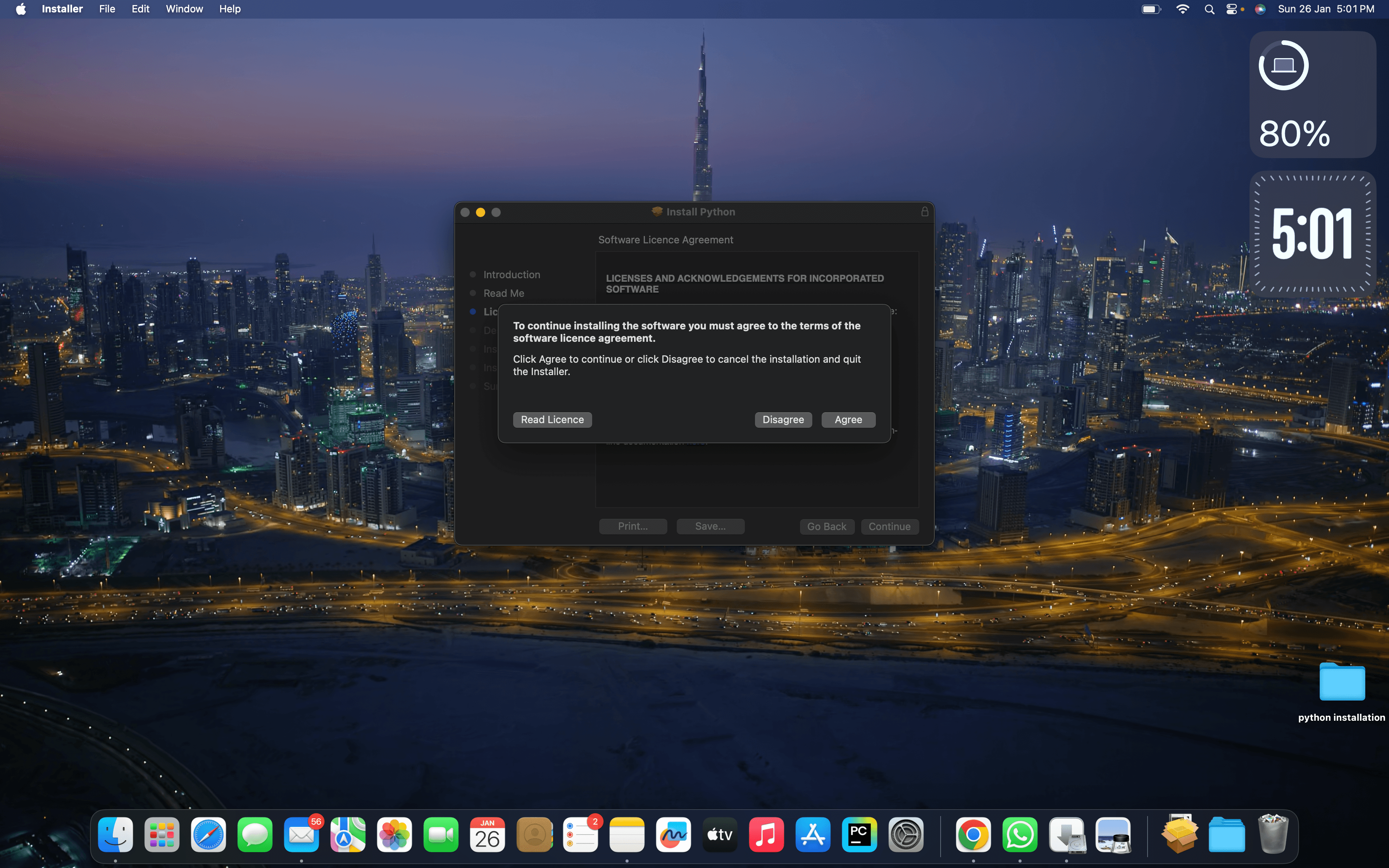
Now click on Agree.
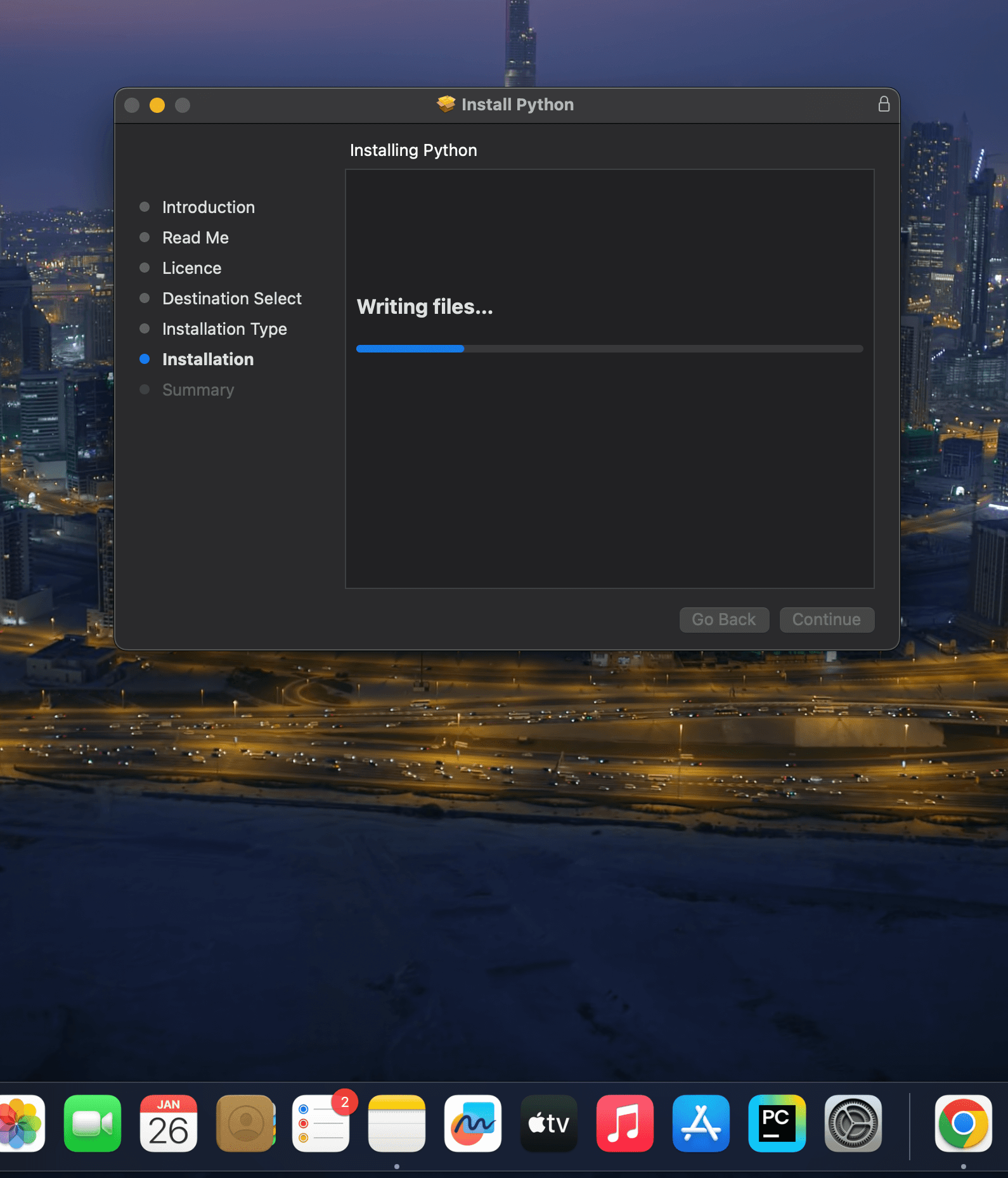
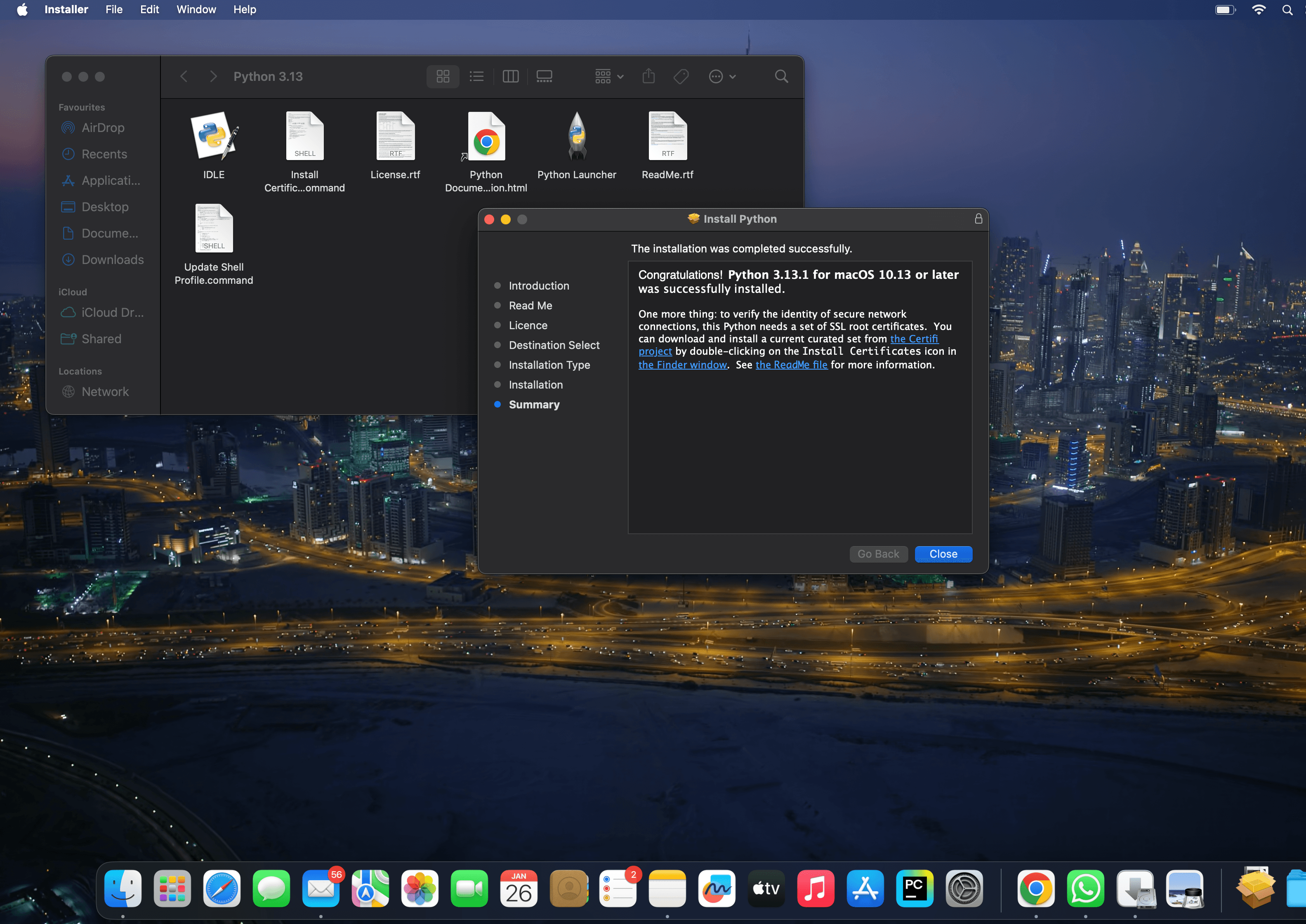
Now complete the processing and click on Install Button.And move the python installer package to bin
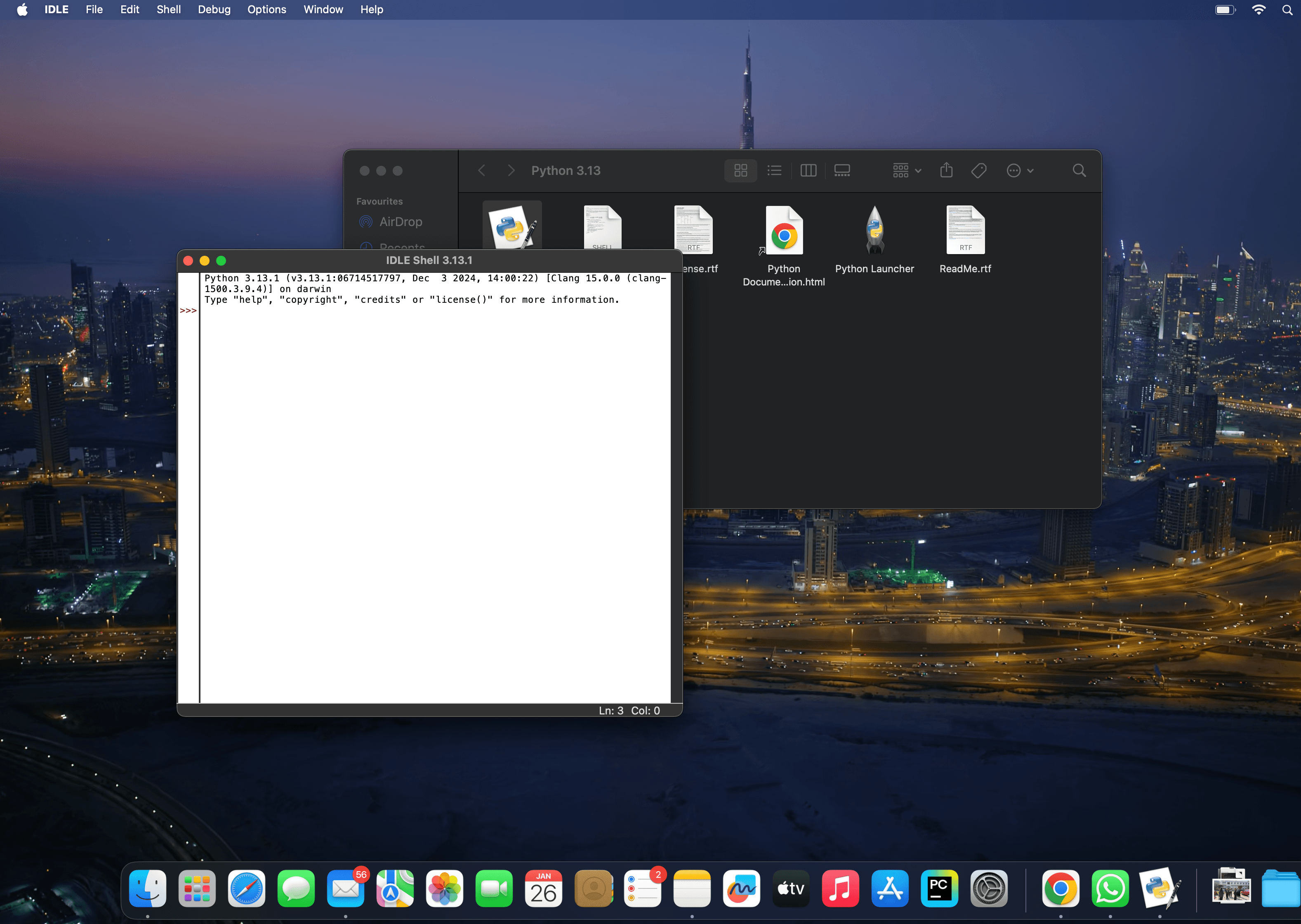
Now close all the tabs and open IDLE python.
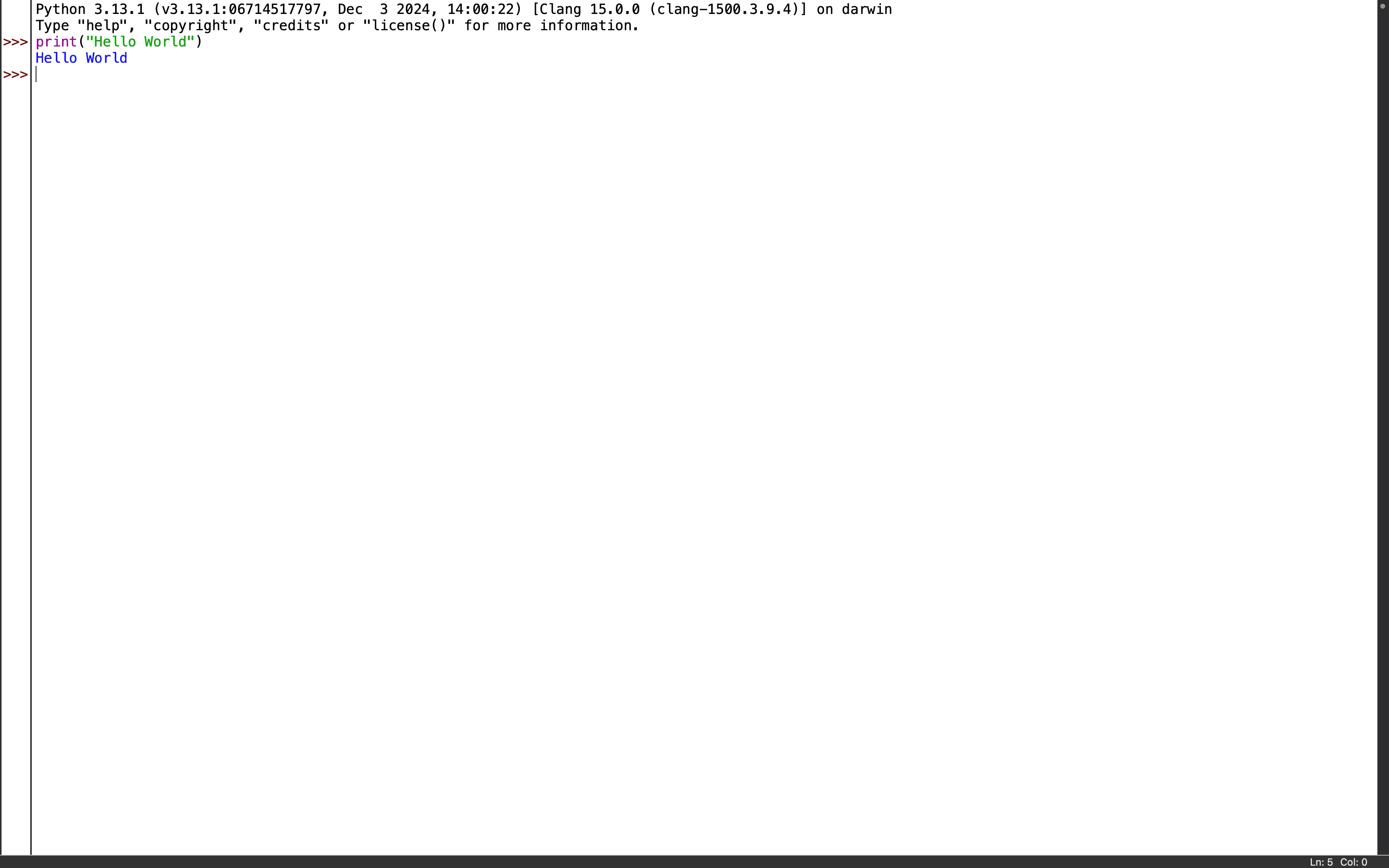
Open IDLE shell and try a hello world Program.
Simple “Hello World” program.You can also check version in Terminal by giving the following command to check the version of python. python3 –version
To install PyCharm on a Windows system, first ensure your computer meets the necessary system requirements, including running Windows 10 64-bit or later and having an active internet connection. Begin by downloading the latest version of PyCharm from the official JetBrains website: here Once the download is complete, run the installer and follow the on-screen instructions to complete the installation process. After installation, launch PyCharm, create a new project, and ensure that the appropriate Python interpreter is selected to start your development work.
To install Python on macOS, ensure your system meets the basic requirements: macOS 10.9 or later with a stable internet connection. Download the latest Python installer from python.org, follow the on-screen instructions, and verify the installation via Terminal. Ensure sufficient storage and admin rights for installation.
To install Python on Windows, ensure your system runs Windows 7 or later with an internet connection. Download the latest Python installer from python.org, run the installer, and select “Add Python to PATH.” Follow the on-screen instructions and verify the installation through Command Prompt.
Exception Handling is used to manage runtime errors and prevent programs from crashing.
Exceptions occur when:
User enters invalid input
File not found
Network connection fails
Wrong operations (divide by zero)
Basic Structure
try:
    # Code that may throw error
except:
    # Code to run if error occurs
Basic Example
try:
    a = 10 / 0
except:
    print("Cannot divide by zero!")
Catching Specific Exceptions
try:
    a = int("abc")
except ValueError:
    print("Value Error occurred: Invalid conversion to integer")
Multiple Except Blocks
try:
    num = int(input("Enter a number: "))
    result = 10 / num
except ZeroDivisionError:
    print("You cannot divide by zero.")
except ValueError:
    print("Only numbers are allowed.")
Python, renowned for its simplicity and versatility, owes a significant part of its power to modules. Modules are an essential concept in Python programming, enabling developers to organize code, enhance reusability, and maintain a clean project structure. In this tutorial, we’ll delve into the world of Python modules, exploring their significance, creation, unique features, and diverse applications.
Importance of Modules
Modules serve as building blocks that encapsulate code, variables, and functions, making it easier to manage and scale projects. By grouping related functionalities together, modules facilitate code readability, reduce redundancy, and enable collaborative development. This modular approach enhances the maintainability and extensibility of Python applications.
Creating a Module
Creating a module is a straightforward process. To begin, save a collection of related functions and variables in a .py file. This file name becomes the module name. For instance, let’s create a simple module named math_operations:
					# math_operations.py
def add(a, b):
    return a + b

def subtract(a, b):
    return a - b

def multiply(a, b):
    return a * b
Features
Python modules offer a range of features that streamline development and optimize code organization:
Namespace Isolation: Modules create separate namespaces, preventing naming conflicts between variables and functions.
Reusability: Code encapsulated within modules can be easily reused in multiple projects.
Modularity: Modules support a modular architecture, enhancing code separation and maintainability.
Information Hiding: By controlling what is exposed in a module’s interface, you can encapsulate implementation details.
Standard Library: Python’s standard library provides a plethora of pre-built modules, saving time and effort in coding common functionalities.
Different Python Modules
Math Module: The math module offers a suite of mathematical functions. Let’s calculate the factorial of a number using the math module:
					import math
num = 5
factorial = math.factorial(num)
print(f"The factorial of {num} is {factorial}")
Datetime Module: The datetime module simplifies date and time manipulation. Here’s an example of getting the current date and time:
					import datetime
current_datetime = datetime.datetime.now()
print(f"Current date and time: {current_datetime}")
Random Module: The random module facilitates random number generation. Let’s generate a random integer between 1 and 100:
					import random
random_number = random.randint(1, 100)
print(f"Random number: {random_number}")
JSON Module: The json module simplifies JSON encoding and decoding. Here, we’ll encode a Python dictionary as a JSON string:
Object-Oriented Programming (OOP) is a programming style organized around objects instead of functions. It helps structure code that is scalable, reusable, and modular.
Four Pillars of OOP
Pillar
Meaning
Example
Encapsulation
Hiding internal details
Private variables
Abstraction
Showing only necessary features
Interfaces-like behavior
Inheritance
Acquiring properties from parent class
Parent → Child
Polymorphism
Same function name, different behavior
Method overriding
Basic Terminology
Term
Meaning
Class
Blueprint/template for an object
Object
Instance created from a class
Method
A function inside a class
Attribute
Variables in a class (properties)
Constructor
Initializes object values (__init__())
Creating a Class & Object
class Person:
    def __init__(self, name, age):
        self.name = name    # Instance attribute
        self.age = age

    def greet(self):
        print(f"Hello, my name is {self.name} and I am {self.age} years old.")

p1 = Person("Amit", 25)
p1.greet()
Description
Person is a class (blueprint).
p1 is an object/instance of the class.
__init__ is a constructor that initializes object attributes when created.
self refers to the current object.
greet() is an instance method, accessible using the object.
Class Variables vs Instance Variables
class Employee:
    company = "Google"  # Class variable (shared by all objects)

    def __init__(self, name):
        self.name = name  # Instance variable (unique to each object)

e1 = Employee("Sam")
e2 = Employee("Riya")
print(e1.company, e2.company)
print(e1.name, e2.name)
Description
company belongs to the class, so every Employee object uses “Google”.
name is an instance variable — each object has a different value.
Helps differentiate data shared across objects and unique to each.
Encapsulation (Data Hiding)
Encapsulation refers to the concept of bundling data and methods that operate on that data into a single unit, i.e., a class. It prevents direct access to data from outside the class and promotes data hiding.
The variable __balance is private and cannot be accessed directly using object.
Encapsulation protects data from accidental modification.
We control access through getter & setter functions.
Abstraction (Hiding Complex Details)
from abc import ABC, abstractmethod

class Shape(ABC):
    @abstractmethod
    def area(self):
        pass  # Abstract method (must be implemented)

class Circle(Shape):
    def __init__(self, r):
        self.r = r

    def area(self):
        return 3.14 * self.r * self.r

c = Circle(5)
print(c.area())
Description
Shape is an abstract class — cannot be instantiated.
Contains an abstract method that forces subclasses to implement it.
The Circle must provide its own area method → ensuring a standard structure.
Constructor & Destructor
class Sample:
    def __init__(self):
        print("Constructor executed")

    def __del__(self):
        print("Destructor executed")

obj = Sample()
del obj
Description
__init__ runs automatically when the object is created.
__del__ runs when the object is destroyed or the program ends.
Used for resource management (like closing files, DB connections, etc.)
Static & Class Methods
Class Method
In Python, a class method is a type of method that is bound to the class itself rather than to instances of the class.
It can access and modify class-level attributes and perform actions related to the class as a whole.
Class methods are defined using the @classmethod decorator and take the class itself as the first parameter, conventionally named cls.
This makes them different from instance methods, which take the instance itself (self) as the first parameter.
Static Method
A static method is a method that is defined within a class but is not bound to the class instance or class-level attributes.
It doesn’t receive any implicit reference to the class or its instances as parameters. Static methods are defined using the @staticmethod decorator.
Static methods are often used to create utility functions that are logically related to the class but don’t require access to instance-specific or class-level data.
class Student:
    school = "DAV School"

    @staticmethod
    def welcome():
        print("Welcome to the School!")  # No object needed

    @classmethod
    def get_school_name(cls):
        return cls.school

Student.welcome()
print(Student.get_school_name())
Description
@staticmethod → Does not access class or object data. Used as helper logic.


 And move the python installer package to bin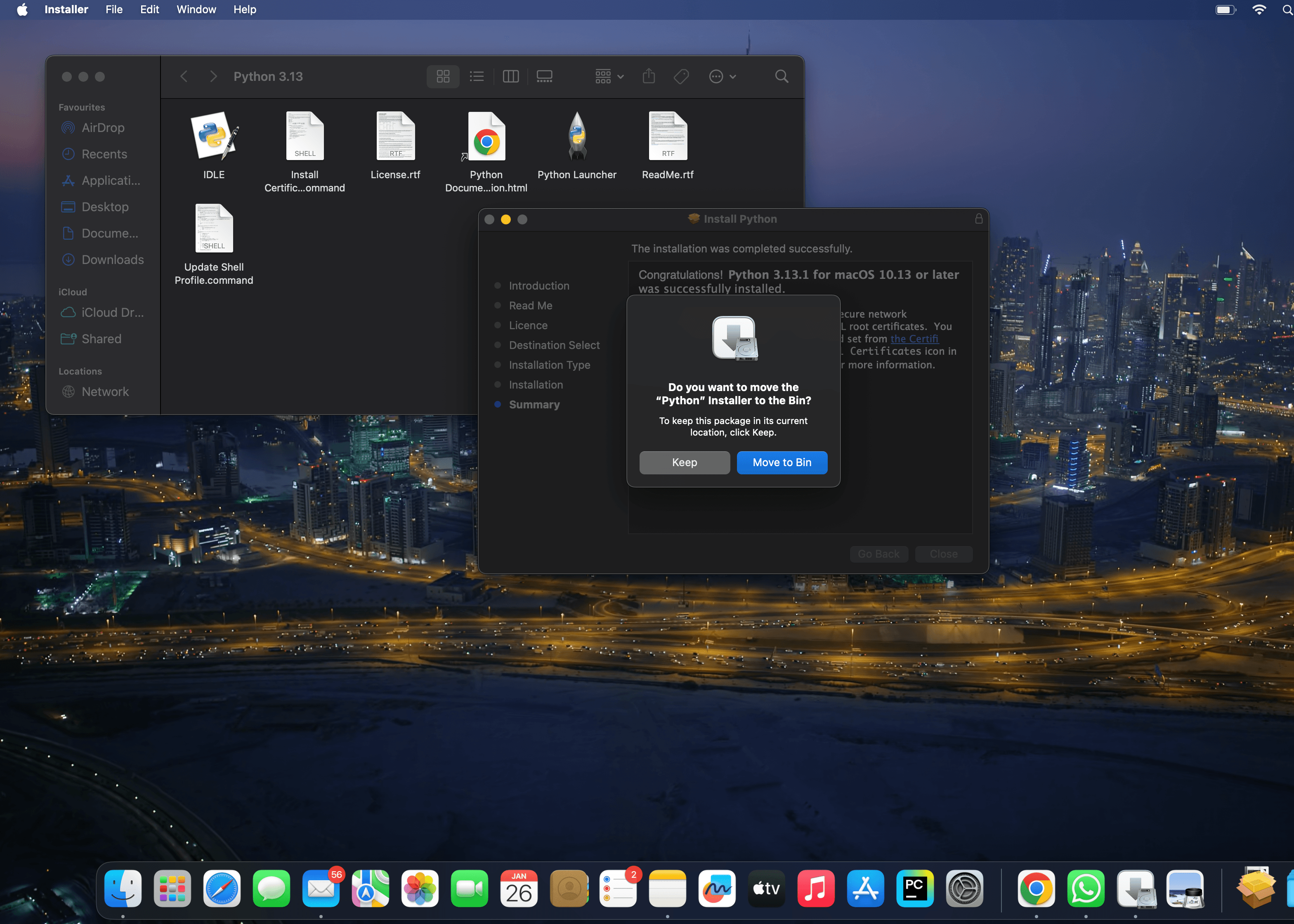
 You can also check version in Terminal by giving the following command to check the version of python.